Virtual Reality (VR) Collaboration Platforms Resources
Articles, Discussions, and Reports to expand your knowledge on Virtual Reality (VR) Collaboration Platforms
Resource pages are designed to give you a cross-section of information we have on specific categories. You'll find articles from our experts, discussions from users like you, and reports from industry data.
Virtual Reality (VR) Collaboration Platforms Articles

What is a VR Classroom? Explanation and Top Software in 2025


What Is VR Conferencing? How to Elevate Business Meetings
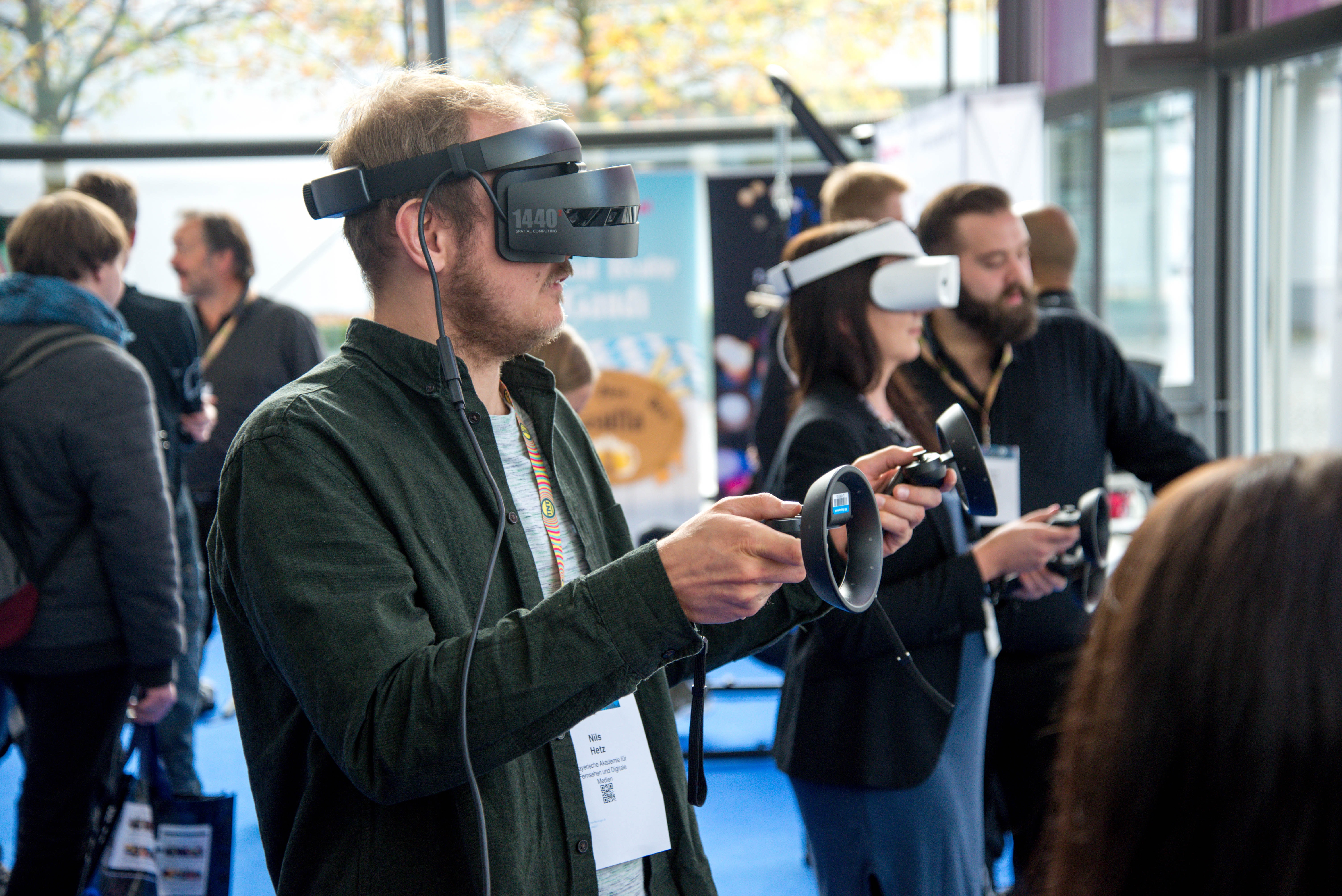
The Looming Metaverse and What It Means for Software Development

What is VRChat? (+ Why the VR Social Platform is So Popular)
Virtual Reality (VR) Collaboration Platforms Discussions
I've been putting together an implementation plan, and I researched what are the hardware requirements and adoption considerations for enterprise VR collaboration implementations across the VR collaboration category, including its own buying guidance, which turns out to be refreshingly honest about the hard parts. Here's what I assembled, requirements first, adoption second:
- The hardware baseline, per the category's own definition: these are fully immersive tools, so participants need VR headsets to get the real experience, and the category's guidance names the three costs that follow, headset procurement and logistics across a distributed workforce, reliable high-bandwidth connectivity for every participant, and physical space, since VR asks each user for a safe clear area that not every home office or open-plan desk has. Budgeting only for headsets misses two of the three.
- The requirement most plans skip, and the category's freshest evidence base happens to live there: fleet management. ArborXR exists for exactly this, deploying content and updates to headset fleets remotely, controlling what users can see and do in the headset, with enterprise security in its stated build and thousands of companies in its stated base (vendor-stated). Its historical reviews credit easy device management and setup, with honest cons around app-store deployment friction. An enterprise implementation is a fleet from day one; plan the management layer with the headsets, not after them.
- The adoption bridge worth designing in: cross-device access. Platforms like Spatial (VR, AR, desktop, mobile) and MootUp (browser-based, no download) let non-headset participants join the same sessions (both vendor-stated), which converts your rollout from a hardware mandate into a gradient: early adopters wear headsets, everyone else attends anyway, and demand for devices grows from experience rather than decree. In my reading, this single design choice does more for enterprise adoption than any training program.
- The adoption considerations the category's guidance itself recommends, which match what I'd do: pilot with a small pool whose work genuinely depends on collaboration, verify the tool gets used voluntarily after the novelty week, and only then scale; involve the real stakeholders (team managers, event owners, IT) in selection; and negotiate packages down to the functions you'll use rather than the all-in bundle. To that I'd add the two operational habits implementations live or die on: a headset hygiene and storage plan for shared devices, and a standing fallback rule so a dead battery never blocks a meeting, the session always has a desktop join link.
- The honest cost summary for a hundred-person rollout: devices, the management platform, connectivity upgrades for some homes, space accommodations, and the adoption time of champions running pilots, against travel-replacement and engagement returns the category's guidance cites as the payback thesis. The thesis is credible for teams with real travel budgets and 3D content; it's weakest for teams buying presence for status meetings, and your pilot should be designed to tell you which team you are.
What did your actual per-seat cost land at, all-in, and which line item surprised you? Real numbers here would make this thread the reference this category's guidance can't be.
People tend to budget for headsets and forget the two things that kill rollouts, connectivity and physical space. A lot of home offices don't have a clear six-foot area, and a reliable high-bandwidth connection isn't universal either. Those aren't blockers you can solve with a better headset.
I've been putting together an implementation plan, and I researched what are the hardware requirements and adoption considerations for enterprise VR collaboration implementations across the VR collaboration category, including its own buying guidance, which turns out to be refreshingly honest about the hard parts. Here's what I assembled, requirements first, adoption second:
- The hardware baseline, per the category's own definition: these are fully immersive tools, so participants need VR headsets to get the real experience, and the category's guidance names the three costs that follow, headset procurement and logistics across a distributed workforce, reliable high-bandwidth connectivity for every participant, and physical space, since VR asks each user for a safe clear area that not every home office or open-plan desk has. Budgeting only for headsets misses two of the three.
- The requirement most plans skip, and the category's freshest evidence base happens to live there: fleet management. ArborXR exists for exactly this, deploying content and updates to headset fleets remotely, controlling what users can see and do in the headset, with enterprise security in its stated build and thousands of companies in its stated base (vendor-stated). Its historical reviews credit easy device management and setup, with honest cons around app-store deployment friction. An enterprise implementation is a fleet from day one; plan the management layer with the headsets, not after them.
- The adoption bridge worth designing in: cross-device access. Platforms like Spatial (VR, AR, desktop, mobile) and MootUp (browser-based, no download) let non-headset participants join the same sessions (both vendor-stated), which converts your rollout from a hardware mandate into a gradient: early adopters wear headsets, everyone else attends anyway, and demand for devices grows from experience rather than decree. In my reading, this single design choice does more for enterprise adoption than any training program.
- The adoption considerations the category's guidance itself recommends, which match what I'd do: pilot with a small pool whose work genuinely depends on collaboration, verify the tool gets used voluntarily after the novelty week, and only then scale; involve the real stakeholders (team managers, event owners, IT) in selection; and negotiate packages down to the functions you'll use rather than the all-in bundle. To that I'd add the two operational habits implementations live or die on: a headset hygiene and storage plan for shared devices, and a standing fallback rule so a dead battery never blocks a meeting, the session always has a desktop join link.
- The honest cost summary for a hundred-person rollout: devices, the management platform, connectivity upgrades for some homes, space accommodations, and the adoption time of champions running pilots, against travel-replacement and engagement returns the category's guidance cites as the payback thesis. The thesis is credible for teams with real travel budgets and 3D content; it's weakest for teams buying presence for status meetings, and your pilot should be designed to tell you which team you are.
What did your actual per-seat cost land at, all-in, and which line item surprised you? Real numbers here would make this thread the reference this category's guidance can't be.
People tend to budget for headsets and forget the two things that kill rollouts, connectivity and physical space. A lot of home offices don't have a clear six-foot area, and a reliable high-bandwidth connection isn't universal either. Those aren't blockers you can solve with a better headset.
I've been drafting the security review for a VR collaboration purchase, and I dug into what VR collaboration platform data privacy and security features matter most for enterprise team communication, both across the VR collaboration category's materials and from what these platforms structurally touch. I'll be straight about the evidence situation first: the category's reviews are essentially silent on security specifics, so what follows is the consideration set I built, with where each product's stated posture fits.
Beyond ordinary meeting content, these tools can process voice in spatialized form, body and hand motion, physical room dimensions where mixed reality is involved, and behavioral patterns headsets observe continuously. Your privacy review should ask each vendor exactly which of these leave the device, where they're stored and for how long, and whether motion or environment data is retained after sessions. No vendor in this category documents these answers on G2, which is precisely why they go in writing. Here's the checklist I'd want every enterprise buyer to work through:
- Arthur: The strongest security-relevant evidence trail in the pool: historical reviews specifically credit its data security as exceptional for training and collaboration, its stated design targets enterprises, and its named users, including a Big Four firm and a UN organization (vendor-stated), imply security reviews already survived. Implied is not shown, so the practical ask is the artifact those customers presumably got: the security whitepaper, SSO and admin controls, data residency options, and a signable DPA.
- ArborXR: Included deliberately from the device side, because enterprise VR security is half a fleet problem: it's a device-management platform, not a collaboration space, with enterprise-level security in its stated build and controls over what users can see and do in headsets, deploying content and updates remotely across fleets (vendor-stated). Whatever collaboration platform you pick, unmanaged headsets are unmanaged endpoints, and this is the category's answer to that; its historical base is also the freshest in the whole neighborhood.
- STAGE: Positions explicitly as a secure VR collaboration platform for design work (vendor-stated), relevant for teams whose meeting content is itself IP, unreleased designs and layouts. Its historical cons include connectivity and stability notes, which for a security reviewer also read as availability questions to probe.
The five questions I'd require written answers to from any finalist: where is meeting audio processed and is it retained; what motion or spatial data leaves devices and what's the deletion schedule; SSO, role controls, and audit logs, shown live; data residency options and subprocessor lists; and how recordings of virtual sessions are stored, encrypted, and access-controlled. A vendor fluent in these five is enterprise-ready; a vendor surprised by them has told you their real customer base, and both answers are useful. Security folks, has anyone actually taken a VR collaboration vendor through a full enterprise security review? Which question stumped them? That's the field intelligence this category's documentation entirely lacks.
Security reviews for VR tools are more involved than most people expect. Beyond the usual meeting content, these platforms can process voice in spatialized form, motion data, and in some cases environmental details from passthrough cameras. I'd want written answers from any vendor on exactly which of that leaves the device, where it's stored, and how long it's retained before I'd feel comfortable recommending one internally.