Time Tracking Software Resources
Articles, Glossary Terms, Discussions, and Reports to expand your knowledge on Time Tracking Software
Resource pages are designed to give you a cross-section of information we have on specific categories. You'll find articles from our experts, feature definitions, discussions from users like you, and reports from industry data.
Employee Scheduling Software Articles
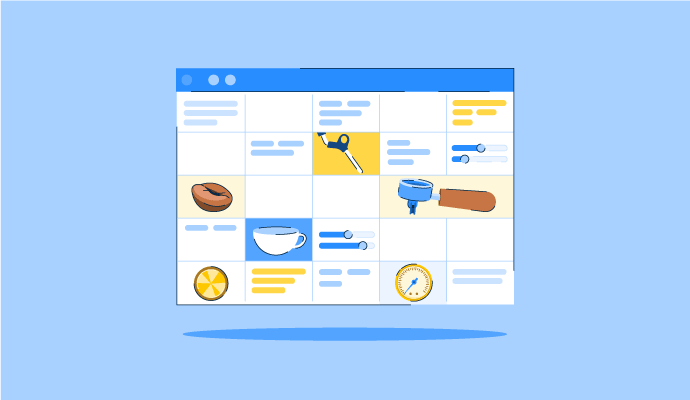
The Perfect Blend: How to Schedule Your Coffee Baristas Like a Pro
Something’s brewing!
by Alexandra Vazquez
Time Tracking Software Glossary Terms

Time Tracking Software Discussions
0
Question on: Fingercheck
How does Fingercheck handle PTO accruals and time-off policies?
Fingercheck includes a configurable PTO and time-off management system that supports multiple accrual methods — including accrual by hours worked, per pay period, and annual lump-sum grants. Administrators can create separate policies for vacation, sick time, personal days, and custom absence types, and assign different policies to different employee groups. Employees can submit time-off requests directly through the mobile app or employee portal, and managers can approve or deny requests in real time. Holiday pay can be automated based on a defined holiday schedule. Accrual balances are visible to both employees and administrators, and reports showing PTO taken, accrued, and remaining are available directly from the platform.
0
Question on: Fingercheck
How does Fingercheck handle direct deposit timing and payroll deadlines?
Fingercheck processes standard payroll on a two-business-day timeline, meaning payroll submitted today will direct deposit to employees two business days later. For businesses that need faster turnaround, Next-Day Pay is available — payroll submitted by 6:15 PM EST will direct deposit the following business day. Next-Day Pay is included in the 360 Plus plan and available as an add-on for other tiers. If a payroll deadline is missed, Fingercheck support can assist with options including manual checks and off-cycle payroll runs. Direct deposit, pay cards, and paper checks are all supported payment methods.
0
Question on: Fingercheck
How long does it take to set up Fingercheck and what support is included during implementation?
Most Fingercheck customers are fully set up and running payroll within one week. Implementation includes guided onboarding from the Fingercheck support team at no additional cost — there are no implementation fees and no long-term contracts required. During setup, the team assists with importing employee data, configuring pay schedules, setting up time tracking and scheduling, and running the first payroll. Ongoing support after implementation is provided by representatives accessible by phone, email, and chat.
Time Tracking Software Reports
Mid-Market Grid® Report for Time Tracking
Fall 2026
G2 Report: Grid® Report
Grid® Report for Time Tracking
Fall 2026
G2 Report: Grid® Report
Enterprise Grid® Report for Time Tracking
Fall 2026
G2 Report: Grid® Report
Momentum Grid® Report for Time Tracking
Fall 2026
G2 Report: Momentum Grid® Report
Small-Business Grid® Report for Time Tracking
Fall 2026
G2 Report: Grid® Report
Enterprise Grid® Report for Time Tracking
Summer 2026
G2 Report: Grid® Report
Small-Business Grid® Report for Time Tracking
Summer 2026
G2 Report: Grid® Report
Mid-Market Grid® Report for Time Tracking
Summer 2026
G2 Report: Grid® Report
Grid® Report for Time Tracking
Summer 2026
G2 Report: Grid® Report
Momentum Grid® Report for Time Tracking
Summer 2026
G2 Report: Momentum Grid® Report