Time Tracking Software Resources
Articles, Glossary Terms, Discussions, and Reports to expand your knowledge on Time Tracking Software
Resource pages are designed to give you a cross-section of information we have on specific categories. You'll find articles from our experts, feature definitions, discussions from users like you, and reports from industry data.
Employee Scheduling Software Articles
Time Tracking Software Glossary Terms

Billable hours are time spent working on tasks that are chargeable to the client. Learn the best practices for incorporating billable hours into business.
by Holly Landis
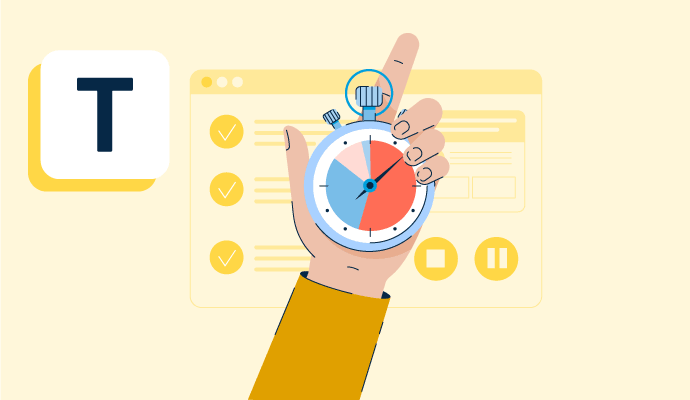
Time tracking is the process of employees logging work over a fixed period of time. Learn about time tracking for hourly workers and billable projects.
by Holly Landis
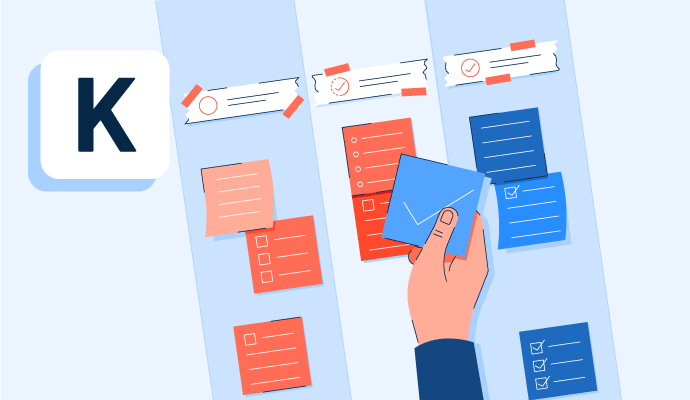
Kanban is a work methodology that monitors work in progress in a visual, board-like manner. Learn more about kanban and how to implement it properly.
by Whitney Rudeseal Peet

Policy and compliance management is a process to centrally manage standards, policies, and internal control processes cross-mapped to external regulatory standards. Learn more about policy and compliance management best practices and the associated benefits.
by Sagar Joshi
Time Tracking Software Discussions
Answered: KangKyu Lee on October 18, 2023
Answered: Esteban Ribot on October 18, 2023
Yes, Google integrates with ClickUp. You'll need to add the platform to your account and it syncs with email, your drive and even documents.
Answered: Raven Ponder on March 3, 2026
I am not sure if google uses clickup to manage their team. However, if the question is "does ClickUp integrate with Google" the answer is yes, directly and through automation.
Answered: Brook Borup on March 3, 2026
I don't know whether Google uses ClickUp internally. I know ClickUp integrates with Google services, but I haven't seen enough information to confirm that Google uses ClickUp as a company.
Answered: Manish Rastogi on August 13, 2026
Online Work From Home 🔵
Time : Part Time
Income: $20,000 - $35,000/-.
Age : 18_ upward
Work : INVESTMENT
Trading period : 5 days
Work (QUORA Instagram, Facebook, etc.) Work from Home.
Note - Need Only serious and Passionate people Who want to learn and earn profitable income weekly
What'app +447940741231
Answered: Mary She on June 30, 2023
Answered: Peyton V on June 9, 2026
Answered: Peyton V on June 11, 2026
For many organizations choosing Paycom, implementation is an opportunity to consolidate data from multiple systems into a single system and to start with a clean foundation. While that can take some effort upfront, it helps ensure accuracy going forward. Because Paycom is built on a single database, our award-winning implementation is more streamlined than solutions that rely on multiple systems. A key difference is the level of support. You’re not left with a checklist to work through on your own, you have a dedicated specialist guiding you through each step and helping train your entire workforce. Some other providers take a more hands-off approach or charge extra for that level of support. Timelines vary, but many clients (including G2 users) often describe the process as structured and well-supported. One tip: come in with clear internal ownership and well-prepared data to keep things moving smoothly.
Answered: Alexis Correa on June 11, 2026
We use it for payroll and taxes and insurance mostly.
Answered: Jessica Alvarez on November 8, 2023
We use Rippling for attendance tracking, payroll and compliance document agreement. It is very easy to navigate. My pay was never late and that is the most important thing.
Answered: Dianne Toledo on November 18, 2024
Rippling gives businesses one place to run HR, IT, and Finance. It brings together all of the workforce systems that are normally scattered across a company, like payroll, expenses, benefits, and computers. So for the first time ever, you can manage and automate every part of the employee lifecycle in a single system. Take onboarding, for example. With Rippling, you can hire a new employee anywhere in the world and set up their payroll, corporate card, computer, benefits, and even third-party apps like Slack and Microsoft 365—all within 90 seconds. If you'd like to learn more, please contact our team at www.rippling.com.
Answered: Olivia Kealey on December 19, 2023
Rippling is a cloud-based platform that offers a comprehensive suite of tools for managing HR, IT, and finance operations, particularly geared toward small and medium-sized businesses. It integrates various functions into one platform, streamlining administrative tasks and simplifying workforce management.
Answered: Praveen Marirevannavar on October 6, 2024
Rippling is used to manage everything related to employees—from onboarding to payroll, device management, benefits, and even compliance—all in one unified platform. It saved us hours of manual setup by automating HR and IT workflows, syncing employee data across tools, and giving us centralized control. I especially rely on its ability to provision accounts, manage access permissions, and handle payroll seamlessly, even across international teams.
Answered: Michel Raj on July 23, 2025
It serves to issue invoices, receive payments, currency conversion, manage payment progress. In my case as a service provider, I create the invoice and Rippling is responsible for mediating this payment process between me and the company.
Answered: Maria Abreu on March 3, 2026
Time Tracking Software Reports
Mid-Market Grid® Report for Time Tracking
Fall 2026
Grid® Report for Time Tracking
Fall 2026
Enterprise Grid® Report for Time Tracking
Fall 2026
Momentum Grid® Report for Time Tracking
Fall 2026
G2 Report: Momentum Grid® Report
Small-Business Grid® Report for Time Tracking
Fall 2026
Enterprise Grid® Report for Time Tracking
Summer 2026
Small-Business Grid® Report for Time Tracking
Summer 2026
Mid-Market Grid® Report for Time Tracking
Summer 2026
Grid® Report for Time Tracking
Summer 2026
Momentum Grid® Report for Time Tracking
Summer 2026
G2 Report: Momentum Grid® Report