Time Tracking Software Resources
Articles, Glossary Terms, Discussions, and Reports to expand your knowledge on Time Tracking Software
Resource pages are designed to give you a cross-section of information we have on specific categories. You'll find articles from our experts, feature definitions, discussions from users like you, and reports from industry data.
Employee Scheduling Software Articles
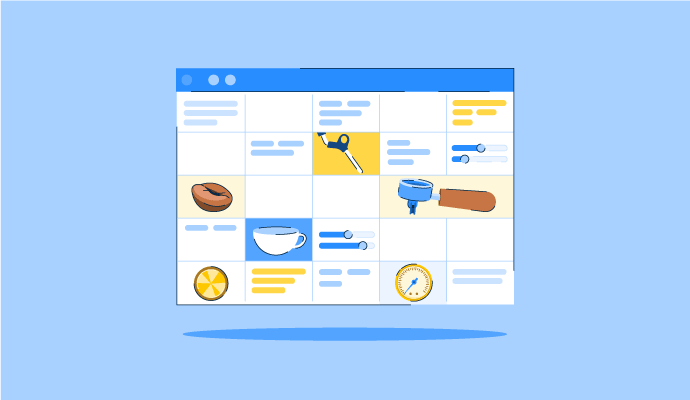
The Perfect Blend: How to Schedule Your Coffee Baristas Like a Pro
Something’s brewing!
by Alexandra Vazquez
Time Tracking Software Glossary Terms
Time Tracking Software Discussions
0
Question on: When I Work
Is When I Work a good fit for a small business?
Hi, Kristie here with the Customer Care team at When I Work.
Yes — When I Work is a good fit for small shift-based teams.
It's practical for businesses with as few as 5 employees and can grow with your team. Setup typically takes under an hour: upload a picture of your current schedule, and your team, positions and shifts can be set up for you so you are ready to publish quickly. Employees download the free app and they can start using it right away. No IT implementation required, no long-term contract, and no minimum seat count.
At $2.50 per user per month for a single location, with time and attendance included, a team of 10 is paying $25 per month for scheduling, time tracking, and team messaging. As your business grows and adds locations or more complex shift patterns, When I Work scales with you without needing to switch platforms.
0
Question on: When I Work
How does When I Work compare to Homebase and Connecteam?
All three are built for shift-based teams but have different strengths:
When I Work is designed for businesses that want one easy-to-use platform with powerful scheduling, time tracking, and team communication. Managers can create schedules in minutes, manage multiple locations, track attendance, send hours directly to payroll, and automate routine scheduling tasks. Both plans include time and attendance, auto-scheduling, payroll integrations, and other core features, with pricing starting at $2.50 per user per month.
Homebase is a popular option for very small businesses because of its free plan. As businesses grow or need more scheduling flexibility, costs can add up quickly. Homebase charges by location, so teams with multiple locations, departments, or scheduling groups often look for a more predictable pricing model.
Connecteam offers a broader workforce management platform that combines scheduling, communications, operations, and employee management tools. Businesses may appreciate its breadth, though some teams find its separate product hubs and pricing structure more difficult to evaluate and manage.
For most retail, food service, healthcare, hospitality, and other shift-based businesses, When I Work delivers the best balance of ease of use, scheduling capabilities, and predictable pricing.
0
Question on: When I Work
How do I track overtime and avoid unexpected labor costs?
Overtime surprises happen when you build the schedule without visibility into cumulative hours. A few ways to stay ahead of it:
Review hours and labor cost projections before publishing. When I Work shows a running total of scheduled hours and estimated labor costs as you build the schedule. If a scheduled shift would push an employee into overtime or labor costs are higher than expected, you can make adjustments before the schedule is published.
Set employee hour thresholds. When I Work lets you set maximum weekly hours per employee and alerts you if a scheduled shift would push them over. This helps prevent overtime while also managing part-time schedules, youth labor restrictions, and other employee-specific hour limits.
Get real-time alerts during the week. Overtime doesn't only come from over-scheduling — early clock-ins, late clock-outs, and unplanned coverage shifts add up. When I Work sends real-time alerts if an employee is approaching overtime during their actual shift, not just on the planned schedule.
Time Tracking Software Reports
Mid-Market Grid® Report for Time Tracking
Fall 2026
G2 Report: Grid® Report
Grid® Report for Time Tracking
Fall 2026
G2 Report: Grid® Report
Enterprise Grid® Report for Time Tracking
Fall 2026
G2 Report: Grid® Report
Momentum Grid® Report for Time Tracking
Fall 2026
G2 Report: Momentum Grid® Report
Small-Business Grid® Report for Time Tracking
Fall 2026
G2 Report: Grid® Report
Enterprise Grid® Report for Time Tracking
Summer 2026
G2 Report: Grid® Report
Small-Business Grid® Report for Time Tracking
Summer 2026
G2 Report: Grid® Report
Mid-Market Grid® Report for Time Tracking
Summer 2026
G2 Report: Grid® Report
Grid® Report for Time Tracking
Summer 2026
G2 Report: Grid® Report
Momentum Grid® Report for Time Tracking
Summer 2026
G2 Report: Momentum Grid® Report