Time Tracking Software Resources
Articles, Glossary Terms, Discussions, and Reports to expand your knowledge on Time Tracking Software
Resource pages are designed to give you a cross-section of information we have on specific categories. You'll find articles from our experts, feature definitions, discussions from users like you, and reports from industry data.
Time Tracking Software Articles
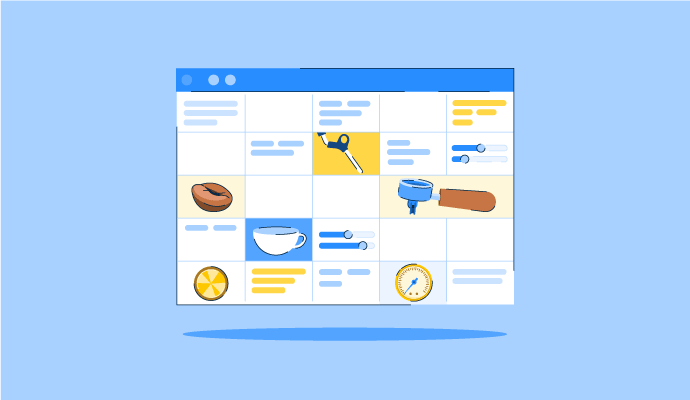
The Perfect Blend: How to Schedule Your Coffee Baristas Like a Pro
Something’s brewing!
by Alexandra Vazquez
Time Tracking Software Glossary Terms
Time Tracking Software Discussions
0
Question on: Timely
Is timely free?Is timely free?
Show More
Show Less
I don’t think there are any free Timely packages. There are free trial offers but no basic entry-level free packages. I think it’s worth paying for. Very good Time recording software.
Show More
Show Less
0
Question on: Hubstaff
How does Hubstaff measure activity?How does Hubstaff measure activity?
Show More
Show Less
Activity measures how active users are on their mouse and keyboard.
51-100% You're in the zone. Way to go!
21-50% Depending on the work, this is a good range to be in.
0-20% You're not very active on the computer.
Idle You weren't touching the mouse or keyboard at all.
Idle settings can be customized for each team member.
Show More
Show Less
Comment deleted by user.
Show More
Show Less
Hi! I would be happy to answer this.
Hubstaff measures activity by looking at how often a user uses their keyboard and mouse while time is being tracked on Hubstaff's timer applications. Every second is marked as either active (if they typed or moved the mouse) or inactive (if they didn’t), and then Hubstaff calculates a percentage of active time. Things like manual time, breaks, mobile app use, or projects with activity tracking turned off aren’t included. The numbers can vary a lot depending on the type of work the person is doing. For example, users with roles that require a lot of typing or clicking usually show higher activity. Roles that involve meetings or research typically average lower percentages. The goal isn’t to set quotas for users. Instead, Hubstaff provides activity data to help teams spot patterns, start conversations, and improve how work gets done.
If you aren't familiar with Hubstaff, it is a time tracking software platform with productivity monitoring, workforce analytics, and automated payments. You can learn more about it here and sign up: https://hubstaff.com/
Show More
Show Less
Hubstaff measures activity by tracking keyboard and mouse interactions while the time tracker is running. These interactions are converted into an activity level percentage for each time segment (usually 10-minute intervals).
Here’s how it works:
Hubstaff records the number of mouse movements and keystrokes, not the actual content typed.
The total activity is calculated as a percentage based on how active the user was during that time period.
This activity level is shown alongside tracked time to give context to productivity.
In addition, Hubstaff can:
Track apps and websites used during tracked time
Take optional screenshots at random intervals (if enabled by the organization)
Show idle time when there is no activity
All of this helps managers understand work patterns and engagement while maintaining privacy by not capturing keystroke content.
Show More
Show Less
0
Question on: Paymo
Is paymo free?Is paymo free?
Show More
Show Less
There's a Free tier for paymo but for most professional users the limits like max. 3 clients / 3 invoices isn't very practical.
Show More
Show Less
It offers any size price, from free to enterprise
Show More
Show Less
You can use it for free, but I am using a paid plan.
Show More
Show Less
Time Tracking Software Reports
Mid-Market Grid® Report for Time Tracking
Spring 2026
G2 Report: Grid® Report
Grid® Report for Time Tracking
Spring 2026
G2 Report: Grid® Report
Enterprise Grid® Report for Time Tracking
Spring 2026
G2 Report: Grid® Report
Momentum Grid® Report for Time Tracking
Spring 2026
G2 Report: Momentum Grid® Report
Small-Business Grid® Report for Time Tracking
Spring 2026
G2 Report: Grid® Report
Enterprise Grid® Report for Time Tracking
Winter 2026
G2 Report: Grid® Report
Small-Business Grid® Report for Time Tracking
Winter 2026
G2 Report: Grid® Report
Mid-Market Grid® Report for Time Tracking
Winter 2026
G2 Report: Grid® Report
Grid® Report for Time Tracking
Winter 2026
G2 Report: Grid® Report
Momentum Grid® Report for Time Tracking
Winter 2026
G2 Report: Momentum Grid® Report