Time Tracking Software Resources
Articles, Glossary Terms, Discussions, and Reports to expand your knowledge on Time Tracking Software
Resource pages are designed to give you a cross-section of information we have on specific categories. You'll find articles from our experts, feature definitions, discussions from users like you, and reports from industry data.
Time Tracking Software Articles
Time Tracking Software Glossary Terms

Billable hours are time spent working on tasks that are chargeable to the client. Learn the best practices for incorporating billable hours into business.
by Holly Landis
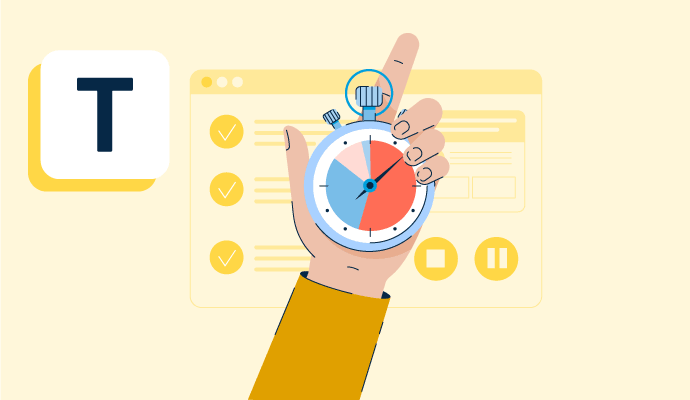
Time tracking is the process of employees logging work over a fixed period of time. Learn about time tracking for hourly workers and billable projects.
by Holly Landis
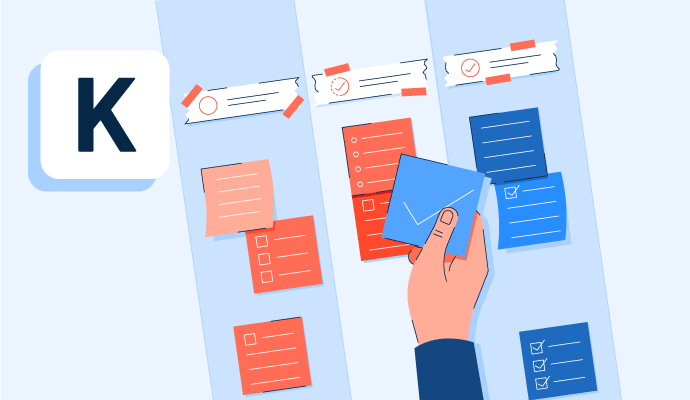
Kanban is a work methodology that monitors work in progress in a visual, board-like manner. Learn more about kanban and how to implement it properly.
by Whitney Rudeseal Peet

Policy and compliance management is a process to centrally manage standards, policies, and internal control processes cross-mapped to external regulatory standards. Learn more about policy and compliance management best practices and the associated benefits.
by Sagar Joshi
Time Tracking Software Discussions
The platform has around 20 different products in one place, replacing the need for 6-7 different apps if you use most of its main tools. It's very simple to use, all you need to do is add the tools you'd like to have (e.g. time clock, schedule, chat, phone book, time off, forms, tasks, whatever you need), decide who has access to it from your team, and that's pretty much it :) From that point on, each tool has its own capabilities to help you and your team become more efficient, save time, be more productive, and get more done much faster.
Answered: Chen Shofar on March 14, 2024
We are using it somehow in a very different way than it was meant to.
we are utilizing the platform as tools for us to do two main things:
- One form for site inspections and reporting, so we built up a template, and instead of using it internally, we are using it to do site reporting on each trip. and another form is used as a material inspection reporting for broken equipment.
- The other way we use it, is Tasks, and we use them so all the team would know where and when our technicians will be, and we are hoping the connect team will eventually tie the tasks to calendars, then it will be the perfect fit for us!
Answered: Malek Malouk on November 19, 2024
Thank you for reaching out.
Here's our software pricing: https://www.g2.com/products/uattend/pricing
Please let us know if you have any other questions.
Thank you!
The uAttend Team
Answered: uAttend on October 10, 2022
It really depends what you need it for. Our belief is that the best gives you all the benefits of time tracking without wasting your precious time. It should be easy, effortless, accurate, and flexible. It should give you different ways to track, as everyone's routines are different. Timeular offers all of that in one. Is it the best? We think so, but judge it yourself with a free trial :)
Answered: Manuel Bruschi on December 6, 2023
Time Tracking Software Reports
Mid-Market Grid® Report for Time Tracking
Fall 2026
Grid® Report for Time Tracking
Fall 2026
Enterprise Grid® Report for Time Tracking
Fall 2026
Momentum Grid® Report for Time Tracking
Fall 2026
G2 Report: Momentum Grid® Report
Small-Business Grid® Report for Time Tracking
Fall 2026
Enterprise Grid® Report for Time Tracking
Summer 2026
Small-Business Grid® Report for Time Tracking
Summer 2026
Mid-Market Grid® Report for Time Tracking
Summer 2026
Grid® Report for Time Tracking
Summer 2026
Momentum Grid® Report for Time Tracking
Summer 2026
G2 Report: Momentum Grid® Report