Time Tracking Software Resources
Articles, Glossary Terms, Discussions, and Reports to expand your knowledge on Time Tracking Software
Resource pages are designed to give you a cross-section of information we have on specific categories. You'll find articles from our experts, feature definitions, discussions from users like you, and reports from industry data.
Time Tracking Software Articles
Time Tracking Software Glossary Terms

Billable hours are time spent working on tasks that are chargeable to the client. Learn the best practices for incorporating billable hours into business.
by Holly Landis
Time tracking is the process of employees logging work over a fixed period of time. Learn about time tracking for hourly workers and billable projects.
by Holly Landis
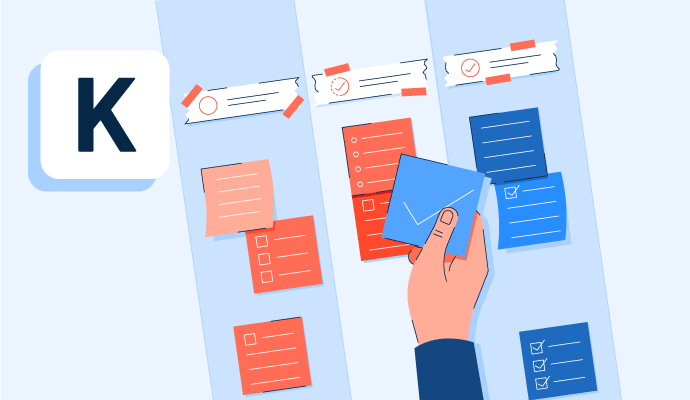
Kanban is a work methodology that monitors work in progress in a visual, board-like manner. Learn more about kanban and how to implement it properly.
by Whitney Rudeseal Peet
Policy and compliance management is a process to centrally manage standards, policies, and internal control processes cross-mapped to external regulatory standards. Learn more about policy and compliance management best practices and the associated benefits.
by Sagar Joshi
Time Tracking Software Discussions
An employee tracking system is a software solution that allows businesses to monitor and track employee activity. This can include things like time spent on tasks, websites visited, and apps used. Employee tracking systems can be used to improve productivity, security, and compliance.
There are different types of employee tracking systems, but they all generally work in the same way. The software is installed on employees' computers or devices, and it collects data on their activity. This data is then sent to a central server, where it can be analyzed and reported on.
Employee tracking systems can be used for a variety of purposes, including:
Tracking time spent on tasks: This can help businesses to identify areas where employees are spending too much or too little time. It can also be used to track employee productivity and efficiency.
Monitoring website and app usage: This can help businesses to identify websites and apps that are distracting employees or that pose a security risk. It can also be used to ensure that employees are using company resources for work purposes.
Optimize technology usage and cost: Employee tracking systems can help identify under-utilized software and subscriptions resulting in lowering the costs associated with processes.
Preventing data breaches: Employee tracking systems can be used to monitor employee activity for signs of suspicious behavior. This can help businesses to identify and prevent data breaches before they happen.
Ensuring compliance: Employee tracking systems can be used to ensure that employees are complying with company policies and procedures. This can be especially helpful for businesses that are subject to industry regulations.
Process optimization: Employee tracking systems can be used to identify highly effective processes and solution utilization for the purpose of business process optimization and improved efficiency and customer satisfaction.
Identify under-performing teams and employees. Employee tracking systems can help identify employees in need of coaching or other personalized approaches during onboarding or times of change.
Employee tracking systems can be a valuable tool for businesses of all sizes. However, it is important to use them in a way that is fair and transparent. Businesses should communicate with their employees about how the system is being used and what data is being collected. Employees should also be given the opportunity to opt out of being tracked, if they wish.
ActivTrak is ome example of a popular employee tracking systems.
When choosing an employee tracking system, it is important to consider the specific needs of your business. Factors to consider include the size of your workforce, the types of activities you need to track, and your budget.
Answered: Daniel Glickman on September 19, 2023
Explaining how the BusyBusy app works is not a simple explanation, but here are some of the top features and uses for me a paying customer who's not at all affiliated with or receiving compensation from BusyBusy.
BusyBusy is MOBILE TIME TRACKING APP that allows workers to clock in/out and track time to different projects and/or tasks for payroll and/or billing purposes. Both employees and admins (owners/office) can view their daily and weekly hours tracked, and the ability to review their time tracking history, to make sure everybody is on the same page, and it's relatively simple to use, especially for employees.
It can also be used as an EMPLOYEE SCHEDULING APP so employees know where, when, and what times they are scheduled to work, with an option for them to navigate directly to the address using their phones/devices navigation app. It includes a GPS location feature to make sure the employee clocks in/out at the correct location, but doesn't track employees who are off the clock.
It can also be used to SAVE NOTES, IMAGES, & DOCUMENTS related to specific projects to track it's progress and keep everybody in the know.
You can also use to to track LABOR BUDGETS for both estimated vs actual labor HOURS and/or labor COSTS to make sure the project is on track to be finished on-time and within budget.
For owners/admins, there are also many REPORTS to view/save/print in order to analyze your data in a way that's helpful to your business, as well as DAILY REPORTS that can be completed by employees to track the current status of the project.
BusyBusy can be used by just about any company, but it's designed and works best for field workers and contractors who work on different projects. There is much more to BusyBusy than I listed above, but these are probably the main features for most users. You can check out their site to review the additional features and options available and see if it's right for you. I've used a few other top similar apps, and have been using BusyBusy for a couple years in my NY based painting contracting business. The customer service is great, they listen to my feedback, and they constantly are working to improve the software. No time tracking app is perfect, or perfect for anybody, but this is a good one!
Answered: Matt Mason on September 16, 2022
Answered: Mike Ries on August 3, 2022
Yes, overall, it's a great and easy-to-use project management tool. My team and I have used it for over five years to work as a fully-remote agency delivering digital marketing services. One drawback is that Wrike can initially be difficult to grasp its full functionality, but this eases up as you go.
Answered: Andrew Clark on August 4, 2022
Time Tracking Software Reports
Mid-Market Grid® Report for Time Tracking
Fall 2026
Grid® Report for Time Tracking
Fall 2026
Enterprise Grid® Report for Time Tracking
Fall 2026
Momentum Grid® Report for Time Tracking
Fall 2026
G2 Report: Momentum Grid® Report
Small-Business Grid® Report for Time Tracking
Fall 2026
Enterprise Grid® Report for Time Tracking
Summer 2026
Small-Business Grid® Report for Time Tracking
Summer 2026
Mid-Market Grid® Report for Time Tracking
Summer 2026
Grid® Report for Time Tracking
Summer 2026
Momentum Grid® Report for Time Tracking
Summer 2026
G2 Report: Momentum Grid® Report