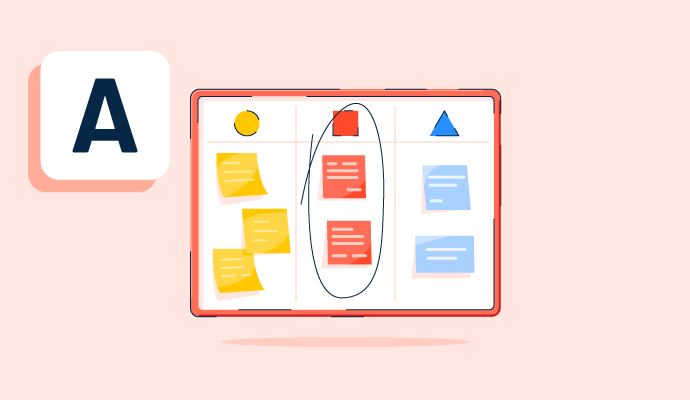
Collaborative and personal brainstorming via a digital whiteboard.
Answered: Michael Kadonoff on May 25, 2022
Brainstorming, Visualising, Sharing content and so much more. I just used Miro for event planning and seating charts and easily got a list I could export. I use it for all my projects when I need a visual. Flow charts and process maps and the templates they provide make life easy.
Answered: Jacqui Tweed on June 2, 2022
Any work in progress for sure, where is beneficial to have multiple parties collaborate and have visibility into materials that are shared (rather than buried in a ppt or SharePoint. But you can create also slick presentation slides that you can then use an a meeting
Answered: Alex Darie on May 20, 2022
Just about anything you can imagine! We use it for meetings, workshops, project planning, design planning, brainstorming, ice breakers, etc. If you can dream it up, Miro can help you convey the message in your head so others understand.
Answered: Jerry Doll on May 20, 2022
Miro is great for planning, organizing and executing projects. The web application has many templates that it suggested based on a short questionnaire. If you are a creative and want to get ready for your design sprint, you can start with a blank canvas.
Answered: Jasmine Perkins on May 20, 2022
MIRO excels as a platform to discuss, plan, schedule and prototype ideas, campaigns and projects with your remote team.
Answered: Jaime Nuñez del Arco on May 20, 2022
Miro is good for everything! Flowcharts, brainstorming sessions, retrospectives, roadmapping, story mapping, you name it! It is the best in the industry for real-time collaboration.
Answered: Kerry Bayles on May 20, 2022
Miro is essential for visualizing Lead flow from system to system and status changes.
Answered: Pamela Wakeman on May 20, 2022
Miro is great to capture and document ideas, conversation, thoughts in a collaborative manner where one or more people can contribute. The benefit to Miro (versus other traditional software formats) is that the content can be recompositioned, moved, appended; connections can be made in between elements and this allows people to make visual connections, identify patterns and obtain insights... things that would be harder to do in, say, a text document. The learning curve is relatively short and Miro's explainer videos are fantastic for more complex tasks. Overall, Miro brings joy to my work as an user experience leader.
Answered: Chris Magdelain on May 20, 2022
Diagrams, brainstorming, presentations, roadmaps, everything to support a software development team
Answered: Lauren Jenkins on May 20, 2022
Collaboration in brainstorming, design development, and as a repository for work-in-progress assets.
Answered: Teresa P. on May 20, 2022
Creating a quick process map; Facilitating an interactive session with stakeholders to solve a problem; assembling thoughts and artifacts in a visual way; creating a low-fidelity mockup of software, or taking a screenshot of a page and annotating it with desired changes.
Answered: Celeste Scott on May 20, 2022
Miro is good for exercises requiring Team collaboration towards process innovations.
Answered: Forrest Thomas on May 20, 2022
Miro is a great tool for UX design in general.
1. User research: it's a great tool to document qualitative feedback and using color coding see trends across answers.
2. It's a great mind mapping tool for scoping work and documenting complex problems
3. It can be used for doing lo-fidelity wireframes and prototypes and testing those prototypes with users.
4. It can be used to run virtual workshops.
My team works remotely so it's been especially effective to have a single source of truth for design projects that everyone from design to dev to other stakeholders can reference for information about a project.
Answered: Elisa Morrison on May 20, 2022
Collaborative whiteboard for diagramming, Presenting and Pitching information and general design thinking collaboration
Answered: Ramses Arriaga on May 20, 2022
Miro is great for building templates, brainstorming, prototyping, and engaging collaborative meetings.
Answered: Erin K. Melvin on May 20, 2022
Miro is great for collaborative documentation.
Answered: Ashwin Ramakrishna on May 21, 2022
Miro is an online platform and amazing tool that helps a team to brainstorm together while working remotely. A team can contribute in real-time, discuss, and execute. It is very easy to navigate and fun to work with.
Answered: MAYURI HEDAU on May 21, 2022
Think of Miro as the classic whiteboard in your boardroom that you can drawn on with colored markers and paste sticky's on. The imagine that everyone can do it at once, but no one has to wrestle space to stand at the board, because everyone is adding their stuff from the comfort of home using a mouse and keyboard... and then just imagine that it has additional cool features, like timers, auto tracking, notes and heaps more!
Answered: Ronald Haupt on May 21, 2022
Team work, weekly meetings, daily homework
Answered: Jure Zalaznik on May 21, 2022
Miro helps bring the life back into online meetings. It provides a fun collaboration space where meeting attendees (including students) can work together on the infinite electronic whiteboard. People who were silent become active. It has made a huge difference in training and in every kind of remote meeting.
Answered: Dan Warfield on May 21, 2022
Dear Sirs, With this sentence you declare that I have performed a review of the miro software.
I would like to point out that you had declared to me that, as a result of my expression, you would also have provided a 10 € amazon voucher, which was not sent to me.
Maybe I'm wrong, but I have no message.
Now, it's not a big problem if I don't have it, the worst part is that there is a doubt that you have not kept your word.
So, if you haven't sent it, it's not fair.
Leonardo
Answered: Leonardo Perini on May 21, 2022
Team collaboration, alignment and general organisation.
Answered: Dean Mistlin on May 21, 2022
Brainstorming and workshops
Answered: Tomato Valley Culiacán on May 21, 2022
Miro is useful where multiple members need to work simultaneously.
Answered: Vara Vegunta on May 21, 2022
Miro is a great online collaboration tool many of the Business Analysis techniques out there. The design and usability of the tool is remarkably intuitive for any user. With the licensed version (paid), it allows for the export of high resolution screenshots, should you require anything exported. In addition the paid version is extremely affordable for any organization. Have been using this tool for over 3 months now (May 2022) and I don't have anything but accolades for MIRO. Would recommend this anytime as the premiere collaboration tool for teams.
Answered: Tevita Tamanikaiwaimaro on May 22, 2022
Online interactive workshops, mind mapping, Workflow design, collaborative thinking,
Answered: Jane Wilson on May 22, 2022
Miro is amazing for whiteboarding, diagramming, and just adding structure to your thoughts. It also excels at collaborating and creating on a shared document.
Answered: Sameer Divate on May 23, 2022
Thinking partnership
Creative facilitation of workshops and other gatherings
Answered: Palesa Sibeko on May 23, 2022
Collaborative and divergent type of working (ej. planning, ideation, workshops, etc)
Answered: Pia Espinel (she/her/ella) on May 23, 2022
Collaboration and brainstorming
Answered: Mario Gattone on May 23, 2022
Project planning, brainstorming, timelines, Agile - Kanban boards etc. Collaboration, sharing ideas - think it as a digital version of the old fashioned whiteboard. gather your virtual post it notes and get the ideas up, use it on teams virtually like you would any other stand up meeting
Answered: Graeme Millar on May 23, 2022
Mindmapping, Flow Charts, Wireframes, and more! Very flexible tool.
Answered: Brian Ramirez on May 25, 2022
Answered: Xavier Brisson on May 20, 2022
Personal ideation and planning. Team ideation, project coordation, and planning.
Answered: Mike Mirabella on May 25, 2022
Great for online interactive workshops - brainstorming exercises, journey mapping sessions, card sorting exercises etc.
Answered: Lizette Akker on May 25, 2022
Online collaborations, ice-breakers, brainstorming and Q&As
Answered: Ngoh Zhi Lin on May 29, 2022
Whiteboarding, mind maps, Online team workshops, Design thinking processes, Remote design sprints
Answered: Oz Shaar-Moshe on June 7, 2022