Visual Collaboration Platforms Resources
Articles, Glossary Terms, Discussions, and Reports to expand your knowledge on Visual Collaboration Platforms
Resource pages are designed to give you a cross-section of information we have on specific categories. You'll find articles from our experts, feature definitions, discussions from users like you, and reports from industry data.
Visual Collaboration Platforms Articles
2021 Trends in Collaboration Technology
This post is part of G2's 2021 digital trends series. Read more about G2’s perspective on digital transformation trends in an introduction from Michael Fauscette, G2's chief research officer and Tom Pringle, VP, market research, and additional coverage on trends identified by G2’s analysts.
Visual Collaboration Platforms Glossary Terms

Story mapping helps agile software teams visualize the user’s journey with their products. Learn the basic steps, process, best practices, and benefits.
by Kelly Fiorini
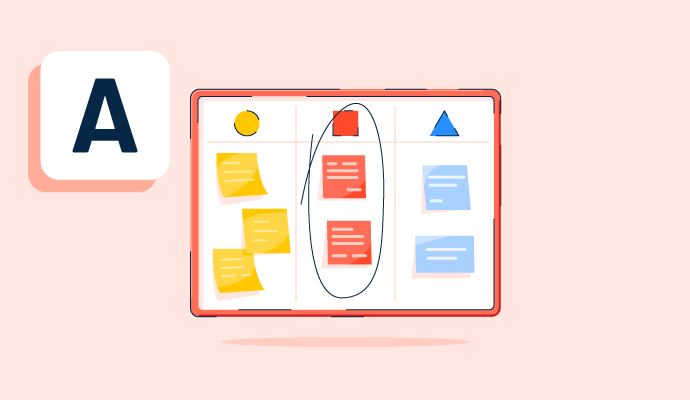
Teams use affinity diagrams to organize and categorize ideas after brainstorming. Learn the steps for creating an affinity map and how to use one.
by Alyssa Towns

Teams conduct brainstorming sessions to generate creative ideas to solve business problems. Learn how to make the most of brainstorming.
by Alyssa Towns

Visual collaboration connects asynchronous teams through visual ideas to improve communication. Learn about its function, benefits, and best practices.
by Aayushi Sanghavi
Visual Collaboration Platforms Discussions
Yes good making company organisation chart, process flow diagram, design, network diagram, operation diagram, approval diagram etc
Answered: gopal sasda on March 11, 2026
Lucidchart is a great tool, but the sales team puts a damper on the excitement. They're much too pushy when it comes to discussing pricing, going so far as to not provide information that was requested until after the automatic renewal period has expired. That's both poor customer interaction and a shady way of making "sales"
Answered: Tyler Richmond on July 22, 2022
Answered: Aakash Tripathy on October 7, 2025
Yes, it is excellent for what I needed.
Answered: Mark Vander Vennen on July 22, 2022
Answered: Mostafa Abdelkader on February 14, 2026
Answered: Kunal Sonar on August 21, 2026
Answered: Jonathan Omar on August 28, 2024
For me, Miro is the key to visualizing a project. I create sketches, add images, graphics, and sentences together, and my colleagues do the same. This way, we can create a great collaborative space where everyone can contribute and see the project evolve in real-time.
Answered: Raphaela de Campos on January 25, 2026
Real-Time Collaboration (Everyone works together like on a whiteboard), Structured Brainstorming Templates, Asynchronous Contribution (People add ideas anytime), Visual Thinking & Problem Solving, Workshops & Remote Training
Answered: Shrishail Khed on November 21, 2025
In many ways. The first is that, with all its tools, it is very easy to make any project or task clear. And the second is for the versatility that it gives us to be able to share the boards with anyone, even with people who do not have a paid account, even with people without an account and who enter as guests.
In addition to this, there are many functions in MIRO that invite you to work together, such as voting, adding icons to the material of others, including notes, you can even add an explanatory video through the Talktracks function. MIRO is teamwork.
Answered: César Garza on November 21, 2025
It is a virtual classroom where everyone can collaborate and share ideas on the whiteboard together and at the same time. Have all the elements needed for a PI Planning event which I use for, like whiteboards, Jira/Aha/ADO integrations, texts, images, objects, likes, comments and what not. Using Miro you can easily conduct and complete a PI Planning virtually with so much ease.
Answered: Ebrahim Kashif Moolakadai on April 8, 2026
Teams use Miro as a shared virtual workspace for brainstorming, planning, and collaborating in real time. They can add sticky notes, mind maps, diagrams, comments, and boards to share ideas, group similar thoughts, vote on priorities, and turn discussions into clear action items. This makes remote meetings more interactive, keeps everyone aligned, and prevents ideas from getting lost across chats and emails.
Answered: priyanshu das on August 27, 2026
I like the versatility to manage multiple projects at same time. One special and crucial point for me is to have more people in a card. This is super!
Answered: Dario Passariello on February 7, 2024
I think that the best features for agile teams are the agile dashboards and sprint reporting and the workflows for Scrum, Kanban, and hybrid models. Also for developers teams you have native Git integrations.
Answered: Manuel Ernesto García on February 7, 2024
ClickUp has a lot going for it, especially for agile teams. The biggest draw for power users and admins is the flexibility—whether you’re working with Scrum, Kanban, or a hybrid approach, ClickUp adapts. Features like custom task statuses, sprints, and dashboards are a game changer for keeping everything transparent and trackable.
Answered: Wunna Htun on August 21, 2024
First things first, their hierarchy (Space,Folder,List) makes it very easy to manager the processes.
Launching 3.0, they have solved many issues that 2.0 has, coming up with a much better UI and much faster application.
Lastly, their newest launch, ClickUp Brain (AI) is a game changer.
Answered: Evrim Aslan on February 8, 2024
It has agility and organization options that can adapt perfectly to each organizational style. It seems to me that it is good software if you handle it well.
Answered: Julio Guevara on March 27, 2024
Flexible Task Management
Customizable task statuses, priorities, and fields to match agile workflows (Scrum, Kanban, or hybrid).
Answered: Mohammad Mohsin on July 30, 2025
Answered: hemadri t on April 10, 2026
Visual Collaboration Platforms Reports
Mid-Market Grid® Report for Visual Collaboration Platforms
Fall 2026
Grid® Report for Visual Collaboration Platforms
Fall 2026
Enterprise Grid® Report for Visual Collaboration Platforms
Fall 2026
Momentum Grid® Report for Visual Collaboration Platforms
Fall 2026
G2 Report: Momentum Grid® Report
Small-Business Grid® Report for Visual Collaboration Platforms
Fall 2026
Enterprise Grid® Report for Visual Collaboration Platforms
Summer 2026
Small-Business Grid® Report for Visual Collaboration Platforms
Summer 2026
Mid-Market Grid® Report for Visual Collaboration Platforms
Summer 2026
Grid® Report for Visual Collaboration Platforms
Summer 2026
Momentum Grid® Report for Visual Collaboration Platforms
Summer 2026
G2 Report: Momentum Grid® Report


