Visual Collaboration Platforms Resources
Articles, Glossary Terms, Discussions, and Reports to expand your knowledge on Visual Collaboration Platforms
Resource pages are designed to give you a cross-section of information we have on specific categories. You'll find articles from our experts, feature definitions, discussions from users like you, and reports from industry data.
Visual Collaboration Platforms Articles
2021 Trends in Collaboration Technology
This post is part of G2's 2021 digital trends series. Read more about G2’s perspective on digital transformation trends in an introduction from Michael Fauscette, G2's chief research officer and Tom Pringle, VP, market research, and additional coverage on trends identified by G2’s analysts.
Visual Collaboration Platforms Glossary Terms

Story mapping helps agile software teams visualize the user’s journey with their products. Learn the basic steps, process, best practices, and benefits.
by Kelly Fiorini
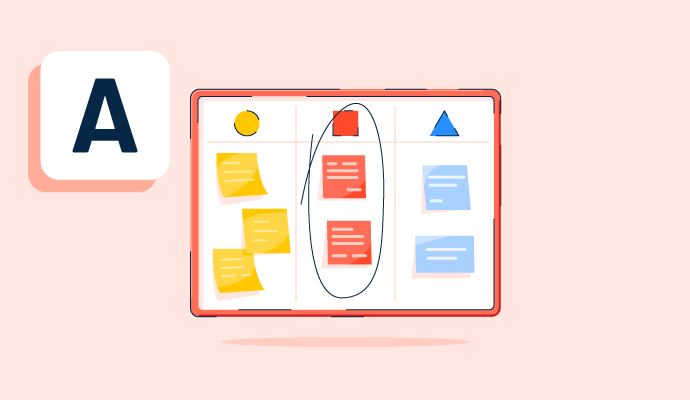
Teams use affinity diagrams to organize and categorize ideas after brainstorming. Learn the steps for creating an affinity map and how to use one.
by Alyssa Towns

Teams conduct brainstorming sessions to generate creative ideas to solve business problems. Learn how to make the most of brainstorming.
by Alyssa Towns

Visual collaboration connects asynchronous teams through visual ideas to improve communication. Learn about its function, benefits, and best practices.
by Aayushi Sanghavi
Visual Collaboration Platforms Discussions
The Meetings desktop app package includes two parts: the in-meeting app, which allows you to host or participate in meetings, and the pre-meeting app, which resides on your desktop.
You can use the pre-meeting desktop app to join meetings, whether or not you have a Webex account. If you sign in with a host account, you can start meetings instantly, schedule meetings, join your scheduled meetings, add integrations to join meetings from other apps, and detect nearby video devices. If you sign in with an attendee account, you can see and join your upcoming meetings and detect nearby video devices.
If you don't have an account or haven't signed in, you can still use the Meetings desktop app as a guest to see your upcoming meetings, easily join your meetings, and connect to a video device.
Answered: Paul Smith on May 11, 2023
The Cisco Webex Meetings desktop app is a software application that allows users to join and participate in Webex meetings directly from their desktop or laptop computers. It provides a dedicated interface for scheduling, hosting, and attending online meetings, video conferences, and webinars through the Cisco Webex platform. The desktop app is part of the broader Cisco Webex Meetings suite, offering a convenient and feature-rich solution for virtual meetings and collaboration.
Answered: Sangeetha Devendran on November 23, 2023
"I've been using ClickUp for the past few months and I am blown away by how much it has improved the organization and productivity of our team. The interface is intuitive and user-friendly, and the wide range of customization options has allowed us to tailor the tool to fit the unique needs of our team. The ability to collaborate in real-time and easily share files has also been a game-changer for us. Overall, I highly recommend ClickUp to any team looking to streamline their task management and boost productivity."
Answered: Sohail Khan on January 3, 2023
Answered: Youtube Meer on November 21, 2022
Visual Collaboration Platforms Reports
Mid-Market Grid® Report for Visual Collaboration Platforms
Fall 2026
Grid® Report for Visual Collaboration Platforms
Fall 2026
Enterprise Grid® Report for Visual Collaboration Platforms
Fall 2026
Momentum Grid® Report for Visual Collaboration Platforms
Fall 2026
G2 Report: Momentum Grid® Report
Small-Business Grid® Report for Visual Collaboration Platforms
Fall 2026
Enterprise Grid® Report for Visual Collaboration Platforms
Summer 2026
Small-Business Grid® Report for Visual Collaboration Platforms
Summer 2026
Mid-Market Grid® Report for Visual Collaboration Platforms
Summer 2026
Grid® Report for Visual Collaboration Platforms
Summer 2026
Momentum Grid® Report for Visual Collaboration Platforms
Summer 2026
G2 Report: Momentum Grid® Report


