Time Tracking Software Resources
Articles, Glossary Terms, Discussions, and Reports to expand your knowledge on Time Tracking Software
Resource pages are designed to give you a cross-section of information we have on specific categories. You'll find articles from our experts, feature definitions, discussions from users like you, and reports from industry data.
Time Tracking Software Articles
Time Tracking Software Glossary Terms

Billable hours are time spent working on tasks that are chargeable to the client. Learn the best practices for incorporating billable hours into business.
by Holly Landis
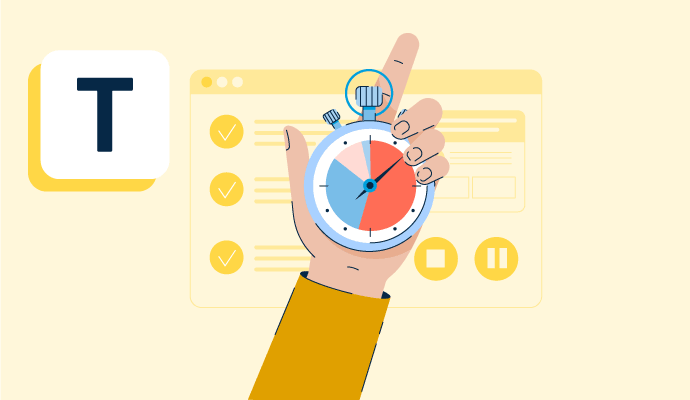
Time tracking is the process of employees logging work over a fixed period of time. Learn about time tracking for hourly workers and billable projects.
by Holly Landis

Kanban is a work methodology that monitors work in progress in a visual, board-like manner. Learn more about kanban and how to implement it properly.
by Whitney Rudeseal Peet

Policy and compliance management is a process to centrally manage standards, policies, and internal control processes cross-mapped to external regulatory standards. Learn more about policy and compliance management best practices and the associated benefits.
by Sagar Joshi
Time Tracking Software Discussions
Hi Annette, this isn't the answer you probably wanted - I've researched a ton of time trackers and this was the best one found. If you have found something you'd recommend since posting this question, please let us all know!
Answered: Susan Outlaw on March 11, 2020
Track your time and manage the hours spent on each project. You can even start a timer when you start a task.
Answered: Joannie Chamberland on November 15, 2019
Mainly to track your time.
I use the data to assess my package and hourly rates for photography. Example: The last two weddings I've worked on I've gone over budget. I won't obviously be asking my clients for any more money, but it's a pretty good indication that I may need to raise my rates some if the trend continues.
I also look at each task within a project to see where I'm spending the most time to see if I should perhaps be outsourcing those tasks or finding more efficient ways of completing them.
You can use it for billing or for assigning different rates to different tasks but I haven't done that yet.
Answered: Ali Louis on November 15, 2019
Assign Project code_Job Code_task code_order code,help for tracking every task and hours.
Answered: Kishore Dakoji on November 15, 2019
They have many canned reports that can be customized to provide you data for your AAP reporting. However, if you cannot figure it out on your own, then call your account manager. Even if that person is not available anyone that answers the call queue can help you build it fairly quickly. You then just save it as a favorite and it will be there. If you want it automated, they will do that for a fee.
Answered: Karen Hockins, SPHR, SHRM-SCP on December 2, 2019
Time Tracking Software Reports
Mid-Market Grid® Report for Time Tracking
Fall 2026
Grid® Report for Time Tracking
Fall 2026
Enterprise Grid® Report for Time Tracking
Fall 2026
Momentum Grid® Report for Time Tracking
Fall 2026
G2 Report: Momentum Grid® Report
Small-Business Grid® Report for Time Tracking
Fall 2026
Enterprise Grid® Report for Time Tracking
Summer 2026
Small-Business Grid® Report for Time Tracking
Summer 2026
Mid-Market Grid® Report for Time Tracking
Summer 2026
Grid® Report for Time Tracking
Summer 2026
Momentum Grid® Report for Time Tracking
Summer 2026
G2 Report: Momentum Grid® Report