Collaborative Whiteboard Software Resources
Articles, Glossary Terms, Discussions, and Reports to expand your knowledge on Collaborative Whiteboard Software
Resource pages are designed to give you a cross-section of information we have on specific categories. You'll find articles from our experts, feature definitions, discussions from users like you, and reports from industry data.
Collaborative Whiteboard Software Articles
Managing the Convergence of the Physical and Virtual Office
It’s already been established that remote work culture isn’t going anywhere. However, that doesn’t mean offices will simply cease to exist. Many companies are offering flexible work environments for their employees, building in the option to work from home for part of the week. This shift to a more hybrid working environment will require some changes to the workspace with the convergence of the physical and virtual office.
Collaborative Whiteboard Software Glossary Terms
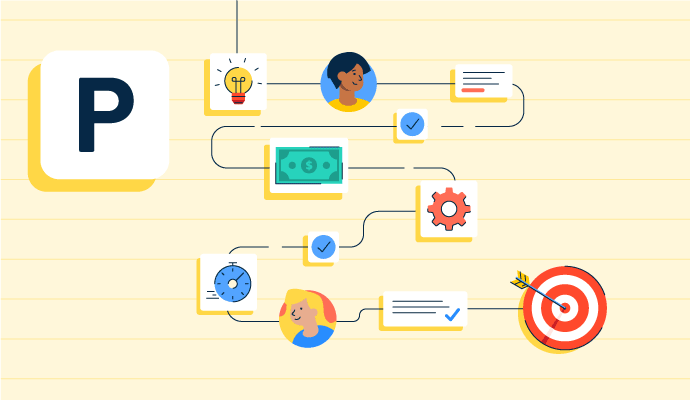
Project planning is part of the project management lifecycle, where goals and objectives are outlined. Learn about the types, benefits, and best practices.
by Holly Landis

Story mapping helps agile software teams visualize the user’s journey with their products. Learn the basic steps, process, best practices, and benefits.
by Kelly Fiorini

Visual collaboration connects asynchronous teams through visual ideas to improve communication. Learn about its function, benefits, and best practices.
by Aayushi Sanghavi
Collaborative Whiteboard Software Discussions
It is a good software for virtual meetings and screen sharing.
Answered: Danny Assad on January 17, 2024
Horribly. Use something else.
Answered: Jeff Sengpiehl on December 14, 2022
Cisco Webex Teams & Webex App both are same. Webex app includes - Webex Message, calling, Meetings, Teams, Group Chat, Spaces Etc. Webex app is free for everyone globally with limited features. When you want to use for business purpose, the paid version are available. If you would like to try, we are here to help you. Submit your request for Webex app account @ https://webtouch.co.in and we offer paid plans at discounted prices.
Answered: Kiran Raj on March 8, 2023
Webex Team for messaging, file sharing, video meetings, white boarding, calling
Answered: GUNASEKARAN S on November 17, 2022
Webex is used for group chat, video, calling and sharing files.
Answered: Houssam Jalloul on November 19, 2022
There are a couple of ways to automate Zoom meeting scheduling, depending on your needs:
Built-in Zoom Functionality:
Recurring Meetings: Zoom itself offers built-in functionality to schedule recurring meetings. When setting up a meeting, you can choose a recurring schedule (daily, weekly, etc.) and how long the recurrence should last. This is a simple solution for meetings that happen at the same time each week or month.
Third-Party Tools:
Zapier: If you need more complex automation, tools like Zapier can connect Zoom with your calendar app (like Google Calendar or Outlook) and automate tasks. You can set up "Zaps" (workflows) that automatically create Zoom meetings based on triggers from your calendar or other apps.
Third-Party Scheduling Apps: Services like Calendly or Doodle integrate with Zoom and allow others to schedule meetings with you directly on your calendar. These can be helpful if you frequently meet with people outside your organization.
Answered: JOKO AGUS on April 11, 2024
You can automate a Zoom meeting schedule using a few different methods, depending on your needs and tools available. Here are the most common ways:
1. Using Zoom’s buit-in scheduling with recurrence
2. Using Google Calendar plus Zoom integration
3. Using Microsoft Outlook plus Zoom Plugin
4. Using Zapier
5. Using Zoom API
Answered: Edelyn Bautista on June 25, 2025
Assume you use Salesforce + Google Calendar + Zoom + Zapier (no‑code setup):
Trigger:
In Zapier, set a trigger: “New Deal in Salesforce = Status = ‘Closed‑Won’”
Create a calendar event:
Use an action: “Create Google Calendar event” with:
Title = “Onboarding – {{Customer Name}}”
Date/time = today + 1 day at 3:00 PM
Description = “Sales onboarding call”
Automatically create the Zoom meeting:
Next step: “Create Zoom Meeting” (using Zoom’s app in Zapier)
Topic = “Onboarding – {{Customer Name}}”
Start time, duration, and timezone pulled from the Google Calendar event
Zapier returns the Zoom meeting URL and meeting ID.
Update records and send invites:
Action 1: “Update Salesforce Lead/Opportunity” → add the Zoom link in a custom field.
Action 2: “Send Gmail/Outlook email” → send the Zoom details to the customer using a template.
Now, every time a new deal closes,
A Zoom meeting is created automatically
A calendar event is added
The Zoom link populates in Salesforce and is emailed to the customer
What this looks like in practice
Before automation: 10 deals/day = 50–100 minutes of manual work.
After automation: you just log the deal; the rest runs silently in the background.
Answered: Chirag Ajmera on May 14, 2026
Assume you use Salesforce + Google Calendar + Zoom + Zapier (no‑code setup):
Trigger:
In Zapier, set a trigger: “New Deal in Salesforce = Status = ‘Closed‑Won’”
Create a calendar event:
Use an action: “Create Google Calendar event” with:
Title = “Onboarding – {{Customer Name}}”
Date/time = today + 1 day at 3:00 PM
Description = “Sales onboarding call”
Automatically create the Zoom meeting:
Next step: “Create Zoom Meeting” (using Zoom’s app in Zapier)
Topic = “Onboarding – {{Customer Name}}”
Start time, duration, and timezone pulled from the Google Calendar event
Zapier returns the Zoom meeting URL and meeting ID.
Update records and send invites:
Action 1: “Update Salesforce Lead/Opportunity” → add the Zoom link in a custom field.
Action 2: “Send Gmail/Outlook email” → send the Zoom details to the customer using a template.
Now, every time a new deal closes,
A Zoom meeting is created automatically
A calendar event is added
The Zoom link populates in Salesforce and is emailed to the customer
What this looks like in practice
Before automation: 10 deals/day = 50–100 minutes of manual work.
After automation: you just log the deal; the rest runs silently in the background.
Answered: Chirag Ajmera on May 14, 2026
Collaborative Whiteboard Software Reports
Mid-Market Grid® Report for Collaborative Whiteboard
Fall 2026
Grid® Report for Collaborative Whiteboard
Fall 2026
Enterprise Grid® Report for Collaborative Whiteboard
Fall 2026
Momentum Grid® Report for Collaborative Whiteboard
Fall 2026
G2 Report: Momentum Grid® Report
Small-Business Grid® Report for Collaborative Whiteboard
Fall 2026
Enterprise Grid® Report for Collaborative Whiteboard
Summer 2026
Small-Business Grid® Report for Collaborative Whiteboard
Summer 2026
Mid-Market Grid® Report for Collaborative Whiteboard
Summer 2026
Grid® Report for Collaborative Whiteboard
Summer 2026
Momentum Grid® Report for Collaborative Whiteboard
Summer 2026
G2 Report: Momentum Grid® Report