Collaborative Whiteboard Software Resources
Articles, Glossary Terms, Discussions, and Reports to expand your knowledge on Collaborative Whiteboard Software
Resource pages are designed to give you a cross-section of information we have on specific categories. You'll find articles from our experts, feature definitions, discussions from users like you, and reports from industry data.
Collaborative Whiteboard Software Articles
Managing the Convergence of the Physical and Virtual Office
It’s already been established that remote work culture isn’t going anywhere. However, that doesn’t mean offices will simply cease to exist. Many companies are offering flexible work environments for their employees, building in the option to work from home for part of the week. This shift to a more hybrid working environment will require some changes to the workspace with the convergence of the physical and virtual office.
Collaborative Whiteboard Software Glossary Terms
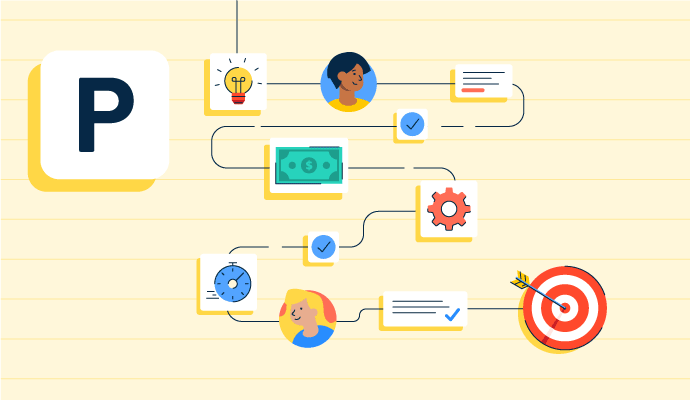
Project planning is part of the project management lifecycle, where goals and objectives are outlined. Learn about the types, benefits, and best practices.
by Holly Landis

Story mapping helps agile software teams visualize the user’s journey with their products. Learn the basic steps, process, best practices, and benefits.
by Kelly Fiorini

Visual collaboration connects asynchronous teams through visual ideas to improve communication. Learn about its function, benefits, and best practices.
by Aayushi Sanghavi
Collaborative Whiteboard Software Discussions
The Webex App has evolved to support hybrid work by integrating advanced video conferencing, real-time collaboration tools, and AI-driven features like noise cancellation and transcription. It now offers seamless integration with various third-party apps, enhanced security, and flexibility for both in-office and remote participants, making it a comprehensive solution for virtual collaboration.
Answered: Viijay shinde on August 8, 2024
The Webex app benefits greatly from being part of Cisco's Collaboration eco-system. Cisco is a leader in collaboration devices and accessories, in addition to being one of the leading cloud-based collaboration platforms. This means that Cisco's devices (desktop video conferencing units, room systems, headsets) are all optimized to work with the Webex app. One cool feature is that the Webex app can automatically sense when an available room system is nearby, allowing an active meeting on the app to be seamlessly transferred to the room system at the click of a button. If you're working remotely on a laptop with the Webex app, you'll find that the controls for your Cisco headset or camera are integrated into the setup screens of the Webex app. This makes adjustments intuitive. Also, the team spaces inherent to the Webex app makes sharing files and conducting group IM conversations a breeze, across both the desktop and mobile apps. Coupled with the excellent noise reduction/cancellation capabilities of the Webex meetings platform, virtual collaboration between workers located in any environment feel natural and trouble-free. All of the unifying technology is in the cloud, and not dependent on specialized hardware or software at the edge.
Answered: Andrew Tsui on February 28, 2024
Very helpful for hybrid and virtual work environment.
Answered: Prakash Jha on February 29, 2024
The Webex App by Cisco has evolved significantly to meet the needs of today’s hybrid work environment, where teams work from offices, homes, and on the move. Modern hybrid work demands flexibility, inclusivity, and easy collaboration across locations and devices. Cisco has addressed these needs by continuously enhancing the Webex platform to deliver a seamless, reliable, and engaging collaboration experience for everyone.
Answered: Ria Paul on January 23, 2026
Answered: Vasu mawa on May 16, 2026
Honestly, Webex has done a pretty solid job keeping up with what global teams actually need,it just doesn't always get the credit for it. Features like Engagement Tools , Audio Reliability , Massive Scale of members (in webinars), Breaking Language Barriers and many other features.
Answered: Vasu mawa on May 16, 2026
webex basically provided top features such as video conferencing, web conferencing, contact center as service applications and virtual classrooming.
Answered: Chinthaka Jayawardane on June 12, 2024
Webex Meetings has adapted well to global virtual teams by making it easier to join from different time zones and devices and by offering reliable video and audio quality even with large numbers of participants It supports large scale webinars with features like host controls breakout sessions and moderated Q and A which helps keep events organized and interactive for both presenters and attendees
Answered: Alessio Passerini on May 13, 2026
yes it does and it helps connect your whole business
Answered: Giovanni Laureano on January 22, 2025
Yes, Zoom actually does have a scheduling tool called Zoom Scheduler. It's designed to streamline the process of setting up meetings, especially with people outside of your organization [Zoom Scheduler].
Here are some of Zoom Scheduler's features:
Share Availability: You can easily share your available times so others can book meetings directly.
Calendar Integration: Integrates with Zoom Calendar Service, Google Calendar, and Microsoft 365 Calendar to avoid scheduling conflicts.
Reduced Email Ping Pong: Eliminates the back-and-forth emails to find a meeting time that works for everyone.
Automated Confirmation & Reminders: Sends automated confirmations and reminders to attendees to reduce no-shows.
Zoom Scheduler is a great option if you're looking for a way to simplify scheduling Zoom meetings.
Answered: JOKO AGUS on December 17, 2024
Yes, we can easily schedule our meetings.
Answered: Akashdeep Singh on September 18, 2025
Collaborative Whiteboard Software Reports
Mid-Market Grid® Report for Collaborative Whiteboard
Fall 2026
Grid® Report for Collaborative Whiteboard
Fall 2026
Enterprise Grid® Report for Collaborative Whiteboard
Fall 2026
Momentum Grid® Report for Collaborative Whiteboard
Fall 2026
G2 Report: Momentum Grid® Report
Small-Business Grid® Report for Collaborative Whiteboard
Fall 2026
Enterprise Grid® Report for Collaborative Whiteboard
Summer 2026
Small-Business Grid® Report for Collaborative Whiteboard
Summer 2026
Mid-Market Grid® Report for Collaborative Whiteboard
Summer 2026
Grid® Report for Collaborative Whiteboard
Summer 2026
Momentum Grid® Report for Collaborative Whiteboard
Summer 2026
G2 Report: Momentum Grid® Report