AI-Generated Results
Finding matches…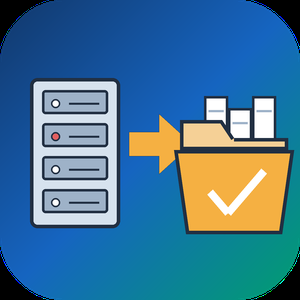
EDB to PST Converter Software is a Windows tool for the day when an Exchange mailbox database is all you have left. It opens a .edb file from Exchange 2013 or a newer release up to 2019 on your own PC and writes the mail into a Unicode .pst that Outlook reads. No running Exchange server is needed, Outlook can stay closed, and the database never leaves the machine. As an edb to pst converter it keeps the folder tree intact and carries every message across with its attachments.
🚀 How to use
1. Click Open EDB... and select the database from your backup drive or the disk of the old server.
2. Browse the tree of mailboxes and folders. Click any message to read it in the preview pane.
3. Untick what you do not need, set From and To dates, and decide whether Deleted Items and Junk go along.
4. Pick an output folder and export. In Outlook, choose File, Open and Export, Open Outlook Data File to see the result.
🛠 Why IT and office teams pick it
Microsoft's own export path expects a mounted database on a working Exchange. When that server is gone, the path is closed. This edb to pst converter reads the raw database directly, so an admin can get a few mailboxes back without building a recovery server. It turns an Exchange EDB to PST job into a desktop task. Nothing goes to a cloud service, a point that legal counsel usually asks about first. A warning appears before the run when the database is larger than 2 GB, so a long wait is never a surprise.
📦 What the PST keeps
Folders appear in the same order and nesting the users had. Subjects survive in any script, from Cyrillic to Chinese. HTML formatting, sender and recipient lists, sent and received times, unread flags and pictures placed inside a message body all carry over. Attached files are copied without changes.
🔍 Before you export
In this edb to pst converter the message list gives the subject and sender of each item along with its date and size. A log file records every step without storing message text, which helps when you send a question to support.
👥 Who uses it
Exchange administrators after a failed mount and IT contractors who receive an old database from a client. Legal and forensic reviewers use it to read mail on an offline workstation.
❓ FAQ
Can I convert EDB to PST without an Exchange server?
Yes. The program reads the database file itself, with no server or Outlook profile involved.
Which Exchange versions are supported?
Mailbox databases from Exchange 2013 through 2019. Older databases from Exchange 2010 and earlier use other layouts and are not read.
Can I pick only some folders?
Yes. Each folder has its own checkbox, and anything left unticked stays out of the result.
Does it need internet access?
No. The whole run happens offline on your computer.
✅ The free trial for Windows 11 and 10 exports a sample of messages, so you can check the PST in Outlook before you buy a license.
Not seeing what you're looking for?
Dive deeper into "Owaves" on G2 AI
Corrupted SSD Recovery Tool is Windows software for corrupted SSD recovery when a drive opens as RAW, asks to be formatted or loses its folders after a crash. It handles internal NVMe and SATA disks plus external SSDs in USB cases. Before any scan it measures TRIM on the selected device and tells you plainly what can still come back, which saves a technician from promising a client more than the hardware allows.
🔧 How to use it
1. Install the program and run it with administrator rights, which Windows needs to open an internal volume.
2. Select the SSD in the drive list. Each entry shows media type, bus and tags for TRIM and the system drive.
3. Read the TRIM note and start a Quick scan. If it finds nothing, the program moves on to a Deep scan by itself.
4. Preview files, sort them by folder or type, tick what you need and press Recover.
5. Pick a folder on a different disk. The source volume is refused as a target.
💼 Why IT and office teams pick it
Help desk staff get a measured answer before quoting a lab job. The program reads three values (solid state media, TRIM support on the device, delete notifications in Windows) and shows all of them. Results that turn out blank are labeled as wiped by TRIM and counted in the summary, so nobody hands a client a folder of empty documents. Files with bad sectors are marked as partially recovered, and a support log leaves out file names and paths. The TRIM note can be screenshotted and attached to a repair ticket when a customer asks why some files are out of reach.
👥 Who uses it
Laptop owners whose data partition stopped opening after a forced update. Photographers who keep shoots on a portable SSD. Repair shops checking a customer drive on the bench. Freelancers who keep invoices and contracts on one laptop. Teachers and students whose coursework sat on a single drive with no cloud copy. Small offices that cannot send client files to an online service, since corrupted SSD recovery here runs entirely on the local PC.
❓ FAQ
Can you fix a corrupted SSD?
This program does not repair the drive. It copies your files to another disk first, and after that you can format or replace the SSD safely.
How to recover data from corrupted SSD volumes?
Decline the format prompt, scan the drive and save what you find somewhere else. Utilities like CHKDSK rewrite the records a scan needs, so they come after the copy.
How to fix corrupted SSD drive errors without losing work?
Get the files out with a corrupted SSD recovery scan, check the copies, and only then run a repair or a fresh format.
Can files deleted on an internal SSD come back?
Usually not when TRIM was on, because the controller clears those cells within seconds. On a USB SSD the bridge often blocks TRIM and deleted files may survive.
🆓 The free trial runs every scan and shows all results, and only saving needs a license. Runs on Windows 11 and Windows 10.
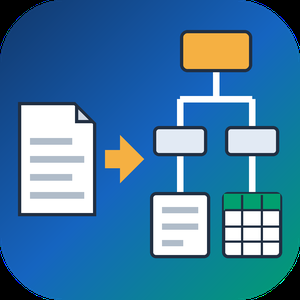
PDF to XML Converter Software is a pdf to xml converter for Windows that turns stacks of PDF reports into structured XML your scripts can parse. Every output file follows one documented schema with document, page, heading, paragraph and table elements, and tables are broken into rows and cells. All work happens on your own PC, so no report leaves the machine.
🛠️ How to use
1. Install the program and drag PDF files or a whole folder into the list.
2. Decide whether you need positions and fonts. Tick the coordinates option for block boxes, or leave it off for a lighter text-only file.
3. Press Convert. You get one XML per PDF, named after its source.
4. Point XSLT, Python or your database loader at the output folder.
💼 Why IT and office teams pick it
Imports break when every department sends a different layout. This pdf to xml converter keeps the same element names for every file, so a loader written once keeps working. Headings get a level from 1 to 6 based on font size. Each table carries a source attribute that tells you how its grid was found: PDF tags, ruling lines or text alignment. Merged cells keep colspan or rowspan. Text follows reading order, left column before right, and right-to-left lines stay right-to-left. Pages without a text layer are marked scanned="1", so a script can send them to a person.
👥 Who uses it
Data engineers and ETL developers feeding report figures into databases. Systems integrators who need to convert PDF to XML for another application. BI analysts, search-index developers and QA testers who check document pipelines. Procurement teams use it to pull supplier price tables into purchasing systems, and layout analysts switch on coordinates to study where each block sits on the page.
❓ FAQ
How does the pdf to xml step handle two-column pages?
The left column is written first, then the right one. Hebrew and Arabic lines keep their right-to-left order and carry a direction attribute.
Can I stop a long batch halfway?
Yes. Stop ends the job between two files, and every XML finished before that point stays on disk.
Can I convert PDF to XML without uploading files?
Yes. The program works offline, and your PDFs stay on your disk.
What does the XML look like?
A document root with page elements inside. Each page holds headings, paragraphs and tables in reading order, saved as UTF-8 without a byte order mark.
Can this pdf to xml converter fill an invoice or XBRL schema?
No. It writes its own fixed schema. Mapping to another schema is a job for your XSLT or import script.
Is there a command line or API?
No. Batches are started by hand in the desktop window, so it cannot run as a server service.
🎁 Free trial: every PDF in a batch gets its first 10 lines or table rows, and the file still passes an XML parser. Runs on Windows desktop and laptop PCs.

Right-click a new file in Windows and see which program created it.
Windows doesn't keep a record of which program created a file. CapyWatcher runs in the background and records every new file in the folders you choose: the program that created it, the program that started that one, the user and the time. When a file turns up and you wonder where it came from, the answer is already there.
It's made for people who run AI coding agents such as Claude Code, Codex or Cursor, for Windows power users with mystery files, and for anyone who wants to know which installer, game, download or script put a file on their computer.
WHO CREATED THIS FILE
Right-click one new file or several in a tracked folder and select "CapyWatcher: who created this file?". Each file gets its own answer: the program that created it, the program that started that one, its folder, the user and the time. You can also look up a file from inside the app, or drop files and folders on its window.
AI AGENTS
A file written by node.exe or cargo.exe also names the program that started it, such as claude.exe. So you can see what your AI agent wrote and where. Like git blame, for new files.
HISTORY
Start from a program and see every file it created. Search by path, program and user, filter by program, parent process, user and time, and export what History shows to CSV. Hide a process that creates files all day, and History leaves it out.
DELETE ALERTS AND FOLDER LOCKS
Turn on a tracked folder's bell, and a Windows notification says which program deleted files and how many, with a button to stop it. Lock a folder, and nothing can delete, move or rename its files until you unlock it. A program running as administrator can remove the lock, and CapyWatcher puts it back within 2 seconds and tells you.
WHAT'S USING THIS FILE
Right-click a file or folder to see each program using it, with its icon, name and user. Close a program from there, or stop it if it doesn't close.
IN THE EXPLORER MENU
Right-click a file, folder or drive for the CapyWatcher submenu: show it in History, track or stop tracking it, lock or unlock a folder and turn its delete alerts on or off. On Windows 11 it's under Show more options.
ANY DRIVE, USB AND NETWORK DRIVES TOO
Track folders on any drive in your computer, on a USB drive or pendrive, or on a network drive or share you add. On a network drive, CapyWatcher records what programs on your computer do there, and offers delete alerts but no lock. When someone on another computer creates, renames or deletes a file in a folder you share, History shows their address and name.
FILES PER FOLDER
See how many files were created and deleted in each tracked folder: today, over 7 or 30 days, or since tracking began.
RENAMES KEEP THEIR RECORD
A download renamed when it finishes still names the browser that saved it.
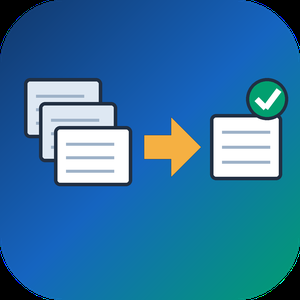
Outlook Duplicate Remover is a Windows 10 and 11 program that helps you remove duplicate emails from Outlook data files without risking the mail you already have. It opens a .pst or .ost from disk, finds messages that are copies of each other in any folder, and saves the unique ones into a separate PST. The file you loaded is read and left alone.
🔰 How to use it
1. Install the app and click Add File(s) to load one PST or OST archive. Outlook does not have to run.
2. In the folder tree, tick Inbox, Sent Items, Archive and any subfolders that should be compared with each other.
3. Under Deduplication options, decide which fields must agree. Subject, Sender and Body text are ticked at first. Recipients, Date/Time sent and Attachment names make the rule stricter.
4. Set Keep as to First found, Oldest or Newest. That copy stays in each group and the others are dropped.
5. Tick the backup PST if you want the removed messages kept in a second file, and leave the CSV report on.
6. Choose a Destination folder and press Start. A message at the end tells you how many unique emails were written and how many copies were left out.
👍 Why IT and office teams pick it
- No edits to the source. Since the program only reads the archive, a wrong rule costs nothing. Change the settings and run again.
- Folder boundaries do not hide copies. Outlook's Clean Up looks at one conversation at a time, while this tool can remove duplicate emails that sit in Inbox and Archive at once.
- RE: and FW: are ignored on request, so a forwarded copy still matches its first version.
- Every run leaves a trail. The CSV lists folder, subject, sender, date and whether each message was kept or removed.
- Local processing only. Client mail is never uploaded, which matters for legal, medical and finance offices.
- The interface comes in 17 languages.
✅ Who uses it
- IT staff cleaning a user's archive after a migration or an import that ran twice.
- Office managers whose shared mailbox was set up as both POP and IMAP and now holds every message twice.
- Anyone with a slow, oversized personal archive who wants to remove duplicate emails before it reaches the size limit.
❓ FAQ
Why am I getting two copies of every email in Outlook? The same account added twice, a server that keeps its own copy in Sent, or a repeated import are the usual reasons. Fixing the cause stops new copies, and this outlook duplicate email remover cleans out the old ones.
How do I remove duplicates from a PST file? Load it, tick the folders, keep the default rules and press Start. The clean result lands in the folder you picked.
Can I remove duplicate emails using the Outlook Clean Up tool? Only inside one folder. Copies spread across folders need a file-level scan like this one.
ℹ️ Free trial: a sample of the mailbox is processed and a reminder appears, so you can judge the result on real data. A license writes the full clean copy. Windows 10 or 11, works offline.

Begin with Link Indexer: A Simple Guide to Boost Your SEO. Ways Link Indexer Guarantees Sustainable Rank Improvements Through Consistent Indexation
Using Link Indexer is easy. You sign up for a trial to see what it does. Then you give them your list of backlinks. They handle the rest and you get useful results fast. Use Link Indexer along with good link building. Get backlinks from websites and let Link Indexer do the hard part of indexing. Your site will move up the rankings fast.
But you can’t just index links once and forget them. To keep rankings going up you need to do more. Link Indexer watches your backlinks all the time and re-indexes when needed so you do not lose ranking because of Google changes. Lots of sites drop when old backlinks stop helping. Link Indexer spots those problems. Fixes them so your backlinks stay good. Link Indexer uses tools to guess what search engines will do and changes its methods to match. If a search engine favors content, Link Indexer sends your links more often. That keeps your site relevant. Does well all year.
Good links from websites don’t help if they’re not indexed. Link Indexer makes sure links are found and registered quickly. It checks the links and decides which ones matter most so the best get done first. That gets you more from your outreach. Link Indexer also fixes dead links and redirects that stop bots. Fixing those things makes your links more reliable. That attention to detail helps links get indexed and helps you build trust with Google so your website is seen as a source.
You need to use Link Indexer to get the results. Link Indexer helps your site move up the rankings by indexing backlinks and watching them. Get backlinks from websites and use Link Indexer to index them. Your site will do well. Move up the rankings.
Ways Link Indexer Protects Your Website from Search Engine Sanctions
Unindexed or badly managed links can get you into trouble if search engines think they're not good enough. Link Indexer helps with that by looking through all your links and making sure only the good ones are seen by search engines. It checks for signs like links that don't look real or links from sites that have been punished and it automatically leaves those out.
The platform also keeps a record of every link it's seen so you can look through them easily. Say no to links that don't seem right. That way you follow search engine rules. Avoid getting into trouble. With Link Indexer you can keep your website safe. Search engines are getting stricter. So Link Indexer matters for protecting your search engine optimization work.
It's a useful tool for businesses that want to do well with search engine optimization. You should try Link Indexer. See how it can help your website do better. Link Indexer is really good for people who're serious about best link indexer and want to reach their search engine optimization goals, with Link Indexer.

SwiftSafe’s Penetration Testing service is designed to provide organizations with a deep, thorough, and practical evaluation of their overall cybersecurity posture, ensuring that vulnerabilities are identified before malicious actors have the chance to exploit them. In today’s rapidly evolving digital landscape, where cybercriminals are leveraging increasingly sophisticated attack techniques, penetration testing has become an essential layer of defense for businesses across industries. Unlike automated vulnerability scans that often produce false positives or overlook nuanced security gaps, SwiftSafe’s penetration testing combines advanced automated tools with expert manual testing, delivering an authentic, real-world simulation of how attackers target and compromise IT infrastructures. Our goal is not only to identify weaknesses but also to empower organizations with the insights, strategies, and actionable recommendations needed to harden their defenses, strengthen business resilience, and achieve compliance with industry regulations.
The importance of penetration testing lies in its ability to bridge the gap between theoretical security measures and practical, real-world defense readiness. Many organizations assume their firewalls, encryption, and access control policies are adequate until they face a breach that exposes the limitations of those defenses. Penetration testing acts as a controlled, proactive drill that tests the strength of existing systems, configurations, and human practices, uncovering vulnerabilities such as misconfigurations, weak authentication protocols, insecure APIs, unpatched software, flawed business logic, and overlooked system interdependencies. These vulnerabilities, if left unaddressed, can serve as open doors for attackers to infiltrate networks, steal sensitive information, disrupt operations, or launch large-scale ransomware campaigns. By identifying these risks before they are exploited, SwiftSafe enables businesses to stay ahead of cyber adversaries and safeguard their reputation, revenue, and customer trust.
SwiftSafe offers a comprehensive suite of penetration testing services tailored to different environments and technologies. Our Web Application Penetration Testing service focuses on identifying flaws in web-based applications by examining input validation, authentication flows, session management, business logic, API security, and more. By simulating attacks like SQL injection, cross-site scripting (XSS), and broken access control, we help organizations eliminate weaknesses that could allow attackers to bypass security controls and manipulate data. Similarly, our Mobile Application Penetration Testing leverages OWASP Top 10 methodologies to assess risks across Android and iOS apps, targeting vulnerabilities in code, cryptography, APIs, and data storage practices. For organizations relying heavily on Cloud Infrastructure, we provide Cloud Penetration Testing to detect misconfigurations, insecure integrations, privilege escalation opportunities, and other weaknesses that may compromise scalability, availability, or data confidentiality. Our Network Penetration Testing combines internal and external assessments to simulate attacks against endpoints, firewalls, routers, and wireless systems, ensuring that organizations can strengthen their network perimeters and reduce lateral movement risks. Additionally, we deliver IoT Penetration Testing for connected devices and VoIP Penetration Testing to secure communications against threats such as eavesdropping, phishing, denial-of-service, and malware attacks targeting voice systems.
What sets SwiftSafe apart is our hybrid approach, blending automation with human intelligence. Automated scanners are excellent at identifying known issues, but human expertise is crucial to uncover business logic flaws, complex chaining vulnerabilities, and context-specific risks that machines cannot detect. Our penetration testers, seasoned professionals with extensive backgrounds in offensive and defensive security, simulate real-world attackers’ mindsets while ensuring zero disruption to client operations. Furthermore, our reports go beyond listing vulnerabilities—they provide in-depth business risk analysis, detailed exploitation proof, and practical remediation guidelines aligned with industry standards like OWASP, NIST, ISO, and PCI DSS. This ensures that clients not only know what’s wrong but also how to fix it effectively.
The penetration testing process at SwiftSafe follows a structured yet flexible workflow. It begins with scoping, where we define the systems, applications, and environments to be tested, alongside timelines and compliance requirements. Next comes information gathering and reconnaissance, using open-source intelligence (OSINT), scanning tools, and manual exploration to map the attack surface. During the enumeration and attack planning phase, we identify potential vulnerabilities, prioritize them based on risk, and craft custom exploit strategies. The exploitation phase then simulates controlled attacks to validate vulnerabilities, demonstrating potential business impact without causing operational damage. Afterward, we deliver a comprehensive report that includes technical details, evidence of exploitation, business-level risk evaluation, and remediation steps. For clients seeking added assurance, we offer remediation testing, where we validate that security fixes have been implemented correctly and vulnerabilities are no longer exploitable.
Choosing SwiftSafe for penetration testing means partnering with a cybersecurity provider that values accuracy, efficiency, and long-term resilience. Our team doesn’t just stop at identifying risks—we actively help organizations implement stronger defenses, fine-tune policies, and prepare for compliance audits. With rapid incident response support, SwiftSafe ensures that if vulnerabilities pose an immediate threat, our experts provide actionable containment strategies to mitigate risks on the spot. As cyber threats grow in frequency and sophistication, businesses can no longer afford to rely on reactive strategies. SwiftSafe’s Penetration Testing service gives organizations the confidence that their defenses are tested against real-world attack scenarios, ensuring they remain one step ahead of adversaries while fostering trust with customers, stakeholders, and regulators alike.