Time Tracking Software Resources
Articles, Glossary Terms, Discussions, and Reports to expand your knowledge on Time Tracking Software
Resource pages are designed to give you a cross-section of information we have on specific categories. You'll find articles from our experts, feature definitions, discussions from users like you, and reports from industry data.
Time Tracking Software Articles
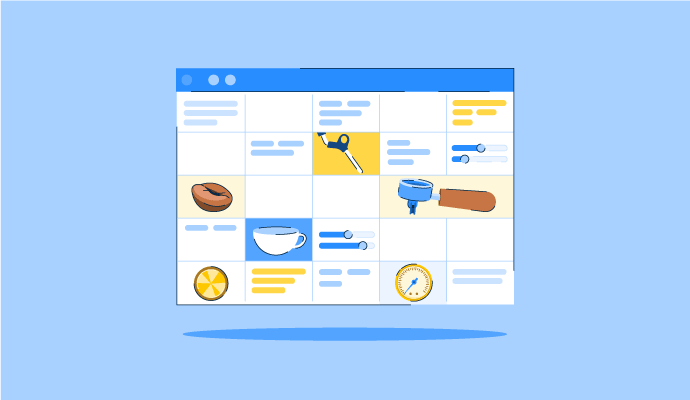
The Perfect Blend: How to Schedule Your Coffee Baristas Like a Pro
Something’s brewing!
by Alexandra Vazquez
Time Tracking Software Glossary Terms
Time Tracking Software Discussions
0
Question on: When I Work
Are you considering a clock in and out function for the program?
Hello Jared! Natalie here with the Customer Care team at When I Work. When Time Clock & Attendance features are added to your plan, you have access to three different time clock types.
The time clock terminal can be set up on a dedicated computer or mobile device (such as an iPad or Android tablet) used for clocking in and out. The mobile time clock allows employees to clock in and out using their own mobile devices, and the personal computer time clock allows them to do the same while logged into their profiles on a computer. We have a Help Center guide that outlines how the Time Clock & Attendance features work in more detail, if you would like to check it out: https://help.wheniwork.com/articles/how-time-clock-attendance-works/
If you have any additional questions we can assist with, don't hesitate to reach out at https://help.wheniwork.com/submit-a-ticket/ - we're here to help!
Comment deleted by user.
Hi, Kristie here with the Customer Care team at When I Work. When I Work has a time clock as well as attendance features included in both plans. Employees can clock in and out three ways: through the When I Work mobile app on their own phone, through a shared tablet or computer set up as a time clock kiosk at the workplace, or through the web app on a computer. Managers see real-time clock-in status on their dashboard and get notified if someone is late to clock in. Timesheets track automatically and you can export to a payroll provider with one click.
0
Question on: Projectworks
How do I Migrate all the data from one account to another account?
How to migrate all the data if any person i any organization and account is not accessible anymore?
When you come onboard with Projectworks we will do a data migration for you as a part of your implementation. At any time during your subscription we'll ensure you can access your data, and if you're ending your subscription and need your data, we will export it for you.
0
Question on: Humanity Schedule by TCP
Would TCP be open to adding more engineering support?
Would TCP be open to adding more engineering support to work on some of the top features requests posted in the forum?
Hey Matt, my name is Kyle and I am the Product Marketing Manager for Humanity. I would love to learn more and answer your question. Please feel free to reach out at kwong@tcpsoftware.com and we can start the conversation.
Time Tracking Software Reports
Mid-Market Grid® Report for Time Tracking
Fall 2026
G2 Report: Grid® Report
Grid® Report for Time Tracking
Fall 2026
G2 Report: Grid® Report
Enterprise Grid® Report for Time Tracking
Fall 2026
G2 Report: Grid® Report
Momentum Grid® Report for Time Tracking
Fall 2026
G2 Report: Momentum Grid® Report
Small-Business Grid® Report for Time Tracking
Fall 2026
G2 Report: Grid® Report
Enterprise Grid® Report for Time Tracking
Summer 2026
G2 Report: Grid® Report
Small-Business Grid® Report for Time Tracking
Summer 2026
G2 Report: Grid® Report
Mid-Market Grid® Report for Time Tracking
Summer 2026
G2 Report: Grid® Report
Grid® Report for Time Tracking
Summer 2026
G2 Report: Grid® Report
Momentum Grid® Report for Time Tracking
Summer 2026
G2 Report: Momentum Grid® Report