Server Virtualization Software Resources
Articles, Glossary Terms, Discussions, and Reports to expand your knowledge on Server Virtualization Software
Resource pages are designed to give you a cross-section of information we have on specific categories. You'll find articles from our experts, feature definitions, discussions from users like you, and reports from industry data.
Server Virtualization Software Articles
ESXiArgs Ransomware—Server Virtualization Is Risky If You Don’t Manage It
Server virtualization software enables organizations to deliver more capabilities on a budget. But this comes at the cost of security. Virtual servers are one of the prime targets of ransomware attacks. In the past week, ransomware called ESXiArgs has been attacking a server virtualization product VMWare ESXi.
Server Virtualization Software Glossary Terms
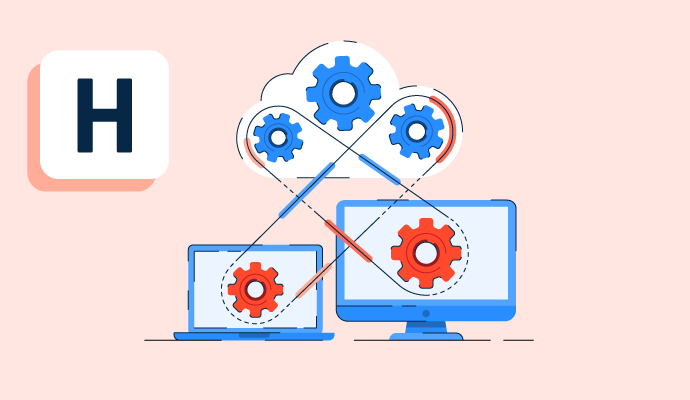
Hypervisors are software that allows host computers to support multiple virtual machines. These portable tools optimize the resources. Learn how they work.
by Alyssa Towns

Remote server is a computer that hosts, stores, or runs applications over a network so users can access data, tools, and services from anywhere.
by Sagar Joshi
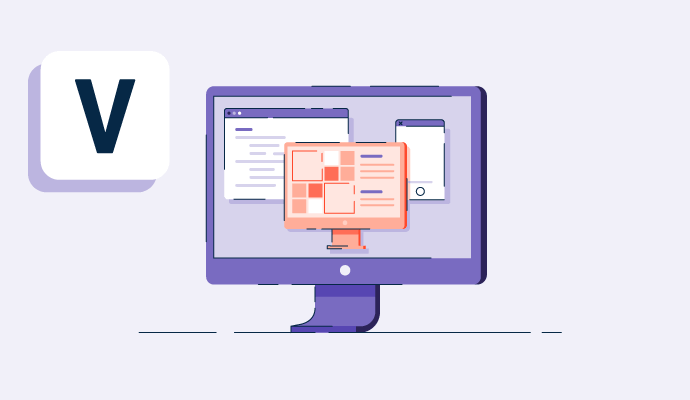
A virtual machine is the virtualization of a computer system; it uses software instead of hardware to run programs. Learn about its types and use cases.
by Sagar Joshi

What is server virtualization, and why is it important as a software feature? Our G2 guide can help you understand server virtualization, how it’s used by industry professionals, and its benefits.
by Preethica Furtado
Server Virtualization Software Discussions
Google Compute Engine (GCE) is a component of Google Cloud Platform (GCP) that provides virtual machines (VMs) running in Google's data centers. It is an Infrastructure-as-a-Service (IaaS) offering, which allows users to run workloads on virtual machines, similar to Amazon EC2 in AWS or Azure Virtual Machines in Microsoft Azure.
Key Uses of Google Compute Engine:
Running Virtual Machines: GCE allows you to create and manage virtual machines with different configurations (CPU, memory, and storage) to run workloads such as web applications, databases, or back-end services.
Scalable Compute Power: It provides scalable compute resources to run any application, from small websites to large-scale, compute-heavy workloads like machine learning models, big data processing, and simulations.
Custom Machine Types: Users can create custom virtual machine types with the exact combination of vCPU and memory they need, optimizing costs.
Integration with Google Cloud Services: GCE integrates with other Google Cloud services like Cloud Storage, BigQuery, Kubernetes Engine, and more, allowing for a seamless workflow across different cloud services.
Preemptible VMs: GCE offers preemptible VMs, which are lower-cost, short-term virtual machines, useful for fault-tolerant workloads like batch processing and CI/CD jobs.
Autoscaling and Load Balancing: It supports autoscaling and load balancing to handle increased traffic or workloads automatically, ensuring high availability and performance.
Persistent Disk Storage: GCE VMs can attach persistent disks, allowing users to store data independently of the VM lifecycle.
Global Reach: GCE enables you to deploy VMs in data centers across multiple regions and zones globally, providing geographic flexibility and high availability.
Answered: Mohammed Reyas on October 8, 2024
Virtual machine implementation in the Cloud
Answered: Manuel Roberto Valdez Gutiérrez on November 7, 2023
Azure Virtual Machines (VMs) are used to run applications and workloads on virtualized server environments in the cloud. They allow you to deploy and manage Windows or Linux servers without having to worry about physical hardware. Azure VMs provide the flexibility to run various applications, from simple websites to complex enterprise systems.
Here are some common use cases for Azure Virtual Machines:
1. Hosting applications: Running web applications, databases, and enterprise software in a highly scalable environment.
2. Development and testing: Providing isolated environments for developers and testers to create, test, and deploy applications without impacting production systems.
3. Disaster recovery and backup: Running redundant systems and services that can be quickly scaled up if the primary system goes down.
4. Running legacy applications: Supporting applications that require specific operating systems or configurations that are not available in cloud-native solutions.
5. Big data and analytics: Running computationally intensive workloads like machine learning, data processing, or simulations that require significant CPU, RAM, and storage resources.
Answered: Satyam Pandey on February 4, 2025
Azure Virtual Machines are used to run applications and services in the cloud without needing physical hardware. They allow you to quickly create and manage virtual servers for hosting websites, running development and testing environments, or deploying production workloads. This makes it easier to scale resources when needed and manage infrastructure more flexibly.
Answered: Shudhansu Pandey on February 17, 2026
Virtual platform to host multiple images on a single machine which has limited resources.
Answered: ABDUL HALEEM on November 23, 2023
VMware vSphere Hypervisor is like a virtualization wizard for your computer server. It lets you run multiple virtual machines on a single physical server, making better use of your hardware. It's like having a bunch of mini-computers all neatly packed into one. This not only saves money and space but also makes managing everything a breeze.
Think of it as your server's superhero – it ensures that if something goes wrong, your applications keep running smoothly by automatically shifting them to another server. It's also great for testing or trying out new things since you can easily make copies of your virtual machines.
With vSphere Hypervisor, you get this virtual playground where each mini-computer (virtual machine) plays nicely with the others but is totally independent. It's like having your cake and eating it too – all the benefits of multiple computers without the hassle of dealing with physical boxes. Plus, it has this cool central control panel that makes managing everything a walk in the park.
Answered: Narendra Ahirwar on January 10, 2024
Server Virtualization Software Reports
Mid-Market Grid® Report for Server Virtualization
Fall 2026
Grid® Report for Server Virtualization
Fall 2026
Enterprise Grid® Report for Server Virtualization
Fall 2026
Momentum Grid® Report for Server Virtualization
Fall 2026
G2 Report: Momentum Grid® Report
Small-Business Grid® Report for Server Virtualization
Fall 2026
Enterprise Grid® Report for Server Virtualization
Summer 2026
Small-Business Grid® Report for Server Virtualization
Summer 2026
Mid-Market Grid® Report for Server Virtualization
Summer 2026
Grid® Report for Server Virtualization
Summer 2026
Momentum Grid® Report for Server Virtualization
Summer 2026
G2 Report: Momentum Grid® Report