Operating Systems Resources
Articles, Glossary Terms, Discussions, and Reports to expand your knowledge on Operating Systems
Resource pages are designed to give you a cross-section of information we have on specific categories. You'll find articles from our experts, feature definitions, discussions from users like you, and reports from industry data.
Operating Systems Articles
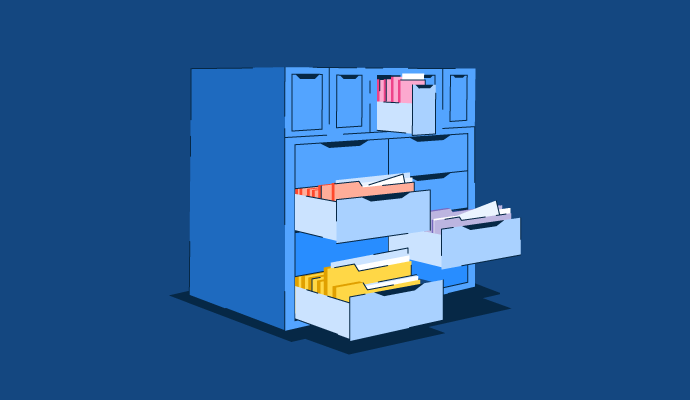
Memory Management in OS: Learn Techniques and Applications
No matter what type of device you’re working on, the operating system (OS) is the heart of it all. It manages the device's memory, processes, and any software installed.
by Holly Landis
What Is an Operating System? Types of OS and Functions

If you’re anything like me, you have at least 20 browser tabs open, along with a couple of spreadsheets and probably some music.
by Sudipto Paul
How to Fix Packet Loss: 9 Steps and Tips from Real Users
Packet loss causing slow service and network connectivity issues?
by Sudipto Paul
Operating Systems Glossary Terms
Operating Systems Discussions
0
Question on: Apple iOS
Will there ever be full user customization or is that just a thing that Apple IOS users will always have to live with?As I mentioned earlier, user customization and feeling like you're in control is really a crucial part of any product's customer satisfaction. Of course, Apple IOS is great as it is besides a few battery tweaks, but it'd be even better if there was Android level of customization and user control
Show More
Show Less
There are already several methods of general customization built into iOS but greater customization uses some workarounds with features like the Shortcuts app.
Given that Apple does not like to comment on future products or services it’s very hard to give a definitive answer. Maybe someday.
Show More
Show Less
0
Question on: Windows 11
How do i update my windows software update to date?By this process it can be up to date and may available of new features
Show More
Show Less
You can turn it to Automatic from the windows settings then it will be updated whenever it get connected to internet.
Show More
Show Less
0
Question on: Windows 11
Can I rearrange the menu?I want to change where things are located in my start menu, is this possible?
Show More
Show Less
OK, this is a complicated answer to a simple question.
When you click on the Windows Icon (where "start" used to be)
What pops up is three stripes
The first has an = on the top. You can't rearrange anything below it.
The second is called "recently added" You can't rearrange anything below that.
The third section (furthest right) can be rearranged by long clicking on the different tiles and dragging to different places. You can also resize by right clicking and choosing a different size tile.
Hope this helps. Ask for details if needed.
Show More
Show Less
Operating Systems Reports
Mid-Market Grid® Report for Operating System
Spring 2026
G2 Report: Grid® Report
Grid® Report for Operating System
Spring 2026
G2 Report: Grid® Report
Enterprise Grid® Report for Operating System
Spring 2026
G2 Report: Grid® Report
Momentum Grid® Report for Operating System
Spring 2026
G2 Report: Momentum Grid® Report
Small-Business Grid® Report for Operating System
Spring 2026
G2 Report: Grid® Report
Enterprise Grid® Report for Operating System
Winter 2026
G2 Report: Grid® Report
Small-Business Grid® Report for Operating System
Winter 2026
G2 Report: Grid® Report
Mid-Market Grid® Report for Operating System
Winter 2026
G2 Report: Grid® Report
Grid® Report for Operating System
Winter 2026
G2 Report: Grid® Report
Momentum Grid® Report for Operating System
Winter 2026
G2 Report: Momentum Grid® Report