Disaster Recovery as a Service (DRaaS) Solutions Resources
Articles, Glossary Terms, Discussions, and Reports to expand your knowledge on Disaster Recovery as a Service (DRaaS) Solutions
Resource pages are designed to give you a cross-section of information we have on specific categories. You'll find articles from our experts, feature definitions, discussions from users like you, and reports from industry data.
Disaster Recovery as a Service (DRaaS) Solutions Articles

What Is Failover? Its Unique Role in Business Continuity
Outages are unforgiving and happen all too frequently.

by Keerthi Rangan

What Is DRaaS? Why It Solves Your Disaster Recovery Needs
Disasters happen in the blink of an eye.
by Keerthi Rangan

Why Your Business Needs Recovery Time Objective to Survive
Sometimes things go wrong. Despite all the planning in the world, things can, and will, go wrong.
by Keerthi Rangan
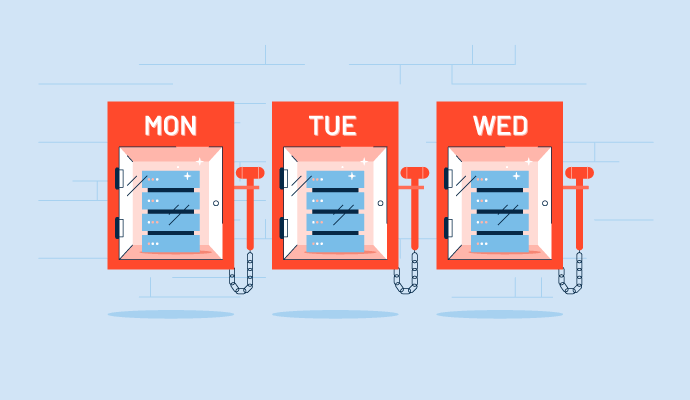
Recovery Point Objective: A Critical Element of Data Recovery
A data disaster can happen at any time. Do you think your business can survive losing a day, a week, or even a month's worth of data?
by Keerthi Rangan

Backup and Disaster Recovery Software Secure Business Operations
When you work from home, have you thought about what happens when your IT infrastructure goes down? Did you back up your data and have a disaster recovery plan?
by Tian Lin

The G2 on the Cloud: The History of Cloud Adoption
The concept of cloud computing isn’t new. References to cloud computing have been around since the 1960s, although at the time, “cloud” wasn’t a part of the lexicon. Back then, using remote computing and processing elements was called “network-based.”
by Zack Busch

What Is Replication? (+How It’s Different From a Backup)
In the age of databases, servers and the internet, companies cannot afford to be offline — literally.
by Zack Busch
Disaster Recovery as a Service (DRaaS) Solutions Glossary Terms

Effective disaster recovery helps organizations restore operations following a tragic event. Learn about the types of recovery and what to have in a plan.
by Alyssa Towns
Explore our Technology Glossary
Browse through dozens of terms to better understand the products you purchase and use everyday.
Disaster Recovery as a Service (DRaaS) Solutions Discussions
0
Question on: Arcserve
How does Arcserve UDP work?
How does Arcserve UDP work?
Arcserve UDP (Unified Data Protection) is a comprehensive backup and recovery solution that works by protecting data across multiple platforms, applications, and devices.
Here's how Arcserve UDP works:
Data Source Discovery: The first step in the backup process is to discover and identify all data sources that need to be protected. This includes physical and virtual servers, workstations, and other devices.
Backup Scheduling: Once data sources are identified, the next step is to schedule regular backups to protect the data. Arcserve UDP offers flexible backup scheduling options, including full, incremental, and differential backups.
Backup Compression and Encryption: Arcserve UDP uses data compression and encryption techniques to minimize the amount of storage space required for backups and to ensure the security of the data being backed up.
Incremental Forever: Arcserve UDP employs an "incremental forever" backup strategy, which means that only changes to data since the last backup are backed up. This reduces backup windows and ensures that data is backed up more frequently.
Centralized Management: Arcserve UDP provides a centralized management console that allows IT administrators to manage all backup and recovery activities from a single location. This includes monitoring backup jobs, configuring backup policies, and restoring data.
Fast Recovery: In the event of data loss, Arcserve UDP offers fast and flexible recovery options. IT administrators can restore data from any point in time, and can recover individual files or entire systems.
Cloud Integration: Arcserve UDP offers cloud integration, enabling organizations to use cloud storage for backup and disaster recovery purposes.
Overall, Arcserve UDP is a comprehensive backup and recovery solution that offers advanced features like compression, encryption, and incremental forever backup strategy. With centralized management and fast recovery options, it can help organizations protect their critical data and minimize downtime in the event of a disaster.
Arcserve UDP (Unified Data Protection) is a comprehensive backup and recovery solution that works by protecting data across multiple platforms, applications, and devices.
Here's how Arcserve UDP works:
Data Source Discovery: The first step in the backup process is to discover and identify all data sources that need to be protected. This includes physical and virtual servers, workstations, and other devices.
Backup Scheduling: Once data sources are identified, the next step is to schedule regular backups to protect the data. Arcserve UDP offers flexible backup scheduling options, including full, incremental, and differential backups.
Backup Compression and Encryption: Arcserve UDP uses data compression and encryption techniques to minimize the amount of storage space required for backups and to ensure the security of the data being backed up.
Incremental Forever: Arcserve UDP employs an "incremental forever" backup strategy, which means that only changes to data since the last backup are backed up. This reduces backup windows and ensures that data is backed up more frequently.
Centralized Management: Arcserve UDP provides a centralized management console that allows IT administrators to manage all backup and recovery activities from a single location. This includes monitoring backup jobs, configuring backup policies, and restoring data.
Fast Recovery: In the event of data loss, Arcserve UDP offers fast and flexible recovery options. IT administrators can restore data from any point in time, and can recover individual files or entire systems.
Cloud Integration: Arcserve UDP offers cloud integration, enabling organizations to use cloud storage for backup and disaster recovery purposes.
Overall, Arcserve UDP is a comprehensive backup and recovery solution that offers advanced features like compression, encryption, and incremental forever backup strategy. With centralized management and fast recovery options, it can help organizations protect their critical data and minimize downtime in the event of a disaster.
0
Question on: Azure Site Recovery
What is the difference between Azure backup and site recovery?
What is the difference between Azure backup and site recovery?
Azure Backup is primarily for data protection and regular backups, while Azure Site Recovery focuses on disaster recovery and ensuring business continuity by providing replication and failover capabilities.
0
Question on: Datto SIRIS
How much is datto Alto?
How much is datto Alto?
The device itself is around $600-$800, and the monthly cost is about $100 an agent depending on the retention level. Sometimes there are promos where you get the hardware free with an annual commitment on 2 or more agents.
Disaster Recovery as a Service (DRaaS) Solutions Reports
Mid-Market Grid® Report for Disaster Recovery as a Service (DRaaS)
Fall 2026
G2 Report: Grid® Report
Grid® Report for Disaster Recovery as a Service (DRaaS)
Fall 2026
G2 Report: Grid® Report
Enterprise Grid® Report for Disaster Recovery as a Service (DRaaS)
Fall 2026
G2 Report: Grid® Report
Momentum Grid® Report for Disaster Recovery as a Service (DRaaS)
Fall 2026
G2 Report: Momentum Grid® Report
Small-Business Grid® Report for Disaster Recovery as a Service (DRaaS)
Fall 2026
G2 Report: Grid® Report
Enterprise Grid® Report for Disaster Recovery as a Service (DRaaS)
Summer 2026
G2 Report: Grid® Report
Small-Business Grid® Report for Disaster Recovery as a Service (DRaaS)
Summer 2026
G2 Report: Grid® Report
Mid-Market Grid® Report for Disaster Recovery as a Service (DRaaS)
Summer 2026
G2 Report: Grid® Report
Grid® Report for Disaster Recovery as a Service (DRaaS)
Summer 2026
G2 Report: Grid® Report
Momentum Grid® Report for Disaster Recovery as a Service (DRaaS)
Summer 2026
G2 Report: Momentum Grid® Report