Collaborative Whiteboard Software Resources
Articles, Glossary Terms, Discussions, and Reports to expand your knowledge on Collaborative Whiteboard Software
Resource pages are designed to give you a cross-section of information we have on specific categories. You'll find articles from our experts, feature definitions, discussions from users like you, and reports from industry data.
Collaborative Whiteboard Software Articles
Managing the Convergence of the Physical and Virtual Office
It’s already been established that remote work culture isn’t going anywhere. However, that doesn’t mean offices will simply cease to exist. Many companies are offering flexible work environments for their employees, building in the option to work from home for part of the week. This shift to a more hybrid working environment will require some changes to the workspace with the convergence of the physical and virtual office.
Collaborative Whiteboard Software Glossary Terms
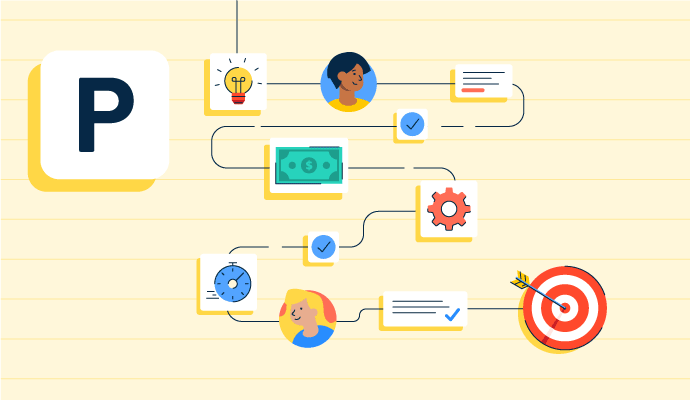
Project planning is part of the project management lifecycle, where goals and objectives are outlined. Learn about the types, benefits, and best practices.
by Holly Landis

Story mapping helps agile software teams visualize the user’s journey with their products. Learn the basic steps, process, best practices, and benefits.
by Kelly Fiorini

Visual collaboration connects asynchronous teams through visual ideas to improve communication. Learn about its function, benefits, and best practices.
by Aayushi Sanghavi
Collaborative Whiteboard Software Discussions
I have even using it for 3 months and I am still sure I understand how to use it either. Audio is the confusing part. Laptop audio, room auido, call me, dial in, mic in the table. Each selection is not as intuitive as one would think but we get it eventually. I have enjoyed voice activation “hello webex, start meeting”
Answered: Justin Dux on December 1, 2019
It is going to be dependent on the connection of your cellular provider, or wireless network. It is a fairly bandwidth intensive app when you use video as well. Switching off video may also help.
Answered: Jason Severe on September 17, 2020
Webex would work, though others may as well.
Answered: Caroline Oncken on November 22, 2019
Hi Marty,
It depends on what kind of meetings do you hold.
If they're internal business meetings you'd need Webex Meetings with 5 Named User licenses for hosts. Other users (participants) don't need any licenses.
Though, if you do webinars or products' presentations for external people/clients you'd need Webex Events. This option provides you with additional features. For example possibility to setup a registration form for participants, better management of the meeting thanks to additional participants profiles: moderator, presenter and attendee, and more.
Webex Trainings has some more options to facilitate trainings and Webex Support is a tool for helpdesks.
Best,
Maciej.
Answered: Maciej Rozenbajgier on December 11, 2019
Collaborative Whiteboard Software Reports
Mid-Market Grid® Report for Collaborative Whiteboard
Fall 2026
Grid® Report for Collaborative Whiteboard
Fall 2026
Enterprise Grid® Report for Collaborative Whiteboard
Fall 2026
Momentum Grid® Report for Collaborative Whiteboard
Fall 2026
G2 Report: Momentum Grid® Report
Small-Business Grid® Report for Collaborative Whiteboard
Fall 2026
Enterprise Grid® Report for Collaborative Whiteboard
Summer 2026
Small-Business Grid® Report for Collaborative Whiteboard
Summer 2026
Mid-Market Grid® Report for Collaborative Whiteboard
Summer 2026
Grid® Report for Collaborative Whiteboard
Summer 2026
Momentum Grid® Report for Collaborative Whiteboard
Summer 2026
G2 Report: Momentum Grid® Report