Collaborative Whiteboard Software Resources
Articles, Glossary Terms, Discussions, and Reports to expand your knowledge on Collaborative Whiteboard Software
Resource pages are designed to give you a cross-section of information we have on specific categories. You'll find articles from our experts, feature definitions, discussions from users like you, and reports from industry data.
Collaborative Whiteboard Software Articles
Managing the Convergence of the Physical and Virtual Office
It’s already been established that remote work culture isn’t going anywhere. However, that doesn’t mean offices will simply cease to exist. Many companies are offering flexible work environments for their employees, building in the option to work from home for part of the week. This shift to a more hybrid working environment will require some changes to the workspace with the convergence of the physical and virtual office.
Collaborative Whiteboard Software Glossary Terms
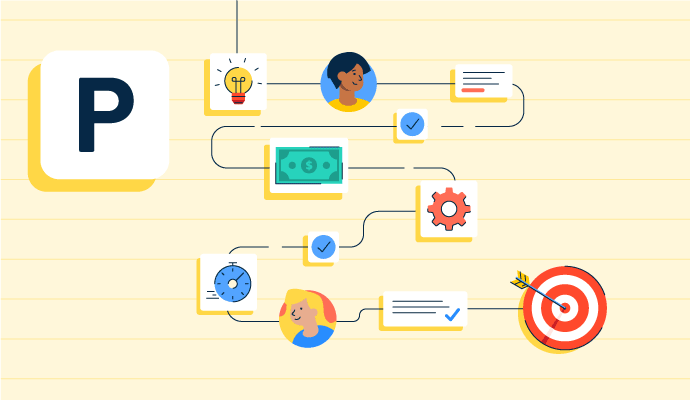
Project planning is part of the project management lifecycle, where goals and objectives are outlined. Learn about the types, benefits, and best practices.
by Holly Landis

Story mapping helps agile software teams visualize the user’s journey with their products. Learn the basic steps, process, best practices, and benefits.
by Kelly Fiorini

Visual collaboration connects asynchronous teams through visual ideas to improve communication. Learn about its function, benefits, and best practices.
by Aayushi Sanghavi
Collaborative Whiteboard Software Discussions
Yes, Miro is used in regulated environments and Enterprise Guard adds an advanced governance layer on top of standard workspace permissions.
📊 Core Enterprise Guard capabilities
Data discovery & classification: Automatically discovers and classifies sensitive data (PII, PHI, PCI and more) across boards so you can apply policies based on sensitivity.
Legal hold & eDiscovery: Legal Holds, Content Logs, and Board Export plus eDiscovery APIs help preserve, track, and export board data to support investigations and regulatory workflows.
Lifecycle controls: Retention, Trash Policy, and Disposition policies automate how long boards are kept and when they are archived or deleted, with full audit trails.
Security stack integrations: Enterprise Guard integrates with security and compliance tooling (including Microsoft Purview DSPM for AI) so AI prompts and responses can be monitored alongside other systems.
🔗 Learn More:
https://help.miro.com/hc/en-us/articles/15699815402514-Enterprise-Guard-introduction
https://help.miro.com/hc/en-us/articles/30943405198994-AI-Trust-Capabilities-and-FAQ
https://help.miro.com/hc/en-us/articles/28617278171154-Enterprise-Guard-and-Microsoft-Purview-DSPM-for-AI-Integration-Overview
Answered: Anya Gonzales on August 11, 2026
Data submitted through Miro AI capabilities is processed solely to generate a response from the AI model and return it to the user.
🛡️ Controls for sensitive workspaces
Board & workspace toggles: Admins can turn off Miro AI features globally, or enable them only for specific teams from the Admin Console.
Block AI via Guardrails: With Enterprise Guard and Intelligent Guardrails, admins can block all Miro AI usage on boards classified as sensitive so AI can’t be invoked there.
Prompt protections: Enterprise Guard prompt blocking and Azure-based moderation help prevent prompts with sensitive data or harmful content from being processed.
Bring Your Own Key (BYOK): For certain AI features, you can bring your own model access via your own API key so prompts are evaluated by your approved provider.
🔗 Learn More:
https://help.miro.com/hc/en-us/articles/11277533556626-Miro-AI-Admin-security
https://miro.com/ai-trust/
Answered: Anya Gonzales on August 11, 2026
Thanks so much for this thoughtful question and for highlighting both the value and friction you’re seeing.
Miro AI is designed to speed up the “messy middle” of brainstorming on big boards — generating ideas from prompts, expanding rough thoughts into sticky notes, automatically clustering related stickies into themes, and quickly summarizing large walls of input so teams can move faster to decisions and next steps.
We see many teams using these AI capabilities right alongside Jira, Slack, and other integrations on the same canvas, so they can ideate, triage, and turn ideas into work items without leaving the board.
To keep large, active boards both organized and performant while using AI, we recommend a few practices that our product is optimized for: working within clearly labeled frames for each topic or workshop segment, keeping very heavy assets (large PDFs, ultra high-res images, dense pen drawings) to a minimum, and splitting truly huge initiatives into several linked boards (for example: “Brainstorm,” “Prioritization,” “Roadmap”) rather than one “everything” board.
This structure makes it easier to navigate with the board map and search, and it helps panning/zooming stay smooth even as you add AI-generated content.
You’re also right that the richness of the AI feature set and templates can feel like a lot at first. Core Miro AI capabilities are available across all plans, and we’re continuing to simplify entry points (for example through intelligent templates) and to expand the library so it’s easier to start with the right pattern instead of a blank board.
In parallel, we’re actively investing in performance improvements for large boards — recent updates have already made panning and zooming significantly faster on big canvases, with more optimization work in progress.
Feedback like yours is exactly what guides those investments, so thank you for raising it. If you’re open to it, we’d love to learn more about your specific brainstorming setup so we can share tailored best practices and feed it into our roadmap.
Answered: Anya Gonzales on August 11, 2026
Collaborative Whiteboard Software Reports
Mid-Market Grid® Report for Collaborative Whiteboard
Fall 2026
Grid® Report for Collaborative Whiteboard
Fall 2026
Enterprise Grid® Report for Collaborative Whiteboard
Fall 2026
Momentum Grid® Report for Collaborative Whiteboard
Fall 2026
G2 Report: Momentum Grid® Report
Small-Business Grid® Report for Collaborative Whiteboard
Fall 2026
Enterprise Grid® Report for Collaborative Whiteboard
Summer 2026
Small-Business Grid® Report for Collaborative Whiteboard
Summer 2026
Mid-Market Grid® Report for Collaborative Whiteboard
Summer 2026
Grid® Report for Collaborative Whiteboard
Summer 2026
Momentum Grid® Report for Collaborative Whiteboard
Summer 2026
G2 Report: Momentum Grid® Report