Asset Tracking Software Resources
Articles, Glossary Terms, Discussions, and Reports to expand your knowledge on Asset Tracking Software
Resource pages are designed to give you a cross-section of information we have on specific categories. You'll find articles from our experts, feature definitions, discussions from users like you, and reports from industry data.
Asset Tracking Software Articles
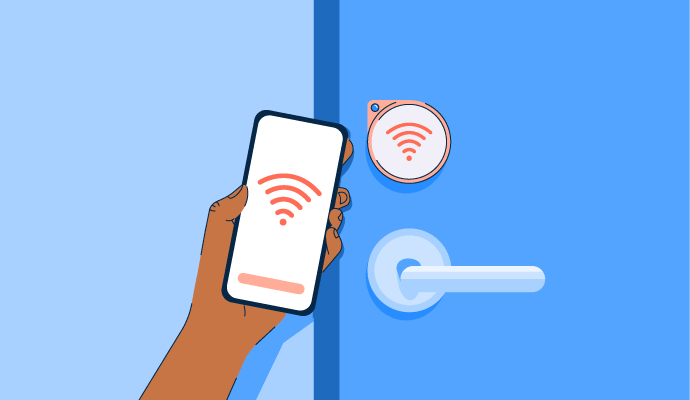
What Is Physical Security? The Risks of Ignoring It
Better safe than sorry, right? Absolutely.
by Aayushi Sanghavi
What is Asset Tracking? How It Optimizes Operations
Assets are the backbone of every organization.
by Adithya Siva
Asset Tracking Software Glossary Terms
Asset Tracking Software Discussions
0
Question on: ArcGIS GeoEvent Server
How do i use ArcGIS Geoevent in the area of wildlife management ? I would be very happy to know that
As a GIS analyst in our company, we do basically wildlife researches through GIS approach. With the upbringing of ArcGIS GeoServer, we are looking forward to working in real-time.
Geoevent server provide capability to track live geo-events and that is the key to use it in wildlife management area.
First and foremost your organization should tag wildlife with GPS tags, so that you can get live feeds. Once you start getting those feed in your database you can use geo-event connector to get them showing on maps. Next step would be archiving ans seeing historic records so that you can understand a pattern and make some useful finding.
You can understand migration of wild life and ecological changes in respect of weather and human activities.
Going far beyond the scope you can use big data analysis on the gathered data and predict the future.
There are multiple python based AI engine which you can use to answer some of the future forecasting question.
Hope this satisfy you need.
0
Question on: UpKeep
Which types of users are considered paid users?
Paid Users
Hi there!!
There are three user types that require a paid UpKeep license:
1. Admin Users — These users have the ability to add others to the account, accept or deny work requests, and edit work order details. They are the users that control the account. You can have multiple admins per account.
2. Technical Users — These users are typically technicians who close out work orders in the field. They can edit work orders they create but not other work orders. They can add pictures and status updates to work orders and create new work orders.
3. Limited Technical Users — These users have the same privileges as the technical user. The only exception is that they can only see work orders assigned to them — not other technical users on the account.
Comment deleted by user.
0
Question on: UpKeep
Which types of users are considered free users?
Free Users
Hi there!! There are three user types that do not require a paid UpKeep license:
1. View Only Users — These users are typically supervisors who log in infrequently to view a snapshot of maintenance activity. They can also submit work requests and run reports.
2. Requester Users — These users can only submit work requests and view the status of those requests. They cannot see work orders, assets, parts, or any other data stored in the CMMS.
3. Third Party Users — These users are typically vendors and contractors. They can't actually sign into UpKeep. They can only submit updates to a specific work order they’re tagged on through a public link.
Asset Tracking Software Reports
Mid-Market Grid® Report for Asset Tracking
Fall 2026
G2 Report: Grid® Report
Grid® Report for Asset Tracking
Fall 2026
G2 Report: Grid® Report
Enterprise Grid® Report for Asset Tracking
Fall 2026
G2 Report: Grid® Report
Momentum Grid® Report for Asset Tracking
Fall 2026
G2 Report: Momentum Grid® Report
Small-Business Grid® Report for Asset Tracking
Fall 2026
G2 Report: Grid® Report
Enterprise Grid® Report for Asset Tracking
Summer 2026
G2 Report: Grid® Report
Small-Business Grid® Report for Asset Tracking
Summer 2026
G2 Report: Grid® Report
Mid-Market Grid® Report for Asset Tracking
Summer 2026
G2 Report: Grid® Report
Grid® Report for Asset Tracking
Summer 2026
G2 Report: Grid® Report
Momentum Grid® Report for Asset Tracking
Summer 2026
G2 Report: Momentum Grid® Report