SoftOrbits
- 66 profiles
- 37 categories
Featured Products


All Products & Services
PDF Metadata Remover - Strip & Edit PDF Metadata is a Windows desktop app for cleaning the data a PDF carries besides its pages. This PDF metadata remover finds the author and company fields, the XMP copy of those values, older saved states inside the document and location tags in embedded pictures. Load one contract or a directory with several hundred, read the risk of every item, and clean the batch in a single pass. Nothing is uploaded: the work stays on your computer. 🔰 How to use it 1. Drop documents on the window, or pick single files or a whole directory. Nested folders are scanned too. 2. Look at the risk label next to each name. Select a document to compare its current fields with the planned result. 3. Choose one of three presets. The strictest one, meant for courts and bids, also takes out notes, embedded files and scripts. 4. If you need fixed values, mark each field as delete, keep or replace, for instance with the firm name as author. 5. Write cleaned copies to a separate folder or overwrite the source files, then start the run. 👍 Why IT and office teams pick it - Each document is written out anew, so leftovers from incremental saves are dropped instead of hidden. - The PDF metadata remover wipes the classic properties and the XMP packet together, so no viewer can bring a name back. - Once saved, every output is read again and scanned for the original strings, and good ones are marked Verified. - A CSV log with SHA-256 hashes goes to your user profile and stores no field contents. - Outlines, form fields and links survive. Pictures are not recompressed. 👥 Who uses it - Litigation staff assembling bundles where drafting history must not travel with the filing. - Bid managers whose tender rules ask for anonymous technical papers. - HR teams whose letter templates still carry the name of a colleague who left years ago. - Any office that has to remove PDF metadata before a file reaches a client or a public site. ❓ FAQ How do I view all metadata of a PDF? A viewer's Properties box lists only the basics. Open the file in the trial of this PDF metadata remover and the side panel shows every field, XMP, old saves and picture GPS included. Can it work as a PDF metadata editor? Yes. Any field can be deleted, kept or replaced with your own text, with {file name} and {date} placeholders, and the value is mirrored into XMP. Page content stays untouched. Can deleted metadata be recovered from a PDF? After an incremental save it often can, since old values remain earlier in the file. The PDF metadata remover rewrites the entire file, so nothing earlier is left to restore. Is removing metadata the same as redaction? No. Redaction covers text or images on a page. Metadata cleanup deals with the data stored around the pages. The free trial scans and previews every document. Saving cleaned copies needs a license key. Works on Windows 11, 10, 8.1, 8 and 7, 32 and 64 bit.
Corrupted SSD Recovery Tool is Windows software for corrupted SSD recovery when a drive opens as RAW, asks to be formatted or loses its folders after a crash. It handles internal NVMe and SATA disks plus external SSDs in USB cases. Before any scan it measures TRIM on the selected device and tells you plainly what can still come back, which saves a technician from promising a client more than the hardware allows. 🔧 How to use it 1. Install the program and run it with administrator rights, which Windows needs to open an internal volume. 2. Select the SSD in the drive list. Each entry shows media type, bus and tags for TRIM and the system drive. 3. Read the TRIM note and start a Quick scan. If it finds nothing, the program moves on to a Deep scan by itself. 4. Preview files, sort them by folder or type, tick what you need and press Recover. 5. Pick a folder on a different disk. The source volume is refused as a target. 💼 Why IT and office teams pick it Help desk staff get a measured answer before quoting a lab job. The program reads three values (solid state media, TRIM support on the device, delete notifications in Windows) and shows all of them. Results that turn out blank are labeled as wiped by TRIM and counted in the summary, so nobody hands a client a folder of empty documents. Files with bad sectors are marked as partially recovered, and a support log leaves out file names and paths. The TRIM note can be screenshotted and attached to a repair ticket when a customer asks why some files are out of reach. 👥 Who uses it Laptop owners whose data partition stopped opening after a forced update. Photographers who keep shoots on a portable SSD. Repair shops checking a customer drive on the bench. Freelancers who keep invoices and contracts on one laptop. Teachers and students whose coursework sat on a single drive with no cloud copy. Small offices that cannot send client files to an online service, since corrupted SSD recovery here runs entirely on the local PC. ❓ FAQ Can you fix a corrupted SSD? This program does not repair the drive. It copies your files to another disk first, and after that you can format or replace the SSD safely. How to recover data from corrupted SSD volumes? Decline the format prompt, scan the drive and save what you find somewhere else. Utilities like CHKDSK rewrite the records a scan needs, so they come after the copy. How to fix corrupted SSD drive errors without losing work? Get the files out with a corrupted SSD recovery scan, check the copies, and only then run a repair or a fresh format. Can files deleted on an internal SSD come back? Usually not when TRIM was on, because the controller clears those cells within seconds. On a USB SSD the bridge often blocks TRIM and deleted files may survive. 🆓 The free trial runs every scan and shows all results, and only saving needs a license. Runs on Windows 11 and Windows 10.

TranscribeIt is a Windows program that turns recorded audio and video files into editable text on your own PC. Add a batch of interviews or podcast episodes, run the queue, and get a text file for each recording. Speech recognition runs locally, so the recordings stay on your computer and nothing is uploaded to a server. It suits anyone who has finished recordings and needs the words on the page, from a single quote to a full archive. 🎬 How to use TranscribeIt 1. Drag audio or video files into the window, or add a whole folder with its subfolders. 2. Pick an output folder or keep each transcript next to its source. 3. Start the queue, follow the progress bar and cancel whenever you need to. 4. Click a finished file to open it in the built-in player, fix words and save. ✅ Why IT and office teams pick it Recordings with client data or HR interviews often cannot leave the company network, and sending them to a cloud service would break that rule. TranscribeIt works offline on a regular CPU, and a GPU is optional. It reads MP4, MOV, MKV, WEBM, AVI, WMV and TS video plus MP3, M4A, AAC, FLAC, OGG, OPUS and WAV audio. Batch mode has no per-minute fees, and a licensed copy takes as many files a day as you add. Timestamps tie every segment to the player, and an .srt subtitle file is written alongside the text. Speaker identification marks who said what, and renaming a speaker once updates every line in that file. The window works like a small studio: the file list on one side, the player and transcript editor on the other, with panels you resize by dragging. 👥 Who uses it Journalists who quote interviews, researchers with field recordings, students and lecturers with long classes, and medical or legal staff who keep sensitive audio in house. Content makers use TranscribeIt to turn video to text for show notes and captions. Support leads who review recorded calls and trainers who turn webinars into handouts rely on it too. ❓ FAQ Does it work without internet? Yes. Recognition happens on your PC and no audio goes to any cloud service, even when the machine is connected. What languages can it recognize? 25 languages are built in, English and Japanese among them. An extra model covering 100+ languages is available for download. Can it transcribe a YouTube video? Save the video file to your disk first, then add it to the queue like any other recording on your PC. Can I keep the transcript beside the video? Yes. Pick that option and each text file gets the same name as its source, so the pair stays together when you move the folder. Can I dictate live? No. This audio video to text transcriber works with recorded files only. 💻 TranscribeIt: Audio & Video to Text Transcriber has a free trial of 3 files per day with no sign-up. It needs Windows 10 or 11, 4 GB of RAM and 1 GB of free disk space.
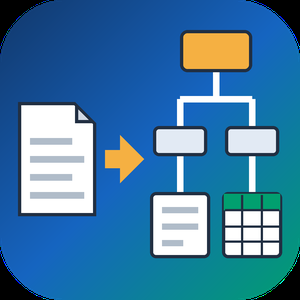
PDF to XML Converter Software is a pdf to xml converter for Windows that turns stacks of PDF reports into structured XML your scripts can parse. Every output file follows one documented schema with document, page, heading, paragraph and table elements, and tables are broken into rows and cells. All work happens on your own PC, so no report leaves the machine. 🛠️ How to use 1. Install the program and drag PDF files or a whole folder into the list. 2. Decide whether you need positions and fonts. Tick the coordinates option for block boxes, or leave it off for a lighter text-only file. 3. Press Convert. You get one XML per PDF, named after its source. 4. Point XSLT, Python or your database loader at the output folder. 💼 Why IT and office teams pick it Imports break when every department sends a different layout. This pdf to xml converter keeps the same element names for every file, so a loader written once keeps working. Headings get a level from 1 to 6 based on font size. Each table carries a source attribute that tells you how its grid was found: PDF tags, ruling lines or text alignment. Merged cells keep colspan or rowspan. Text follows reading order, left column before right, and right-to-left lines stay right-to-left. Pages without a text layer are marked scanned="1", so a script can send them to a person. 👥 Who uses it Data engineers and ETL developers feeding report figures into databases. Systems integrators who need to convert PDF to XML for another application. BI analysts, search-index developers and QA testers who check document pipelines. Procurement teams use it to pull supplier price tables into purchasing systems, and layout analysts switch on coordinates to study where each block sits on the page. ❓ FAQ How does the pdf to xml step handle two-column pages? The left column is written first, then the right one. Hebrew and Arabic lines keep their right-to-left order and carry a direction attribute. Can I stop a long batch halfway? Yes. Stop ends the job between two files, and every XML finished before that point stays on disk. Can I convert PDF to XML without uploading files? Yes. The program works offline, and your PDFs stay on your disk. What does the XML look like? A document root with page elements inside. Each page holds headings, paragraphs and tables in reading order, saved as UTF-8 without a byte order mark. Can this pdf to xml converter fill an invoice or XBRL schema? No. It writes its own fixed schema. Mapping to another schema is a job for your XSLT or import script. Is there a command line or API? No. Batches are started by hand in the desktop window, so it cannot run as a server service. 🎁 Free trial: every PDF in a batch gets its first 10 lines or table rows, and the file still passes an XML parser. Runs on Windows desktop and laptop PCs.

Batch Picture Protector is a Windows desktop program that lets you watermark images by the folder instead of one at a time. Put your name with the © symbol, a short line of text or your logo on every photo, then save the results to an output folder. The app works offline, so a shoot can be marked on a laptop with no internet connection. One batch watermark job can cover thousands of pictures, and the settings you pick once are applied to each file in the list. 🛠️ How to use 1. Click Add Files and pick single photos or a whole folder. 2. Open the Watermark screen and type your text, choose a logo image, or check both. 3. Set size, angle, transparency and position, or tile the mark across the picture. 4. Save the watermark as a template so you can load it on the next job. 5. Switch to Batch mode to watermark images in the list with the same settings. 6. Choose the destination folder and start. Your originals stay where they were, and the marked copies land in the folder you picked. 💼 Why IT and office teams pick it One saved template keeps the company logo in the same spot on every picture, whoever runs the job. Renaming and resizing happen in the same pass, so a team gets ready files from a single run. Command line mode takes an input file, an output folder and a saved watermark file, which lets admins add the step to their own scripts. Nothing is uploaded anywhere, which helps when photos of staff, products or premises must stay on company machines. 👥 Who uses it Wedding and portrait photographers who send proofs to clients before an order. Designers who share drafts and want their name on them. Shops and bloggers that post photos online and want credit to stay with each picture. Marketing staff who prepare the same set of product shots for a website, a catalog and social media. ❓ FAQ How do I add watermark to photo files in bulk? Add the files or a folder, build the watermark once and run Batch mode. The program applies the same settings to every picture in the list. Can I use a logo with a transparent background? Yes. The logo can be transparent or opaque, and you set its transparency, size and angle before you apply it. What does a tile watermark do? It repeats your text or logo across the entire image. Photographers use it on client proofs so a picture is hard to reuse before purchase. Can the text show the date a photo was taken? Yes. Text can pull the shooting date from EXIF data, the current time or the file name. Which file types can I watermark images in? JPG, PNG, TIFF, BMP and GIF open in the program, and so do older PCX and TGA pictures. That makes it easy to mark a scanned archive together with fresh shots from a camera. ✅ Batch Picture Protector has a free trial download. It runs on Windows PCs, including Windows 11, and needs no internet connection to watermark images.

Remove Logo Now! is a dedicated software application engineered for the meticulous removal of unwanted logos, watermarks, text overlays, and other intrusive objects from video files. This specialized tool transcends the capabilities of general video editing suites, focusing solely on the art of clean video restoration. Unlike broad-spectrum video editors, Remove Logo Now! employs advanced algorithms that analyze video frames to detect and eliminate designated objects. It strategically reconstructs the affected areas, seamlessly blending the surrounding pixels to create a visually consistent and natural-looking result. This process ensures that the removal of unwanted elements leaves minimal, if any, discernible traces. The software's strength lies in its ability to address a diverse range of visual intrusions. Whether dealing with static logos, animated watermarks, scrolling text, or embedded timestamps, Remove Logo Now! offers a suite of removal techniques. These include intelligent filling, texture cloning, and targeted blurring, allowing users to select the optimal approach for each specific scenario. Remove Logo Now! prioritizes user accessibility. Its intuitive interface simplifies the object removal process, guiding users through each step with clear visual feedback. Users can precisely define the areas to be cleaned and preview the results in real-time before finalizing the output. This streamlined workflow makes the software suitable for both novice and experienced video editors seeking efficient and effective object removal. The software boasts comprehensive format compatibility, supporting a wide array of video codecs and containers, including AVI, MP4, MOV, and WMV. Furthermore, it offers customizable output settings, enabling users to fine-tune resolution, frame rate, and encoding parameters to meet their specific requirements. Batch processing is a core feature of Remove Logo Now!, enabling users to apply object removal to multiple video files simultaneously. This capability significantly streamlines workflows, particularly when dealing with large volumes of footage requiring consistent cleanup. In essence, Remove Logo Now! is a highly specialized and effective tool for achieving pristine video by eliminating unwanted visual elements. Its focus on precision object removal, coupled with its user-friendly interface and robust feature set, makes it an indispensable asset for video editors, content creators, and anyone seeking to deliver clean, professional video presentations. It is a tool dedicated to the eradication of visual distractions, allowing the core content of the video to stand unimpeded.

Privacy Protector for Windows 11 helps to cope with privacy problems in this OS. There are numerous services in Windows 10/11 that collect private user's data of all possible kinds. This software tool helps to solve all Windows 10/11 privacy issues that violate a right of every user for confidential activity on his PC. The program is oriented both for private users and companies with exclusive standards of data confidentiality. By means of a simple-to-use interface a Privacy protector user can tune his system to block the unwanted traffic to Microsoft servers. It is possible to delete certain elements of Telemetry and Data Collection system, while the rest is simply disabled. A user is able to act at his own discretion choosing the services for disabling to eliminate specific Windows 10/11 privacy concerns. There are about 40 services (some of them work on the background) tracking and collecting personal user data. It is possible delete, disable or block the following tools: • Contrana • Office Telemetry • Media Center • Power Efficiency Diagnostics • Customer Experience Improvement Program • Windows Search These are only a part of services that become manageable with the help of Privacy Protector for Windows 11. It also disables Keylogger that sends all data typed on the keyboard to MS servers (that may also contain credit card numbers, passwords, personal details, etc.). To prevent the appearance of new unwanted crawlers and Windows 10/11 privacy spies, the program allows to disable Windows Update. This feature is also available for Windows ver. 7-8. The program blocks Microsoft IP addresses and helps to add rules for them in Windows Firewall. The most of spying programs work in the background, consuming a decent part of available system resources. That is why disabling will not only provide you proper privacy, but will also improve your system performance. Privacy Protector for Windows 11 always creates a system restore point before establishing any changes to roll back if needed.

Dive into the world of effortless screen capture with SoftOrbits Screen Recorder, a versatile Windows application designed to meet all your recording needs. Whether you're a content creator, educator, gamer, or professional, this software empowers you to record high-quality screen activities with remarkable simplicity. Forget about frustrating time limits; SoftOrbits Screen Recorder allows you to capture lengthy sessions, from in-depth tutorials to extensive gameplay, without interruption. Experience crystal-clear visuals with support for resolutions up to 4K, ensuring every detail is preserved in your recordings. The hardware-accelerated recording engine optimizes performance, minimizing CPU load and guaranteeing smooth, lag-free capture, even during demanding tasks. Beyond basic recording, SoftOrbits Screen Recorder offers a suite of powerful features to enhance your videos. Seamlessly integrate webcam footage to add a personal touch to your recordings, making them more engaging and informative. Enrich your content with voice narration, providing clear explanations and commentary as you record. The real-time drawing tools allow you to annotate and highlight key elements directly on the screen, making your tutorials and presentations more dynamic and interactive. The built-in video editor simplifies post-production, enabling you to trim unwanted segments, refine your recordings, and prepare them for sharing. Choose between MP4 and AVI output formats, ensuring compatibility with a wide range of devices and platforms. Whether you're creating instructional videos, capturing online meetings, or archiving gameplay highlights, SoftOrbits Screen Recorder provides the tools you need to produce professional-quality recordings with ease. Key features include: • Unlimited Recording Time: Capture lengthy screen sessions without interruptions. • High-Resolution Support (up to 4K): Preserve every detail with stunning visual clarity. • Hardware-Accelerated Recording: Ensure smooth, lag-free performance. • Webcam Overlay: Add a personal touch to your recordings. • Voice Narration: Provide clear explanations and commentary. • Real-Time Drawing Tools: Annotate and highlight key elements. • Built-in Video Editor: Trim and refine your recordings. • MP4 and AVI Output Formats: Ensure compatibility with various devices. • User-Friendly Interface: Navigate and utilize features with ease. SoftOrbits Screen Recorder is the ideal solution for anyone seeking a reliable and feature-rich screen recording tool. Its intuitive design and powerful capabilities make it a valuable asset for creating professional-quality videos for various purposes. Elevate your screen recording experience and bring your content to life with SoftOrbits Screen Recorder.

SoftOrbits Video Converter is your comprehensive solution, designed to effortlessly bridge the gap between various video formats and your diverse playback devices. This intuitive software empowers users of all skill levels to quickly and efficiently convert videos, ensuring seamless playback on any platform. Effortless Format Conversion and Wide Compatibility: Say goodbye to frustrating format incompatibilities. SoftOrbits Video Converter boasts extensive support for a vast array of popular video formats, including but not limited to AVI, MP4, MOV, WMV, FLV, MKV, and many more. Whether you need to convert home videos, downloaded content, or professional footage, this software handles it with ease. Choose your desired output format and optimize videos for playback on smartphones, tablets, computers, smart TVs, and gaming consoles. Integrated Video Editing for Enhanced Control: Beyond simple conversion, SoftOrbits Video Converter provides a built-in video editor, giving you precise control over your media. Trim unwanted segments, crop frames to focus on key elements, rotate videos for optimal viewing, and enhance your visuals with a range of effects. This integrated editor allows you to refine your videos before or after conversion, ensuring they meet your exact specifications. Batch Processing for Time Efficiency: Maximize your productivity with the powerful batch conversion feature. Effortlessly convert multiple videos simultaneously, saving valuable time and effort. This functionality is ideal for users with extensive video libraries or those requiring rapid processing of large volumes of media. Simply select your files, choose your output settings, and let SoftOrbits Video Converter handle the rest. Advanced Customization and Enhancement Tools: Take your video editing to the next level with advanced customization options. Fine-tune your videos by adjusting brightness, contrast, and saturation to achieve the perfect visual balance. Add subtitles to enhance accessibility or incorporate watermarks to protect your content. SoftOrbits Video Converter provides the tools you need to personalize and refine your videos to professional standards. Device-Specific Preset Profiles for Optimal Playback: Simplify the conversion process with a wide selection of preset profiles optimized for specific devices. Quickly and easily prepare videos for playback on popular devices such as iPhones, iPads, Android smartphones and tablets, and various other platforms. These presets automatically apply the optimal settings, ensuring seamless playback without manual configuration. Key Features at a Glance: • Comprehensive Format Support: Converts a wide range of video formats, including AVI, MP4, MOV, WMV, FLV, MKV, and more. • Intuitive User Interface: Easy-to-use design suitable for users of all technical levels. • Integrated Video Editor: Trim, crop, rotate, and add effects to your videos. • Batch Conversion: Convert multiple videos simultaneously for increased efficiency. • Advanced Adjustment Tools: Adjust brightness, contrast, and saturation for enhanced visuals. • Subtitle and Watermark Support: Add subtitles and watermarks to personalize your videos. • Device-Specific Presets: Quickly convert videos for playback on popular devices. • High-Speed Conversion: Optimized for fast and efficient video processing. • Reliable and Stable Performance: Ensures consistent and dependable results. SoftOrbits Video Converter is the ideal solution for anyone seeking a versatile, powerful, and user-friendly video conversion tool. Whether you're a casual user or a professional video editor, this software provides the features and flexibility you need to transform your videos with ease.
SoftOrbits Reviews
Abhay P.
Cloud EngineerSmall-Business (50 or fewer emp.)SoftOrbits Icon Maker Review

Adnan A.
SME OptimizationSmall-Business (50 or fewer emp.)SoftOrbits Photo Retoucher review
About
What is SoftOrbits?
SoftOrbits is a software development company specializing in digital solutions for various needs, including photo editing, privacy protection, and data recovery. Their portfolio includes user-friendly tools like photo restoration software, data encryption programs, and utilities to recover lost files from digital devices. By focusing on ease of use and effectiveness, SoftOrbits aims to support both individuals and businesses in managing and enhancing their digital assets.