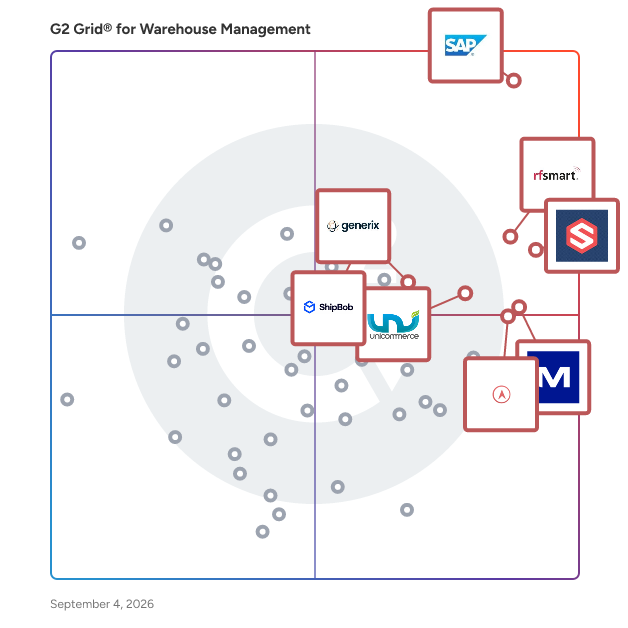
  # Best Warehouse Management Software for Small Business - Page 2

  *By [Daniel Rivera](https://research.g2.com/insights/author/daniel-rivera)*

   Products classified in the overall Warehouse Management category are similar in many regards and help companies of all sizes solve their business problems. However, small business features, pricing, setup, and installation differ from businesses of other sizes, which is why we match buyers to the right Small Business Warehouse Management to fit their needs. Compare product ratings based on reviews from enterprise users or connect with one of G2&#39;s buying advisors to find the right solutions within the Small Business Warehouse Management category.

In addition to qualifying for inclusion in the Warehouse Management Software category, to qualify for inclusion in the Small Business Warehouse Management Software category, a product must have at least 10 reviews left by a reviewer from a small business.


## How Many Warehouse Management Software Products Does G2 Track?
**Total Products under this Category:** 490

### Category Stats (May 2026)
- **Average Rating**: 4.39/5 (↑0.01 vs Apr 2026)
- **New Reviews This Quarter**: 58
- **Buyer Segments**: Mid-Market 48% │ Small-Business 33% │ Enterprise 19%
- **Top Trending Product**: Zenventory (+0.292)
*Last updated: May 18, 2026*

  
## How Does G2 Rank Warehouse Management Software Products?

**Why You Can Trust G2's Software Rankings:**

- 30 Analysts and Data Experts
- 4,500+ Authentic Reviews
- 490+ Products
- Unbiased Rankings

G2's software rankings are built on verified user reviews, rigorous moderation, and a consistent research methodology maintained by a team of analysts and data experts. Each product is measured using the same transparent criteria, with no paid placement or vendor influence. While reviews reflect real user experiences, which can be subjective, they offer valuable insight into how software performs in the hands of professionals. Together, these inputs power the G2 Score, a standardized way to compare tools within every category.

  
## Which Warehouse Management Software Is Best for Your Use Case?

- **Best for Small Businesses:** [ShipHero](https://www.g2.com/products/shiphero/reviews)
- **Best for Mid-Market:** [SAP Extended Warehouse Management](https://www.g2.com/products/sap-extended-warehouse-management/reviews)
- **Best for Enterprise:** [SAP Extended Warehouse Management](https://www.g2.com/products/sap-extended-warehouse-management/reviews)
- **Highest User Satisfaction:** [ShipHero](https://www.g2.com/products/shiphero/reviews)
- **Best Free Software:** [Cin7 Core](https://www.g2.com/products/cin7-core/reviews)

  
---

**Sponsored**

### SKUSavvy

Turn Your Warehouse Chaos into a Visual Command Center SKUSavvy isn’t just a WMS; it is the visual brain of your fulfillment operation. We replace the cognitive load of spreadsheets and clunky lists with a 3D visual map of your entire warehouse. By mirroring the physical world on a digital screen, we tap into your team’s natural visual intuition—making complex tasks like check-in, put-away, and wave picking feel like a game rather than a chore. Unlock &quot;Flow State&quot; Fulfillment Eliminate the friction that kills efficiency. SKUSavvy is natively mobile and device-agnostic, untethering your team from workstations so they can flow through the warehouse with precision. From smart routing that cuts travel time to automated bin replenishment that prevents pick-path bottlenecks, every movement is optimized to lower costs and double your shipping speed. Scale Without the Growing Pains Growth shouldn&#39;t mean guessing. We empower you with an intelligent inventory lifecycle that predicts exactly what you need before you need it. By automating purchasing based on real-time order velocity and lead times, SKUSavvy ensures you are never overstocked or out of stock—just perfectly poised for the next sale. Zero Risk. Maximum Reward Stop paying for software you hope will work. Get your first \*\*50 orders free every month\*\*, with no credit card required and the freedom to cancel anytime. You can be fully set up and shipping like a pro in as little as a week. Start Now


[Visit website](https://www.g2.com/external_clickthroughs/record?secure%5Bad_program%5D=ppc&amp;secure%5Bad_slot%5D=category_product_list&amp;secure%5Bcategory_id%5D=369&amp;secure%5Bdisplayable_resource_id%5D=369&amp;secure%5Bdisplayable_resource_type%5D=Category&amp;secure%5Bmedium%5D=sponsored&amp;secure%5Bplacement_reason%5D=page_category&amp;secure%5Bplacement_resource_ids%5D%5B%5D=369&amp;secure%5Bprioritized%5D=false&amp;secure%5Bproduct_id%5D=167084&amp;secure%5Bresource_id%5D=369&amp;secure%5Bresource_type%5D=Category&amp;secure%5Bsource_type%5D=category_page&amp;secure%5Bsource_url%5D=https%3A%2F%2Fwww.g2.com%2Fcategories%2Fwarehouse-management%3Fpage%3D2&amp;secure%5Btoken%5D=709da419f3ed12ac473498f43b8e00c6d07c7172172ecfb4f6eda696c3f387e0&amp;secure%5Burl%5D=https%3A%2F%2Fwww.skusavvy.com%2Fshopify-plus&amp;secure%5Burl_type%5D=custom_url)

---

  ## What Are the Top-Rated Warehouse Management Software Products in 2026?
### 1. [Fishbowl Inventory](https://www.g2.com/products/fishbowl-inventory/reviews)
  Fishbowl is a comprehensive inventory, warehousing, and manufacturing solution specifically designed for small to medium-sized businesses. This software aims to streamline operations by providing users with essential tools for effective inventory management, material requirements planning (MRP), job shop floor control, and work order management. With its versatile deployment options, Fishbowl can be utilized either on-premise or hosted in the cloud, catering to the diverse needs of businesses. The target audience for Fishbowl includes small to medium enterprises that require robust inventory management capabilities to enhance their operational efficiency. Businesses in various sectors, including manufacturing, retail, and distribution, can benefit from Fishbowl&#39;s extensive features. Specific use cases range from tracking inventory across multiple locations to managing complex manufacturing processes, making it a valuable asset for companies looking to optimize their supply chain and production workflows. Key features of Fishbowl encompass a wide array of functionalities that facilitate efficient inventory management. Users can take advantage of barcode printing and scanning, enabling quick and accurate tracking of items. The software supports tracking by lot number, serial number, expiration date, and custom criteria, allowing for precise inventory control. Additionally, Fishbowl offers multi-currency conversions, automatic reorder points, and seamless sales order to purchase order functionality, which simplifies procurement processes. The ability to create multilevel work orders, bills of materials, and manufacturer orders further enhances the software&#39;s capability to manage complex manufacturing tasks. Fishbowl stands out in its category by offering unlimited custom fields, customer and vendor profiles, pricing rules, and units of measure, providing businesses with the flexibility to tailor the software to their specific needs. Furthermore, Fishbowl integrates with numerous shopping carts, shippers, CRM systems, and accounting software, ensuring a cohesive workflow across various platforms. In addition to its core functionalities, Fishbowl provides several complementary business solutions that enhance its inventory management capabilities. These include Fishbowl Channels for multichannel product listings and order fulfillment, Fishbowl Checkout for point-of-sale transactions, and Fishbowl for Salesforce for CRM integration. The Fishbowl Mobile App allows for barcode scanning and warehouse management on-the-go, while Fishbowl ShipExpress offers streamlined shipping solutions. Lastly, Fishbowl Time provides an online employee time clock, further supporting operational efficiency.


  **Average Rating:** 4.0/5.0
  **Total Reviews:** 267
**How Do G2 Users Rate Fishbowl Inventory?**

- **Has the product been a good partner in doing business?:** 7.8/10 (Category avg: 8.7/10)
- **Pick &amp; Pack:** 7.8/10 (Category avg: 8.5/10)
- **Receiving:** 7.7/10 (Category avg: 8.4/10)
- **What is your organization&#39;s estimated ROI on the product (payback period in months)?:** 10/10 (Category avg: 10/10)

**Who Is the Company Behind Fishbowl Inventory?**

- **Seller:** [Fishbowl Inventory](https://www.g2.com/sellers/fishbowl-inventory)
- **Year Founded:** 2001
- **HQ Location:** Orem, UT
- **Twitter:** @fishbowl (8,539 Twitter followers)
- **LinkedIn® Page:** https://www.linkedin.com/company/63440/ (220 employees on LinkedIn®)

**Who Uses This Product?**
  - **Who Uses This:** Operations Manager, Director of Operations
  - **Top Industries:** Wholesale, Consumer Goods
  - **Company Size:** 80% Small-Business, 19% Mid-Market


#### What Are Fishbowl Inventory's Pros and Cons?

**Pros:**

- Features (3 reviews)
- Inventory Management (3 reviews)
- Customer Support (2 reviews)
- Ease of Use (2 reviews)
- Helpful (2 reviews)

**Cons:**

- Limited Reporting (3 reviews)
- Missing Features (3 reviews)
- Poor Reporting (3 reviews)
- Integration Issues (2 reviews)
- Limited Customization (2 reviews)

### 2. [Microsoft Dynamics 365 Supply Chain Management](https://www.g2.com/products/microsoft-dynamics-365-supply-chain-management/reviews)
  Microsoft Dynamics AX is the complete ERP solution for enterprises that provides a purpose-built foundation across five industries (manufacturing, distribution, retail, services, and public sector), along with comprehensive, core ERP functionality for financial, human resources and operations management. It empowers your people to anticipate and embrace change so your business can thrive. All of this is packaged in a single global solution giving you rapid time to value.


  **Average Rating:** 3.7/5.0
  **Total Reviews:** 98
**How Do G2 Users Rate Microsoft Dynamics 365 Supply Chain Management?**

- **Has the product been a good partner in doing business?:** 7.4/10 (Category avg: 8.7/10)
- **Pick &amp; Pack:** 7.8/10 (Category avg: 8.5/10)
- **Receiving:** 7.2/10 (Category avg: 8.4/10)
- **What is your organization&#39;s estimated ROI on the product (payback period in months)?:** 10/10 (Category avg: 10/10)

**Who Is the Company Behind Microsoft Dynamics 365 Supply Chain Management?**

- **Seller:** [Microsoft](https://www.g2.com/sellers/microsoft)
- **Year Founded:** 1975
- **HQ Location:** Redmond, Washington
- **Twitter:** @microsoft (13,101,622 Twitter followers)
- **LinkedIn® Page:** https://www.linkedin.com/company/microsoft/ (227,697 employees on LinkedIn®)
- **Ownership:** MSFT

**Who Uses This Product?**
  - **Top Industries:** Information Technology and Services, Computer Software
  - **Company Size:** 47% Mid-Market, 33% Enterprise


#### What Are Microsoft Dynamics 365 Supply Chain Management's Pros and Cons?

**Pros:**

- Accurate Data (1 reviews)
- Customizability (1 reviews)
- Data Management (1 reviews)
- Features (1 reviews)
- Functionality (1 reviews)

**Cons:**

- Expensive (1 reviews)
- Lacking Features (1 reviews)
- Lack of Features (1 reviews)
- Missing Features (1 reviews)
- Small Businesses (1 reviews)

### 3. [Flowspace](https://www.g2.com/products/flowspace/reviews)
  Flowspace is a logistics and fulfillment solution built for ecommerce and omnichannel brands. It combines cloud-based software with a nationwide warehouse network, giving companies centralized control and real-time visibility across inventory, orders, and shipping. By integrating directly with warehouse operations, the platform provides proactive inventory tracking, order status upates, and performance metrics that enable businesses to respond quickly to demand changes, supply constraints, and operational issues. The system intelligently routes and reroutes orders to the most efficient fulfillment center based on location, inventory availability, and carrier performance. This reduces transit times, controls shipping costs, and preserves delivery speed and customer experience. Flowspace integrates with ERP systems, warehouse management software, and major ecommerce platforms, ensuring that inventory, order, and shipment data remain consistent across every sales channel. All operations are backed by service level agreements that guarantee specific standards for order accuracy, on-time shipping, and fulfillment speed, with reporting to hold performance accountable. From the outset, Flowspace provides guided onboarding and implementation support to configure integrations, workflows, and performance tracking. Its operational oversight tools let businesses monitor key fulfillment metrics, identify process bottlenecks, and make data-driven improvements. The platform supports both direct-to-consumer and wholesale fulfillment, including services like kitting, bundling, and returns management. By consolidating fulfillment into a single platform, Flowspace reduces the complexity of managing multiple logistics partners or facilities. Businesses can scale across the country without taking on warehouse leases or staffing, while retaining centralized visibility and control over their operations. This combination of technology, infrastructure, and operational support positions Flowspace as a comprehensive solution for companies seeking to optimize fulfillment efficiency, reliability, and scalability in a competitive market.


  **Average Rating:** 4.0/5.0
  **Total Reviews:** 52
**How Do G2 Users Rate Flowspace?**

- **Has the product been a good partner in doing business?:** 8.3/10 (Category avg: 8.7/10)
- **Pick &amp; Pack:** 8.3/10 (Category avg: 8.5/10)
- **Receiving:** 8.2/10 (Category avg: 8.4/10)
- **What is your organization&#39;s estimated ROI on the product (payback period in months)?:** 7.6/10 (Category avg: 10/10)

**Who Is the Company Behind Flowspace?**

- **Seller:** [Flowspace](https://www.g2.com/sellers/flowspace)
- **Company Website:** https://www.flow.space
- **Year Founded:** 2017
- **HQ Location:** Los Angeles, US
- **Twitter:** @get_flowspace (414 Twitter followers)
- **LinkedIn® Page:** https://www.linkedin.com/company/12951656/ (80 employees on LinkedIn®)

**Who Uses This Product?**
  - **Top Industries:** Food &amp; Beverages, Consumer Goods
  - **Company Size:** 75% Small-Business, 25% Mid-Market


### 4. [Flexport](https://www.g2.com/products/flexport/reviews)
  Take control of your supply chain with Flexport. Accelerate performance and growth for your entire supply chain. Ship to and from anywhere. Track everything. Collaborate with everyone. See what happens when data drives your decisions. Simplify everything, all in one place. The Flexport Platform is your supply chain source of truth. Automate orders. Onboard suppliers. Book logistics. Track cargo—even if other partners handle it. A single dashboard speeds workflows and surfaces insights. Ship, track, and scale in just a few clicks. With logistics partners in more than 80 countries, companies of any size can transport goods to and from more places with greater ease and agility. -80+ countries with Flexport Platform users -265K+ shipping docs digitized for speed and accuracy -4.8M+ milestones tracked annually for greater shipment visibility See Why 10,000+ companies choose Flexport. We digitize logistics. Think of what you could achieve with your supply chain in one view? At Georgia-Pacific, replacing thousands of email updates and attachments with a single view led to 100% on-time customs filings. That means faster arrivals and lower landed costs. Now, they extend the same visibility to their own customers. Seeing really is achieving.


  **Average Rating:** 4.2/5.0
  **Total Reviews:** 17
**How Do G2 Users Rate Flexport?**

- **Has the product been a good partner in doing business?:** 8.3/10 (Category avg: 8.7/10)

**Who Is the Company Behind Flexport?**

- **Seller:** [Flexport](https://www.g2.com/sellers/flexport)
- **Year Founded:** 2013
- **HQ Location:** San Francisco, US
- **Twitter:** @flexport (27,361 Twitter followers)
- **LinkedIn® Page:** https://www.linkedin.com/company/3131483/ (2,870 employees on LinkedIn®)

**Who Uses This Product?**
  - **Company Size:** 71% Small-Business, 24% Mid-Market


#### What Are Flexport's Pros and Cons?


**Cons:**

- Billing Issues (1 reviews)
- Expensive (1 reviews)
- Hidden Fees (1 reviews)
- High Fees (1 reviews)
- Inventory Management (1 reviews)

### 5. [Fulcrum](https://www.g2.com/products/shopping-cart-fulfillment-fulcrum/reviews)
  [Fulcrum](https://www.fulcrumwms.com) is a cloud-based warehouse management, multi-carrier shipping software and ecommerce provider. Each component works together to provide a comprehensive solution for the third-party logistics and warehousing industries.  
  
 Inventory  
 -Kitting  
 -Bundles  
 -Lot, Expiration and Outbound Id  
 -Cycle Counting  
 -Barcoding  
  
 Warehouse  
 -Forward, storage, crossdock and quarantine locations  
 -Multi Warehouse  
 -Carton Types  
  
 Pick, Pack and Ship  
 -Pick To Tote  
 -Batch Shipping  
 -Batch Pick/Pack  
 -Scan barcodes  
 -Ship on third party accounts  
 -Shipping maps  
  
 Orders  
 -Order Rules  
 -Order Upload  
 -Combine Orders  
 -Bulk edit orders  
 -Manage Backorders  
  
 Receiving -Purchase Order Management  
 -Receiving  
 -Advanced Shipping Notifications  
  
 Misc  
 -EDI  
 -Reporting  
 -Billing  
 -Markup Shipping  

  **Average Rating:** 4.9/5.0
  **Total Reviews:** 17
**How Do G2 Users Rate Fulcrum?**

- **Has the product been a good partner in doing business?:** 9.4/10 (Category avg: 8.7/10)
- **Pick &amp; Pack:** 9.8/10 (Category avg: 8.5/10)
- **Receiving:** 9.0/10 (Category avg: 8.4/10)
- **What is your organization&#39;s estimated ROI on the product (payback period in months)?:** 10/10 (Category avg: 10/10)

**Who Is the Company Behind Fulcrum?**

- **Seller:** [Shopping Cart Fulfillment](https://www.g2.com/sellers/shopping-cart-fulfillment)
- **Year Founded:** 2001
- **HQ Location:** St Petersburg, US
- **LinkedIn® Page:** https://www.linkedin.com/company/28985406/ (1 employees on LinkedIn®)

**Who Uses This Product?**
  - **Top Industries:** Warehousing
  - **Company Size:** 59% Small-Business, 35% Mid-Market


### 6. [Acctivate Inventory Software](https://www.g2.com/products/acctivate-inventory-software/reviews)
  Acctivate Inventory Software is an operational hub for growing small to mid-sized distributors, online retailers, and manufacturers using QuickBooks®. The sophisticated solution promotes collaboration across the entire company with tools that deliver comprehensive business management, including real-time visibility of inventory, multi-channel sales, purchasing, order fulfillment + more. Operations are accelerated from customer service to the warehouse and key insights enable strategic decision-making. Acctivate replaces manual, error-prone methods like spreadsheets and helps solve virtually any business and industry specific challenge. Integrations to best-in-class technologies for eCommerce, EDI and more simplify business processes; and intelligent functionality for lot &amp; serial number traceability, landed cost, mobile warehouse management and more enhance productivity and streamline operations. Acctivate is an ERP alternative that works with QuickBooks to serve SMBs looking to scale operational capabilities without settling for a costly, overserving mid-market ERP software. In turn, their warehouse is optimized, inventory investments protected, and customer satisfaction exceeded.


  **Average Rating:** 4.0/5.0
  **Total Reviews:** 97
**How Do G2 Users Rate Acctivate Inventory Software?**

- **Has the product been a good partner in doing business?:** 8.2/10 (Category avg: 8.7/10)
- **Pick &amp; Pack:** 7.6/10 (Category avg: 8.5/10)
- **Receiving:** 8.2/10 (Category avg: 8.4/10)
- **What is your organization&#39;s estimated ROI on the product (payback period in months)?:** 10/10 (Category avg: 10/10)

**Who Is the Company Behind Acctivate Inventory Software?**

- **Seller:** [Acctivate](https://www.g2.com/sellers/acctivate-261c9585-2ec7-49f4-ac47-927b74f27063)
- **Year Founded:** 2003
- **HQ Location:** Arlington, TX
- **Twitter:** @Acctivate (6,749 Twitter followers)
- **LinkedIn® Page:** https://www.linkedin.com/company/139221/ (22 employees on LinkedIn®)

**Who Uses This Product?**
  - **Top Industries:** Wholesale, Retail
  - **Company Size:** 95% Small-Business, 5% Mid-Market


### 7. [Extensiv 3pl Warehouse Manager](https://www.g2.com/products/extensiv-3pl-warehouse-manager/reviews)
  Extensiv 3PL Warehouse Manager is the leader in cloud-based warehouse management system (WMS) solutions built to meet the unique needs of the 3PL warehousing community. Serving as the backbone of our customers&#39; operations, our platform quickly transforms paper-based, error-prone businesses into service leaders who can focus on customer satisfaction, operate more efficiently, and grow faster. Offering a comprehensive warehouse management platform, we make it easy for 3PLs to manage inventory, automate routine tasks, and deliver complete visibility to their customers. As the proven industry leader for over a decade, Extensiv accurately manages billions of dollars in inventory and processes more than 1 million orders a week from any of our customers and their customers’ systems.


  **Average Rating:** 4.0/5.0
  **Total Reviews:** 40
**How Do G2 Users Rate Extensiv 3pl Warehouse Manager?**

- **Has the product been a good partner in doing business?:** 8.4/10 (Category avg: 8.7/10)
- **Pick &amp; Pack:** 7.1/10 (Category avg: 8.5/10)
- **Receiving:** 8.3/10 (Category avg: 8.4/10)
- **What is your organization&#39;s estimated ROI on the product (payback period in months)?:** 10/10 (Category avg: 10/10)

**Who Is the Company Behind Extensiv 3pl Warehouse Manager?**

- **Seller:** [Extensiv](https://www.g2.com/sellers/extensiv)
- **HQ Location:** El Segundo, CA
- **Twitter:** @goextensiv (117 Twitter followers)
- **LinkedIn® Page:** https://www.linkedin.com/company/81874952/ (160 employees on LinkedIn®)

**Who Uses This Product?**
  - **Top Industries:** Warehousing, Logistics and Supply Chain
  - **Company Size:** 73% Small-Business, 25% Mid-Market


#### What Are Extensiv 3pl Warehouse Manager's Pros and Cons?

**Pros:**

- Ease of Use (2 reviews)
- Customer Support (1 reviews)
- Easy Access (1 reviews)
- Efficiency (1 reviews)
- Instructional Clarity (1 reviews)

**Cons:**

- Inventory Management (1 reviews)
- Limited Customization (1 reviews)
- Order Management (1 reviews)
- Poor Understanding (1 reviews)
- Shipping Issues (1 reviews)

### 8. [Infoplus WMS](https://www.g2.com/products/infoplus-wms/reviews)
  InfoPlus WMS is a web-based warehouse management software solution for 3PLs, eCommerce Retailers, and Wholesalers focused on taking control of overall inventory, warehouse operations and shipping. Key features include the ability to manage unique workflows for different business types under a single software platform. Define distinct production line processes compatible with any iOS or Android base devices. Light Manufacturing with &#39;print on demand&#39; capabilities as well as Kit On Demand functionality to handle eCommerce bundles and flash sales. Give your business the ability to scale based to overcome the next need, challenge or business change with clicks of a mouse. Software experts help each warehouse establish a custom workflow with industry knowledge to ensure the WMS drives the warehouse operation suited to you and your customers.


  **Average Rating:** 4.5/5.0
  **Total Reviews:** 20
**How Do G2 Users Rate Infoplus WMS?**

- **Has the product been a good partner in doing business?:** 9.4/10 (Category avg: 8.7/10)
- **Pick &amp; Pack:** 9.1/10 (Category avg: 8.5/10)
- **Receiving:** 8.3/10 (Category avg: 8.4/10)
- **What is your organization&#39;s estimated ROI on the product (payback period in months)?:** 10/10 (Category avg: 10/10)

**Who Is the Company Behind Infoplus WMS?**

- **Seller:** [Infoplus Commerce](https://www.g2.com/sellers/infoplus-commerce)
- **Year Founded:** 2013
- **HQ Location:** St Louis, Missouri
- **Twitter:** @infopluscommerc (504 Twitter followers)
- **LinkedIn® Page:** https://www.linkedin.com/company/infoplus-commerce/ (17 employees on LinkedIn®)

**Who Uses This Product?**
  - **Top Industries:** Warehousing, Logistics and Supply Chain
  - **Company Size:** 65% Small-Business, 40% Mid-Market


#### What Are Infoplus WMS's Pros and Cons?

**Pros:**

- Inventory Management (2 reviews)
- Tracking (2 reviews)
- Order Management (1 reviews)
- Real-Time Tracking (1 reviews)
- Response Time (1 reviews)

**Cons:**

- Limited Features (1 reviews)
- Limited Solutions (1 reviews)
- Mobile Limitations (1 reviews)
- Slow Performance (1 reviews)


    ## What Is Warehouse Management Software?
  [Inventory Management Software](https://www.g2.com/categories/inventory-management)
  ## What Software Categories Are Similar to Warehouse Management Software?
    - [Order Management Software](https://www.g2.com/categories/order-management)
    - [Inventory Control Software](https://www.g2.com/categories/inventory-control-software)
    - [Barcode Software](https://www.g2.com/categories/barcode)

  
---

## How Do You Choose the Right Warehouse Management Software?

### What You Should Know About Warehouse Management Software

### What is Warehouse Management Software?

Warehouse management software (WMS) is primarily used to provide visibility into an organization’s inventory. Users should think of it as a way to monitor, track, and optimize the efficiency of how inventory is stocked, managed, and shipped. WMS provides these inventory management features primarily by being linked to barcode tracking features. Typically, businesses label items with barcodes which provides them full visibility into that particular item. This technology is then linked to the WMS. This is extremely beneficial to businesses because when the item is scanned, it provides visibility into the number of stock left, an item’s location in the warehouse, as well as the shipment status of the item. In this sense, the barcode is the key factor that allows warehouse management systems to be as effective as they are.

In addition to monitoring and optimizing warehouse inventory, WMS can also manage supply chain operations from the manufacturer to the warehouse. This provides more visibility into when shipments are arriving and how to effectively stock those shipments in the most efficient way possible.

#### What Types of Warehouse Management Software Exist?&amp;nbsp;

**ERP-integrated WMS**

Sometimes warehouse management systems can be packaged into an enterprise resource planning (ERP) system. Although it might not have as much functionality as a standalone product, it will definitely provide a wide scope of other business processes. If it’s important to have one system that aligns the warehouse management system with human resources, supply chain management, and manufacturing, then buyers might want to opt for a product that is included in an ERP system.

**Standalone WMS**

Standalone warehouse management systems are sold as a specialized product that doesn’t offer any further supply chain functionality. It will focus specifically on inventory management and warehouse operations. This would be an ideal choice for a company that isn’t looking for software that expands beyond the scope of warehouse management. **&amp;nbsp;**

### What are the Common Features of Warehouse Management Software?

The following are some of the core features typically found in a WMS:

**Inventory control:** Inventory control features allow warehouse managers to monitor inventory levels in real time. This lets managers monitor if their inventory is overstocked or understocked, which can indicate if the business is wasting money on certain products that are not being bought.

**Warehouse layout:** Warehouse layout allows users to identify products by weight or size so businesses can stock items in locations that make movement more efficient around the warehouse. If sales data indicates that a particular product is flying off the shelves, the warehouse managers can ensure that the product is stocked at an optimal location for the quickest shipping times.

**Fulfillment monitoring:** Fulfillment monitoring features allow users to track, manage, and analyze the fulfillment times of their products. By synching RFID tags that are on each product, users can track and locate each item to see if they reached their final destination on time.

**Labor management:** Labor management tools allow warehouse managers to monitor worker performance within the software. The software can help indicate if workers are performing above or below standards.

**Warehouse modeling:** Warehouse modeling allows users to simulate a warehouse workflow change and provide report card metrics on efficiency. This is a great way to test changes before they’re even implemented. Within the feature, warehouse modeling will even proactively recommend optimizations so warehouse managers know how to shift workflows in order to maximize efficiency.

Other Features: [Accounting Integrations](https://www.g2.com/categories/warehouse-management/f/accounting-integrations), [Customer Portals](https://www.g2.com/categories/warehouse-management/f/customer-portal), [eCommerce](https://www.g2.com/categories/warehouse-management/f/ecommerce-integrations), [Procurement](https://www.g2.com/categories/warehouse-management/f/procurement-analytics), [Stock History Reporting](https://www.g2.com/categories/warehouse-management/f/stock-history-reporting), [Visualization](https://www.g2.com/categories/warehouse-management/f/visualization), [Worker Performance](https://www.g2.com/categories/warehouse-management/f/worker-performance)

### What are the Benefits of Warehouse Management Software?

WMS can dramatically improve the efficiency of tracking and monitoring inventory as it moves through the warehouse. As a result of better tracking and inventory planning, users will make processes such as receiving, picking, and storing products quicker and more accurate. These improved processes will result in more shipments going out on time and customers receiving their orders more quickly.

**Meet customer demands:** Shipping time is extremely important to the average online shopper. With massive e-commerce sites setting the bar with shipping in two days or less, other online e-commerce stores must offer the same to stay competitive. Maximizing the efficiency of the inventory with a warehouse management system will allow the company to send more shipments out on time and meet growing customer demands.

**Save money:** Warehouse management systems help businesses with processes such as demand forecasting. By monitoring how much inventory is left of a certain product, businesses can determine if they need to slow down or increase the production of that product. Using historical data to develop an estimate of expected customer demand will ultimately save the company money.

**Better labor management:** WMS can drastically improve the onboarding process for new workers, as well as the efficiency of veteran warehouse workers. Some labor management features typically found in a WMS included worker performance management, labor forecasting, KPI management, and schedule optimization. There are features that allow businesses to set goals for their workers which will provide them with specific metrics to reach. This can be great for compensating workers based on performance. Conversely, there are also great schedule optimization features that provide daily schedules and tasks to warehouse workers. This allows them to always stay on track and not idle in the warehouse.

### Who Uses Warehouse Management Software?

**Warehouse manager:** WMS allows warehouse managers to facilitate daily task planning, staff management, new hire onboarding, and other organizational features that make it simpler to manage the efficiency of their team.

**Distribution center manager:** Distribution center managers are responsible for inventory, shipping, and the receiving of stock. WMS helps distribution center managers with insight into inventory stock levels, and the whereabouts of incoming and outgoing shipments.

### What are the Alternatives to Warehouse Management Software?

Here is a list of warehouse management alternatives that can replace this type of software, either partially or completely:

[**Inventory control software**](https://www.g2.com/categories/inventory-control) **:** For buyers looking to only manage inbound inventory and current stock, then inventory control software is a good option. Inventory control software focuses mainly on the tracking of products, raw materials as well as demand forecasting. It is more concerned with current inventory and how it can be used to meet customer demand. However, WMS is suitable for buyers who want a product that is more encompassing of all aspects of running a warehouse including labor management and outbound logistics.

[**ERP systems**](https://www.g2.com/categories/erp-systems) **:** ERP systems are complete, integrated systems that manage all aspects of a production-based or distribution business, aligning financial management, human resources, supply chain management, and manufacturing or distribution with the core function of accounting. ERP systems generally have their own warehouse management capabilities, but they are typically limited in functionality. If the buyer needs a more complete system for managing other aspects of the business then an ERP might be the way to go.&amp;nbsp;

#### Software Related to Warehouse Management Software

Related solutions that can be used together with WMS include:

[**ERP systems**](https://www.g2.com/categories/erp-systems) **:** Integrating WMS with an ERP system is key to maximizing its potential. Integration between these two systems will allow managers to see all data that relates to manufacturing, supply chain, and shipping all in one place. This will ultimately lead to more visibility of how the business processes are connected.

[**Accounting software**](https://www.g2.com/categories/accounting) **:** Integrating WMS with accounting software will allow users to accurately present inventory in financial reports. Important documents such as tax returns can then accurately reflect inventory value. If the stated assets from the warehouse don’t match up with bookkeeping, then the company can get audited. The best way to maintain the financial integrity of the warehouse is by integrating the warehouse management system with accounting software.

[**E-commerce platforms**](https://www.g2.com/categories/e-commerce-platforms) **:** Integrating the warehouse management system with the e-commerce platform is critical for keeping track of inventory. Without integrating these two solutions, managers must manually track orders on their e-commerce platform and then adjust the stock in a spreadsheet. Conversely, when these two are integrated, every sale that is made online will automatically be reflected in the WMS. The result is more visibility and accuracy, which will translate to less inventory errors.

### Challenges with Warehouse Management Software

**Implementation:** The biggest challenge with WMS is implementation. The reason for this is because there is no standardization across how to utilize a warehouse management system. While an online e-commerce business may manage inventory one way, a car dealership or process manufacturing company may manage it in a completely different way. These businesses will have different processes in distribution, retail compliance requirements, and shipping. This requires businesses to tailor the WMS to their needs.&amp;nbsp;

**Integration challenges:** Another challenge with implementing a WMS can be with integrating the software across the entire supply chain. Depending on the level of connection, some businesses may want to integrate their warehouse management system alongside supply chain visibility software or supply chain planning software. This can prove challenging for any business.&amp;nbsp;

### Which Companies Should Buy Warehouse Management Software?

**E-commerce businesses:** A WMS allows e-commerce businesses to link their online store purchases directly to their inventory. This way if a customer makes a purchase, it is automatically reflected in their stock count. This allows e-commerce businesses to accurately determine stock level and signifies if they need to restock.&amp;nbsp;

**Manufacturing companies:** Manufacturing operations often include a hybrid of premade goods and newly created goods to make a final product. This makes managing inventory for manufacturers a little more difficult since oftentimes certain parts are dependent on other parts in order to combine and make a finished product. As such, it’s critical that manufacturers have a good read on inventory levels to ensure that production can run smoothly.

**Food and beverage businesses:** A WMS is a necessity for food and beverage companies as these companies need to make sure their inventory is always kept fresh. These products must be delivered and shipped on time to ensure they don’t spoil on the way to the customer. This can include grocery stores, as well as wholesale food distributors.

### How to Buy Warehouse Management Software

#### Requirements Gathering (RFI/RFP) for Warehouse Management Software:

Requirements gathering for a WMS is absolutely critical to ensure that the business is implementing a product that meets all of their needs. While some WMS will have a full-fledged feature list with features such as labor management and performance management, these solutions are generally more expensive. For buyers who want the basic functionality of a warehouse management system, only core features such as inventory management, receiving, picking, and shipping are essential. These solutions may be less expensive and cover all requirements, rather than a solution that covers all the bells and whistles.

#### Compare Warehouse Management Software Products

**Create a long list&amp;nbsp;**

Long lists are created by eliminating software options that do not provide critical functionality. To make a long list for a WMS, a buyer should look at the following functionalities and deem which products provide the necessary functionality

- Put-away
- Receiving
- Yard and appointment setting
- Asset management
- Inventory management
- Quality control
- Picking
- Packing
- Shipping
- Performance management
- Integrated WMS slotting
- Alerts
- Audits
- Labor management

**Create a short list**

Once a buyer has narrowed down their list from the following functionality above, it’s then important to get even more specific requirements. For example, if a company is in the food and beverage industry, they should make sure that there is functionality for coldchain which might require unique WMS capabilities. If a company is in the manufacturing industry, they might want to make sure the software integrates with their ERP.

**Conduct demos**

Demos are one of the most important stages in the buying journey. This allows a buyer to sit through an actual product demo and see if the product matches all of the necessary requirements. To make sure the demo runs smoothly, ensure that the vendor has all of the requirements beforehand so they can showcase their features properly.

#### Selection of Warehouse Management Software

**Choose a selection team**

It’s important to have input from the people who will actually use this software before making such a hefty software purchase. As such, it’s important to create a selection team of three to eight people for purchasing a WMS. First, businesses should get input from the IT team that deals with the technology behind inventory control transactions and current scanning technology in the warehouse. They can ensure that the WMS can integrate with this technology. Second, they should consult warehouse managers to ensure that the software has the requirements they seek such as labor management and onboarding. Lastly, it’s important to have any other relevant team leaders in the selection team; these are the team members who are responsible for inventory movements and inventory control.

**Negotiation**

When it comes down to the negotiation stage buyers must consider implementation and training costs. Once a buyer ensures that all other requirements are met, the last stage is ensuring that workers will be properly trained on the new software. This should be included in the price of the software, especially if it’s a recurring revenue cost.&amp;nbsp;

**Final decision**

After the negotiation stage is conducted, the final decision requires buy-in from everyone on the selection team. It’s important to get everyone on the same page to ensure that all requirements are met and the final decision is supported by everyone involved.

### What Does Warehouse Management Software Cost?

WMS generally falls into two different pricing models: this is either a perpetual license or a subscription model. Below are the key differences between the two:&amp;nbsp;

**On-premises solutions:** A perpetual license is often a one-time payment for an on-premises solution. This type of solution is becoming less common across most software vendors as subscription models are taking over, however for some businesses an on-premises solution may make sense.&amp;nbsp;

On-premises solutions generally do not require an internet connection. Additionally, users with an on-premises solution control all of the data within. This includes confidential employee information and other sensitive data. Another important advantage may include more product customization. If a WMS is a one-time purchase a buyer generally ensures that the product is set up to meet their needs and can be tailored as such. This is generally less common among cloud products.&amp;nbsp;

**Software as a service (SaaS) and cloud solutions:** Cloud products often operate under a SaaS model and are run over the internet (in the cloud). These are generally sold as a subscription and require a recurring payment, most often as monthly or yearly payments.&amp;nbsp;

One of the big advantages of cloud systems is that they generally provide more ongoing technological innovation. Once the product is sold, the buyer reaps the benefits of constant improvements from the vendor. This allows buyers to stay up to date with new features that may be shaping the market. Another advantage is less of a massive upfront investment. This allows buyers to test out a product without paying a hefty sum upfront.&amp;nbsp;

#### Return on Investment (ROI)

Below is the breakdown of the estimated time to ROI according to our review data on G2 as of November 30th, 2020:

- 31% of buyers see an ROI in 6 months or less
- 23% of buyers see an ROI in 7-12 months
- 21% of buyers see an ROI in 13-24 months
- 25% of all other buyers see an ROI from 24 months onwards

### Implementation of Warehouse Management Software

**How is Warehouse Management Software Implemented?**

Implementation for WMS can differ depending on the level of customization needed.&amp;nbsp;

**Who is Responsible for Warehouse Management Software Implementation?**

Generally speaking, there will be a few teams involved in the implementation process. These teams include an internal implementation team, a team of warehouse executives, and lastly the vendor who sold the product. When going through the implementation process, it is important to have the vendor on hand as they are the ones who can answer any questions that may require their expertise.&amp;nbsp;

**What Does the Implementation Process Look Like for Warehouse Management Software?**

The implementation process for WMS often includes months of customization, training, and testing to finally get everyone on the team used to the software. According to our G2 review data as of November 30th, 2020, here is a breakdown of how long it may take:

- 28% of buyers see a go live time in less than 1 month
- 27% of buyers see a go live time of 1-3 months
- 11% of buyers see a go live time of 3-6 months
- 16% of buyers see a go live time of 6-12 months
- The rest of the buyers see a go live time anywhere after 1 year


