Time Tracking Software Resources
Articles, Glossary Terms, Discussions, and Reports to expand your knowledge on Time Tracking Software
Resource pages are designed to give you a cross-section of information we have on specific categories. You'll find articles from our experts, feature definitions, discussions from users like you, and reports from industry data.
Time Tracking Software Articles
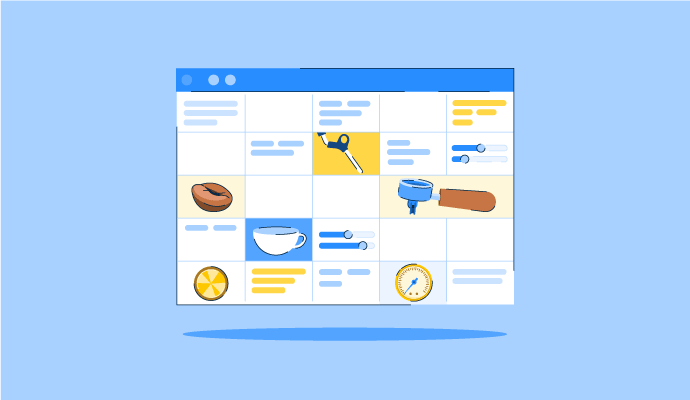
The Perfect Blend: How to Schedule Your Coffee Baristas Like a Pro
Something’s brewing!
by Alexandra Vazquez
Time Tracking Software Glossary Terms
Time Tracking Software Discussions
0
Question on: Keka
Which software is best for payroll?
Comment deleted by user.
Keka is one of the best. We have been using it for our 400 employee organisation for past 4 years and it has eased our payroll.
Keka Software
Keka HR
Keka is best i am using it since 1 year
Keka
Keka
0
Question on: Everhour
What makes Everhour different from other time tracking software?
No tool can meet everyone's needs! It is vital to choose the right one for you. Below just some facts about Everhour and what makes us really stand out.
Everhour is a time management system with a strong focus on integrations.
If you’re managing all your tasks in a specialized system, such as Asana, Trello, Basecamp or Notion where there is no native time tracking functionality (or it’s limited), you’ll need to use a third-party service.
But the majority of existing time tracking tools make the process a bit overcomplicated.
Let's say you are using Asana or Trello and have registered an account in a new time tracking system to track your time. You’ll be asked to create all your projects anew and manually map them one-by-one to those that you already have. Not to mention that you’ll have to switch tabs to log time, manually adjust task titles to keep reports consistent, etc.
All of this means more work, time and energy spent by you, on systems that don’t integrate as they say they do.
Everhour, on the contrary, offers real integration!
Just signup and start tracking time.
We inject the controls directly into the web interface of your favored environment – Asana, Trello, Basecamp, Jira, Notion, ClickUp and more – so that you and your employees don’t need to switch between your project management system and your time tracker. Saving you time and making data entry more accurate.
But, why do we focus much on integration, you may ask?
It’s simple. The best apps have honed their functionality over years.
No time tracker can ever compete with Asana or Trello or Jira in terms of project management. But, at the same time, time tracking is always requires in-depth, individual attention.
The best apps focus on just one thing, and do it really, really well. That’s why we don't compromise on quality and provide a robust time tracking functionality that works with your project management system, not instead of it.
So, how Everhour makes your work life easier?
1) Seamless presentation
Everhour shows time vs. estimate beside task titles. When the entire team sees progress on tasks, they will urge you to ensure the work is done. Leading to increased productivity.
2) Effective reporting
Reports in Everhour allow you to better categorize time using various information from your project management system such as tags, iterations or custom fields. Allowing you to dive deeper into analysis to get more accurate results, informing your future projects.
3) Automatic updates
When you move a task into a new project or change the name of the task, Everhour will sync this change automatically. That means your reports will always show the freshest data, allowing you to build your business on real stats.
Want to learn more?
Book a free demo. We’ll be happy to consult you on our time tracking software and help you discover if it meets your needs.
0
Question on: ClickUp
Who uses ClickUp?
Who uses ClickUp?
All the companies that manage the projects are mainly the IT, Strategy, and Consulting related organizations.
We use it too, one of the best tools for task management
used by project managers, teams, freelancers, startups, and enterprises across industries for task management, collaboration, communication, streamlining, alignment between multiple teams etc
I’m an Online Business Manager with a small team of freelancers. We use CU across the board with all our clients. One login and we each have access to every project and task. I personally use it to keep my own business and personal/family projects organized. I’m even thinking of introducing it to my kids to help them breakdown their school projects as they’re becoming more involved especially the grade 8 preparing for high school next year.
CU also helps my ADHD brain stay on task as it chunks the work into smaller more manageable pieces and steps
Anybody who runs business, managers projects, looking to build no-code solutions with databases to solve problems, and even organize your personal and household tasks!
Any business looking to improve their internal communication, task creation and tracking, and consolidate digital tools.
An individual contributor.
Project managers
Small and midsize business owners who want to stay organized.
I personally have used it while working with a post-secondary school, real estate agents, small businesses, and ministries.
Marketing managers, accountants, social media reps
Everyone.
Graphic designers, event managers, content creators, supervisors, educators, sales, project managers...
ClickUp is used by a wide range of people and organizations, from individuals to large companies.
Time Tracking Software Reports
Mid-Market Grid® Report for Time Tracking
Fall 2026
G2 Report: Grid® Report
Grid® Report for Time Tracking
Fall 2026
G2 Report: Grid® Report
Enterprise Grid® Report for Time Tracking
Fall 2026
G2 Report: Grid® Report
Momentum Grid® Report for Time Tracking
Fall 2026
G2 Report: Momentum Grid® Report
Small-Business Grid® Report for Time Tracking
Fall 2026
G2 Report: Grid® Report
Enterprise Grid® Report for Time Tracking
Summer 2026
G2 Report: Grid® Report
Small-Business Grid® Report for Time Tracking
Summer 2026
G2 Report: Grid® Report
Mid-Market Grid® Report for Time Tracking
Summer 2026
G2 Report: Grid® Report
Grid® Report for Time Tracking
Summer 2026
G2 Report: Grid® Report
Momentum Grid® Report for Time Tracking
Summer 2026
G2 Report: Momentum Grid® Report