Time Tracking Software Resources
Articles, Glossary Terms, Discussions, and Reports to expand your knowledge on Time Tracking Software
Resource pages are designed to give you a cross-section of information we have on specific categories. You'll find articles from our experts, feature definitions, discussions from users like you, and reports from industry data.
Time Tracking Software Articles
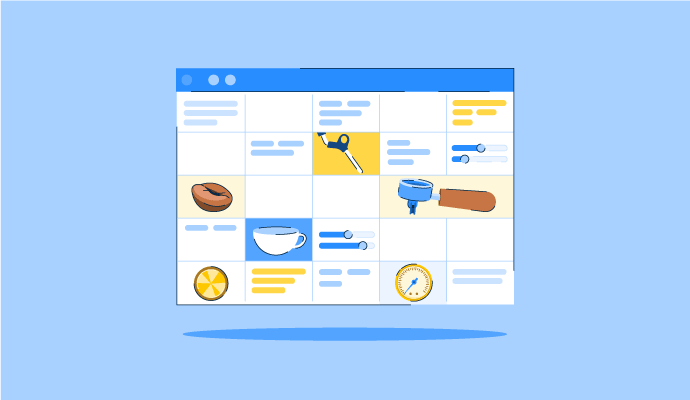
The Perfect Blend: How to Schedule Your Coffee Baristas Like a Pro
Something’s brewing!
by Alexandra Vazquez
Time Tracking Software Glossary Terms

Time Tracking Software Discussions
0
Question on: Deltek Replicon Time
Does Replicon have a support team available 24/7?
Support Team
Yes, our support team is available 24/7/365 to answer your questions.
Yes they do!
0
Question on: Deltek Replicon Time
What are the benefits of moving to the Gen3 platform?
Gen3 Benefits
There are a number of benefits you can gain by moving to the latest version of Replicon’s technology. Because ‘Software as a Service’ (SaaS) is the modern way to deliver software and support our customers, you will always have seamless, real-time access to the latest functionality, and have no need to use your own resources to manage either software or hardware to run your Replicon application.
Functionality improvements include:
- Improved user experience
- In-context analytics
- Resource management
- Superior project execution
- Streamlined payroll management
- Enhanced full-feature mobile platform
It has a couple of additional features, and the replicon customer service team can only help you with issues with Gen 3. However, it does lose some flexibility in terms of tasks setup on projects and we had some issues with that as well. but we still ended up jumping to Gen 3 anyway.
0
Question on: TimeClick
How do employees clock in/out?
Clocking in and out in TimeClick is as simple as double clicking your name, typing in your password, then clicking "Clock In" or "Clock Out".
We have a computer in break room for all employees who don't have their own computer. However you clock in and out at a computer. You find your name on the list click in and enter the last 4 of your SS# as this is your password and select ok then click out when you want to clock out. Employees who have computer have the time clock right on their desktop and they clock in and out from their office computer. The warehouse workers use computer in break room.
Each employee has his/her own password that is used to clock in/out. They simply select their name, the appropriate clock in/out action, and enter the password. Watch this video to see how employees clock in and out.
You can clock in or out via a computer. You can use your computer in your office or a computer provided by your business. Viewing your hours is simple by using your computer or phone to look at what you have accumulated/worked.
Time Tracking Software Reports
Mid-Market Grid® Report for Time Tracking
Fall 2026
G2 Report: Grid® Report
Grid® Report for Time Tracking
Fall 2026
G2 Report: Grid® Report
Enterprise Grid® Report for Time Tracking
Fall 2026
G2 Report: Grid® Report
Momentum Grid® Report for Time Tracking
Fall 2026
G2 Report: Momentum Grid® Report
Small-Business Grid® Report for Time Tracking
Fall 2026
G2 Report: Grid® Report
Enterprise Grid® Report for Time Tracking
Summer 2026
G2 Report: Grid® Report
Small-Business Grid® Report for Time Tracking
Summer 2026
G2 Report: Grid® Report
Mid-Market Grid® Report for Time Tracking
Summer 2026
G2 Report: Grid® Report
Grid® Report for Time Tracking
Summer 2026
G2 Report: Grid® Report
Momentum Grid® Report for Time Tracking
Summer 2026
G2 Report: Momentum Grid® Report