Project Collaboration Software Resources
Articles, Glossary Terms, Discussions, and Reports to expand your knowledge on Project Collaboration Software
Resource pages are designed to give you a cross-section of information we have on specific categories. You'll find articles from our experts, feature definitions, discussions from users like you, and reports from industry data.
Project Collaboration Software Articles
Scope Creep in Project Management: Ways To Navigate
Miscommunication, mutual frustrations, under-deliverability.
by Jasmine Lee
What Is Matrix Organization: Pros And Cons Explained

Think matrix: A traditional hierarchy offers clarity, but a matrix organizational structure opens up team collaboration opportunities.
by Grace Pinegar
State of Project Management Spring 2021
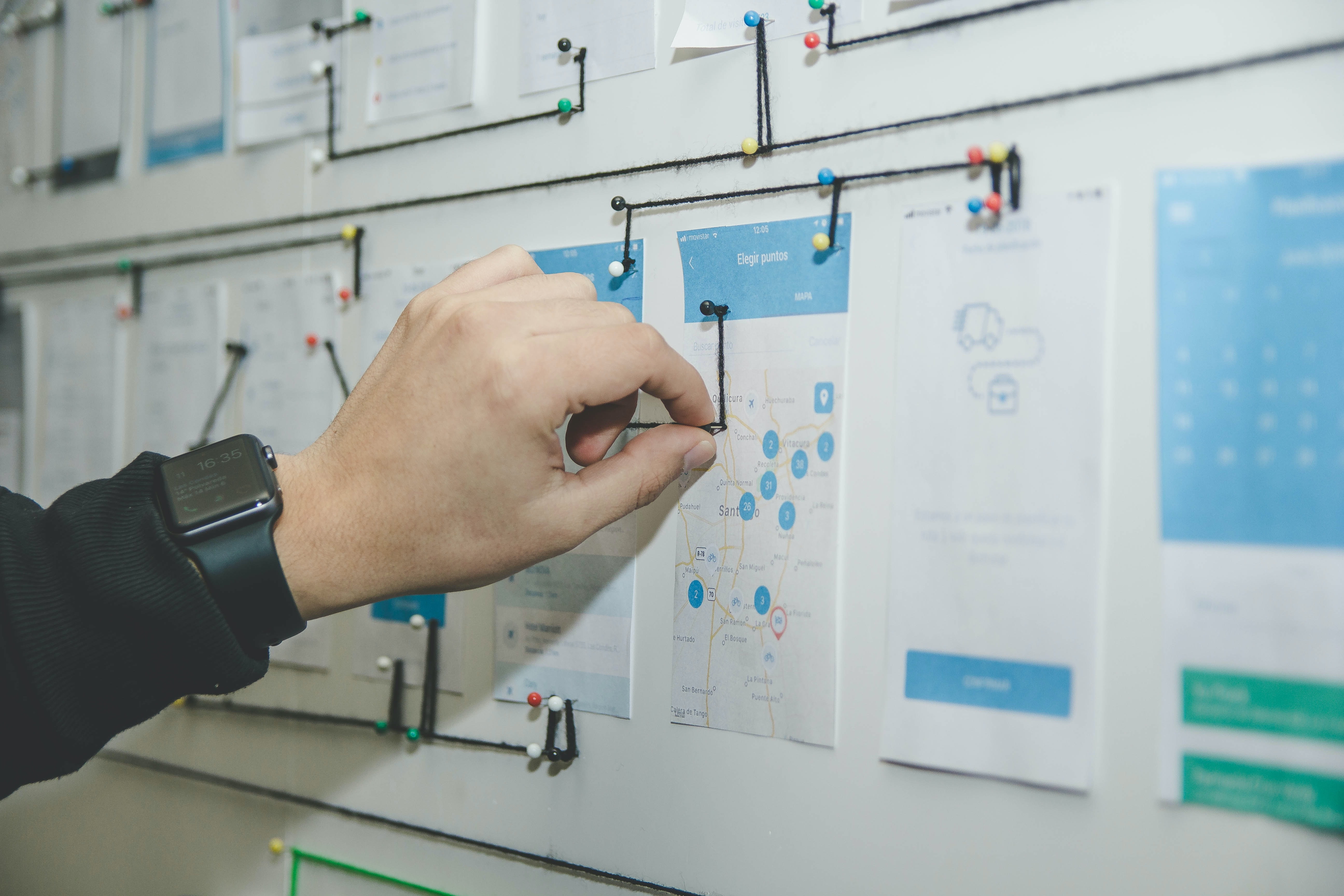
New technologies like the cloud have democratized project management software, making it accessible to everyone. Theoretically, a wide variety of options can be beneficial to buyers. Also, a competitive market means that vendors constantly try to outperform their competitors by improving their products. Does it mean that there are no issues in the project management software market? The only way to find out is to analyze feedback from more than 30,000 reviewers of project management solutions.
by Gabriel Gheorghiu
G2 Adds New Categories for Work Management and Project Collaboration
For decades, project management software has been straightforward—buyers knew very well what to expect from this type of software as most products potentially offered the same or almost similar features.
by Gabriel Gheorghiu
How Industry 4.0 Will Change Project Management
Project management software and methodologies are a form of automation that has been used in business for nearly 50 years. New technologies such as artificial intelligence (AI) and the Internet of Things (IoT) have the potential to automate project management—but, how far will they go?
by Gabriel Gheorghiu
Project Management in the Age of Remote Work
Working from home is a trend that’s been gaining traction for some time, with a growth of 159% in the last 12 years. As more companies are shifting to a remote workforce in response to the COVID-19 pandemic, the concept of remote work is more top of mind than ever.
by Gabriel Gheorghiu
How Project-Based Software Helps Companies
Most tasks we do at work are either process or project-based. Processes are made of repetitive tasks that we do repeatedly, with little to no variation. Project work can vary significantly from one project to another and can change based on internal or customer requirements.
by Gabriel Gheorghiu
The G2 on Collaboration Technology: Multicultural Collaboration
For as much we talk about globalization, rarely do we mention the difficulties of effective global communication.
by Jazmine Betz
Using Project Portfolio Management (PPM) to Determine Value
A portfolio is a collection of your best work, put forth in the hopes of making a positive impression.
by Grace Pinegar
Meet Milestones With Critical Chain Project Management
They say there are two ways to skin a cat (ew), and there are even more ways to manage a project.
by Grace Pinegar
Project Collaboration Software Glossary Terms
Project Collaboration Software Discussions
0
Question on: Smartsheet
What can smartsheet be used for?
Show More
Show Less
It has a wide range of functionalities for project management or even asset management.
Show More
Show Less
Great project management tool. The ability to link sheets and create dashboards is invaluable.
Show More
Show Less
In my experience, people use smartsheet to manage a range of projects like: simple task lists for a single project using a template, rolling up and summarizing a grouping of those task lists into a report and presenting to teams via a dashboard. At the moment, I'm using a single project sheet to list all of my current, cross-functional projects between departments to keep me on pace and have reminders set each morning of projects currently in flight. I have a project request form published to the organization that allows anyone to submit a project, and once submitted, an approval kicks off to review with the client. It has added a layer of structure our organization needed to be successful in tracking project timing and delivery.
Show More
Show Less
Everything! Budgeting, expense tracking, sharing spreadsheets, creating fillable forms, setting reminders and much more
Show More
Show Less
Planning and managing work, presenting and sharing information.
Show More
Show Less
So much more than project plans!
Summary or row Reports from sheets which can be created for specific audiences and shared on "team" dashboards.
Accountability!!! Update requests on tasks, cell level history on who changed data and when. Activity logs to see who's using your sheets, reports, and dashboards.
Surveys through a form that can make submissions actionable and reportable.
Use the different view options- grid, gantt, calendar, and card. Have used card view for preferred suppliers of company with our account/contact info with links to our account's webpage.
Notifications by practically any criteria of your sheet.
Show More
Show Less
Why, project management, of course! It's great for Gantt charts and action item lists.
Show More
Show Less
Smartsheet is perfect for sharing work being done on projects, client lists and anything else you would create in Excel or Access among multiple users. It is very easy to create the initial document and to add users.
Show More
Show Less
Smartsheet's provides real time information sharing between multiple sheets, forms, and locations. The system allows an up to date information sharing system, that can be updated multiple times throughout the day.
Show More
Show Less
I like the smartsheet Dashboard
Show More
Show Less
Organizing your work flow, creating tasks and schedules such as construction schedule and a gant chart. Tabs of certain tasks can be emailed to coworkers as a reminder. Its basically a more extensive version of Google Sheets.
Show More
Show Less
Managing all aspects of a project. Interior Design firm uses to track all steps and tasks to be completed during design. Same process for construction schedule and tasks to be completed. Also used for HR, PTO tracking, etc.
Show More
Show Less
Smartsheet can be used for Project Management and task management. It truly is a life saver!
Show More
Show Less
Just think of Excel on steroids!
Show More
Show Less
We use it for many things, including tracking project costs and reports. We also linked it to Docusign for HR Documentation like write ups and feedback forms. Through workapps we have created Inventory Apps, IT Request Apps, Employee hub, Incident reporting.
There is no limit on what you can use Smartsheet for.
Show More
Show Less
manage any project / company .
Show More
Show Less
project and resource management, product development roadmaps, approval processes
Show More
Show Less
Sure, I consider Smartsheet can be used for:
+ Project Management
+ Budget and Forecast
+ Tasks management
+ Gantt chart
Show More
Show Less
The Smartsheet platform allows you to collaborate, manage, and report on work in real time, automate workflows, and deploy new processes at scale. Smartsheet is more than a productivity or task app, it's the end-to-end work execution platform with the proven power to help your organization achieve more.
Show More
Show Less
Smartsheet is best used for live collaboration on spreadsheets and reports where multiple people can access and edit them at the same time. Its ability to send automatic email reminders to the people you specify when deadlines are approaching or changes are made also makes it a wonderful tool for highly customizable project management.
Show More
Show Less
We use Smartsheet to manage marketing & IT projects and requests. By utilizing the forms and notification features we can ensure all deadlines and or requests are receive and handled appropriately and timely.
Show More
Show Less
We currently use Smartsheet in multiple areas of the organization. We not only use it for Project, Program and Portfolio Management but also for training planning, fleet maintenance scheduling etc, a multitude of different purposes. We also use to manage external service providers updates of status etc.
Show More
Show Less
It can be used in place of spreadsheets (think MS Excel), project planning and scheduling (think MS Project), Kanban board (Jira), etc. Workflows can be created to automatically task people or change values of cells based on meeting conditions. I've used it for project intake, shared (published) PTO calendar, approval workflows, asset management, and project schedule just to name a few.
Show More
Show Less
The Smartsheet platform allows you to collaborate, manage, and report on projects in real time. The functionality to automate workflows, fosters visibility and transparency ensuring solid communications among teams. Smartsheet is a great productivity or task app, and end-to-end work execution platform. Great for any type of project planning, scheduling, and tracking.
Show More
Show Less
Cross departmental projects and projects with outside parties.
Show More
Show Less
Project management work plans as it supports task dependencies, durations, etc.
Show More
Show Less
project management
Form and approval
Survey
Contract management
Show More
Show Less
My favorite thing to use smartsheet for is timelines! Any type of project you need a timeline for, smartsheet is the best. It is the easiest to keep updated when using predecessors for setting dates and navigating around weekends/vacations/holidays with a feature that allows you to add dates that the project will not be worked on.
Show More
Show Less
Project Plan- develop project plans and follow scrum processes
Show More
Show Less
Lots of stuff. Its a smart Excel. So everything you do in Excel can be replicated and efficiently used in Smartsheet
Show More
Show Less
Project management, project coordination, collaboration, planning
Show More
Show Less
planning
Show More
Show Less
Smartsheet can be used for anything and everything your imagination can conjure. It is a VERY useful tool to help keep track of information, to share ideas, manage ideas and anything else you can think of. I CANNOT do my job without Smartsheet, I have between 11 and 15 Smartsheets open on my desktop at all times (I have three monitors) and several dozen others that I open and close throughout the day. Did I say I CANNOT do my job without Smartsheet!!!!! It is an amazing program!
Show More
Show Less
Project timelines, dashboard, metrics, resourcing
Show More
Show Less
Smartsheet is a utility tool that can be used for a multitude of applications. The features are versatile enough that you can manage both simple and complex organizational processes, track and manage information, push updates/notifications/requests, and build your own systems using their tools. This is not very specific, but the company itself built a platform meant to be something of a sandbox - kind of like how Salesforce is a CRM that can be used in many+ industries, so too can Smartsheet. In essence, it boils down to a means of process, project, department, organization, or resource management with any amount of integration among them.
Show More
Show Less
Smartsheet is great for organizing project plans. Easy to set up a gantt charts. Start with big buckets of work, then break that into smaller sub tasks. Assign due dates, dependencies, resources. It's easy and intuitive.
Also great for generating a project plan from a template, for example, an implementation process. Create a template of what a standard implementation should look like (kickoff meeting, approve docs x days later, etc.) Then easy to use the template to create a specific schedule by entering the kick off date and all the other dates generate from there.
Reports can then be run across projects to identify tasks that are due in the coming week, etc.
Show More
Show Less
collaboration
Show More
Show Less
Project management, organization, to-do lists, task management across team members, seriously endless possibilities!
Show More
Show Less
Smartsheet is a very flexible method of creating no code custom forms, project boards and project management tools. It has pre-built templates and integration that allow you to customize it to fit your needs. It is not as opinionated as some other project management tools. This can be a positive or a negative depending on your needs. If you want a more structured approach to task and project management, you may find your self making a lot of customization.
Show More
Show Less
All things. Inventory, tracking Purchase Orders, Workorders, Monthly manufacturing planning, Timesheets, Efficiency reports, Field Service scheduling and more.
Show More
Show Less
We use the Business Plan other than scheduling and some simple forms , a key tool is:
- Workflows & automation under this level of license let me do automated tasks, like calendar updating for scheduling resources, and a number of intricate behind the coalface tasks.
Currently i have a number of workflows where remote staff can allocate those resources, people are notified and can update on the fly. This calendar view is then plugged into SharePoint for all staff all over NSW, it has approval mechanisms and every time there is changes or requests the right person is notified in MS teams or via text or email depending.
These automations and workflows give us the elasticity to work as construction team all over the Mid North Coast NSW and stay connected as a collaborative group. Better control of resources, staff allocations and overall visibility of operational tasks that generally require multiple emails and phone calls.
I also feel formula complexity is improving all the time, we can do some complex cell and row tasks now in relation to removing information and updating fields if another field meets certain criteria. This is an area we are still looking to improve as it will remove a number of unnecessary spreadsheets to finalize and clean up data.
Show More
Show Less
For building trackers, action plans, and anything for management. They have a lot of templates as well.
Show More
Show Less
One of the best tools for managing timeline, workflow, progress, assignees, and much more.
Smartsheet makes life easy, simple, and fast when it comes to doing tedious tasks.
Show More
Show Less
Project tracking, Scheduling, creating reports and dashboards
Show More
Show Less
Project and Resource Management
Show More
Show Less
Project scheduling, Tracking, Resource assignment, creation project tasks precedence's.
Show More
Show Less
We use it to track the equipment we use on our jobs. The state pay on a per unit basis. An amount for each unit (cone, barrel, sign, etc.) smartsheet helps us track the units used each day out in the field.
Show More
Show Less
Onboarding plans, Project Timelines & Gantt Charts, Template creation, Jira sync with Smartsheet updates
Show More
Show Less
Smartsheet can be used for project management by setting specified team reminders and update requests. It is so easy to keep all the team members in the loop and up to date with the preset reminders and deadline notices.
Show More
Show Less
Project plans
Show More
Show Less
When using Smartsheet you realize how important it is to start thinking outside the box. It's an incredible tool for project management, but it's ability and usefulness is far beyond project management. We use it as web tool to collect patient feedback and complaints and to automate the assignment of those complaints between management at specific locations. We use it to manage all of our contracts because of the ability to automate review of contracts and to renew or terminate, etc. We use it as our entire IT helpdesk ticketing system across our organization, for referral tracking, for all maintenance requests, for managing printing order requests across our organization, our Human Resource dept. uses it to track annual and 90 day performance evaluations, Patient Centered Medical Home, inventory tracking, and so much more.
Show More
Show Less
Smartsheet is so flexible, I would say it can be used for almost anything that a spreadsheet can do, with the added dimension of remote team coordination. Design review and process improvement is how I am using it at the moment.
Show More
Show Less
I use Smartsheet to track projects and data collection from forms. There is so much untapped potential in Smartsheet that I have not even begun to use - and already it has made my work life easier.
Show More
Show Less
Estimating sheets, approval process, scheduling
Show More
Show Less
1. Project Management: Smartsheet allows me to plan, track, and manage projects, including task assignments, timelines, and dependencies.
2. Team Collaboration: It facilitates real-time collaboration and communication among team members, enabling them to work together on shared projects and tasks.
3. Task and Workflow Management: Smartsheet helps streamline workflows by providing visibility into task progress, assigning responsibilities, and automating repetitive processes.
4. Resource Planning: It allows me to allocate and manage resources effectively, ensuring that the right people are assigned to the right tasks at the right time.
5. Data Tracking and Reporting: Smartsheet enables me to collect and analyze data, create custom reports, and visualize information through charts and graphs.
6. Project Documentation: It provides a centralized platform for storing project-related documents, files, and attachments, making it easy to access and share information.
Show More
Show Less
Project & Program Management - Portfolio Management, Milestones Tracking, Baseline tracking, Project Dashboard, Performance health, Project reporting, Tasks Planning
Show More
Show Less
Projects management
Show More
Show Less
Horrible company!!
They blocked my account and stole my money, thanks to drewwake.jtbtech@gmail.com for helping me I am so glad
You can as well reach him via his WhatsApp address.
+84 94 767 1524
for a successful chargeback and I got my refund.
Show More
Show Less
0
Question on: Wrike
What is wrike used for?
Show More
Show Less
Wrike is a scaleable project management tool.
From Wrike: "Wrike is a SaaS-based, work management platform features
engaging collaboration, workflow and project management tools built into an intuitive online workspace."
Can confirm. Wrike allows us to engage across specialties: from writers to web to marketing and digital media, we all use this tool to manage our workflows and enhance collaborative opportunities.
Show More
Show Less
for daily updates/status on jobs
Show More
Show Less
Project management
Show More
Show Less
Planning and communication
Show More
Show Less
Project/ Task management
Show More
Show Less
Project Management, Workflow Management, Customer Quality Issue Management, Automation with a service desk (Wrike request forms automatically create project plans with assignees when users fill out an intake form), IT offboarding, HR/IT onboarding, and OKR management.
Show More
Show Less
Wrike has become our digital service agency's only project and task management tool for both client projects and internal projects. We also use Wrike to track progress toward company goals. We rely on the ability to create blueprints in order to standardize processes, and we love Wrike's automation and workflow capabilities to manage new project requests and quickly model schedule and resource allocation.
Show More
Show Less
Project management
Show More
Show Less
Project Management tool
Show More
Show Less
I currently manage multiple projects and use Wrike to keep track of the status of multiple tasks across all the projects I am currently working on. Being able to provide my project teams with updates on the status of tasks without having to send multiple emails has enabled me to increase my productivity and decrease the volume in my inbox.
Show More
Show Less
Project planning, management & collaboration tool
Show More
Show Less
Project management
Show More
Show Less
Project Management with emphasis on Marketing and Creative Services.
Show More
Show Less
Project management
Show More
Show Less
0
Question on: Basecamp
What is basecamp used for?
Show More
Show Less
Basecamp is for team communication and file sharing.
Show More
Show Less
Project Collaboration Software Reports
Mid-Market Grid® Report for Project Collaboration
Summer 2026
G2 Report: Grid® Report
Grid® Report for Project Collaboration
Summer 2026
G2 Report: Grid® Report
Enterprise Grid® Report for Project Collaboration
Summer 2026
G2 Report: Grid® Report
Momentum Grid® Report for Project Collaboration
Summer 2026
G2 Report: Momentum Grid® Report
Small-Business Grid® Report for Project Collaboration
Summer 2026
G2 Report: Grid® Report
Enterprise Grid® Report for Project Collaboration
Spring 2026
G2 Report: Grid® Report
Small-Business Grid® Report for Project Collaboration
Spring 2026
G2 Report: Grid® Report
Mid-Market Grid® Report for Project Collaboration
Spring 2026
G2 Report: Grid® Report
Grid® Report for Project Collaboration
Spring 2026
G2 Report: Grid® Report
Momentum Grid® Report for Project Collaboration
Spring 2026
G2 Report: Momentum Grid® Report